




Here's how it works

01. Edit your form online
Type text, add images, blackout confidential details, add comments, highlights and more.

02. Sign it in a few clicks
Draw your signature, type it, upload its image, or use your mobile device as a signature pad.

03. Share your form with others
Send it via email, link, or fax. You can also download it, export it or print it out.
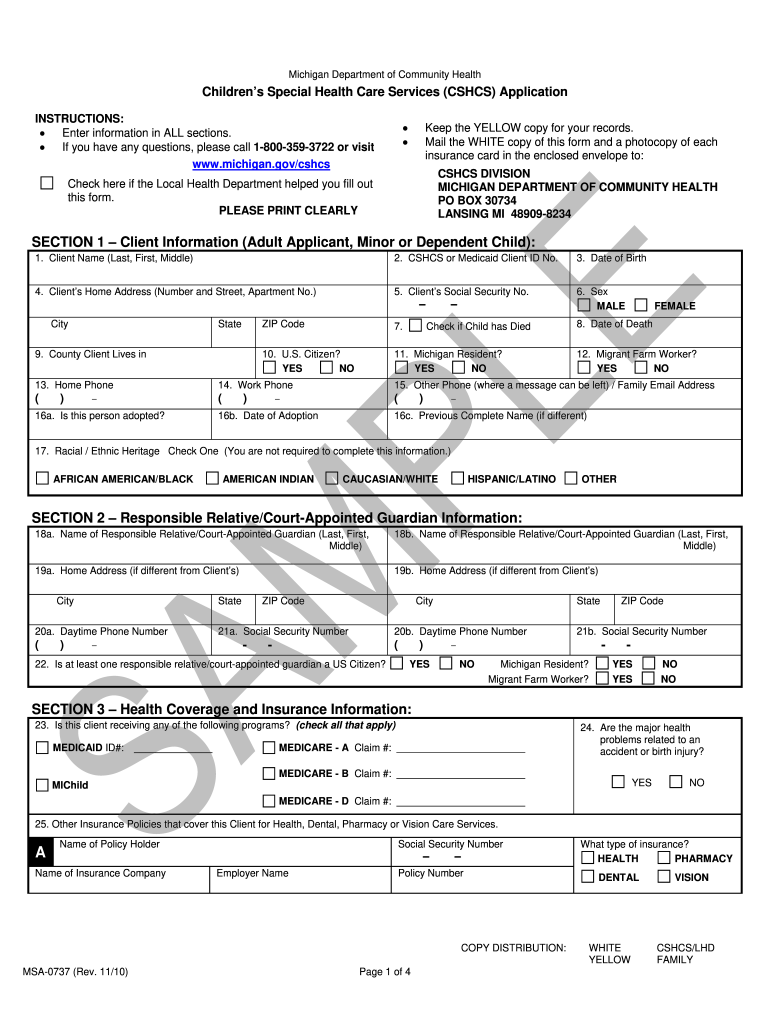
How to use or fill out msa 0737 with our platform

- Click ‘Get Form’ to open the msa 0737 in the editor.
- Begin with Section 1, entering the Client Information. Fill in the Client's name, CSHCS or Medicaid ID, date of birth, and home address clearly. Ensure all fields are completed accurately.
- Proceed to Section 2 for Responsible Relative/Court-Appointed Guardian Information. Provide names and contact details for guardians, ensuring that at least one is a U.S. citizen.
- In Section 3, detail any health coverage and insurance information. Check applicable programs and list any other insurance policies covering the client.
- Complete Section 4 by providing health care information including primary care doctor details and any specialty doctors treating the client.
- Fill out Section 5 regarding involvement of others in the household who have CSHCS.
- Finally, review Section 6 for Agreement, Certification, and Signatures. Ensure all required signatures are obtained before submission.
Start using our platform today to fill out your msa 0737 form online for free!
Fill out msa 0737 online
It's free
It's free
Security and compliance
At DocHub, your data security is our priority. We follow HIPAA, SOC2, GDPR, and other standards, so you can work on your documents with confidence.
Learn more




