




Here's how it works



How to use or fill out SMAR 618 Residential Dwelling Lease.docx with our platform

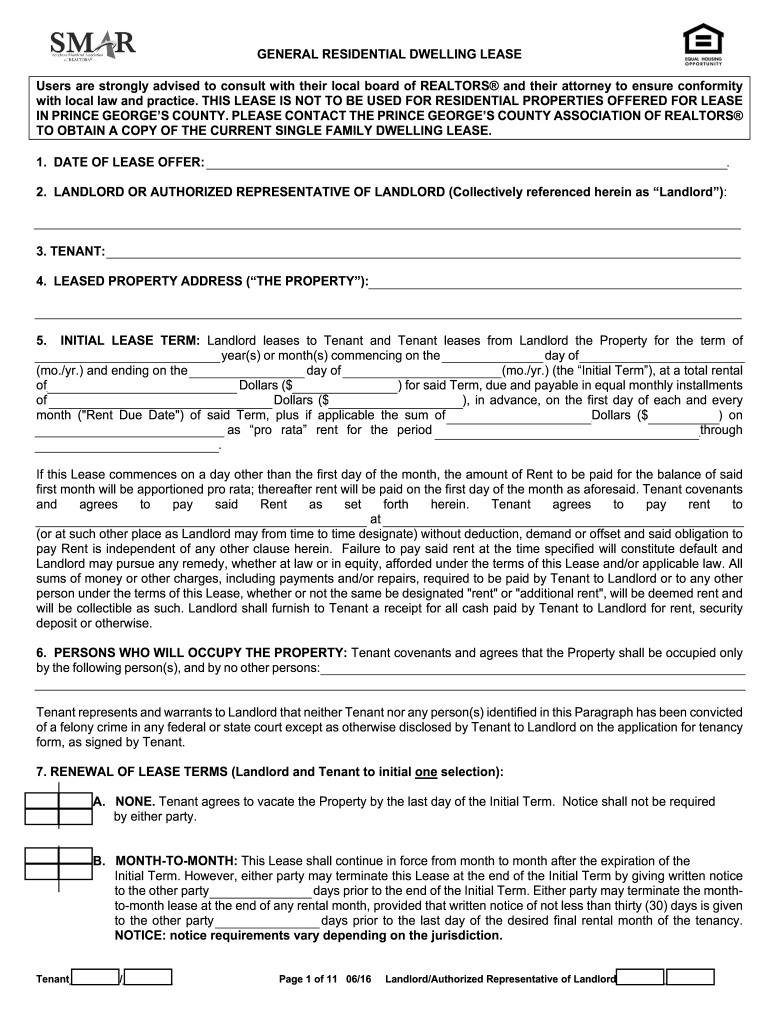
- Click ‘Get Form’ to open the SMAR 618 Residential Dwelling Lease in the editor.
- Begin by entering the 'Date of Lease Offer' at the top of the form. This is crucial for establishing the timeline of your lease agreement.
- Fill in the 'Landlord' and 'Tenant' sections with the respective names. Ensure accuracy as these details are legally binding.
- Complete the 'Leased Property Address' section, specifying the exact location of the property being leased.
- In the 'Initial Lease Term' section, indicate how long you intend to lease the property, including start and end dates, along with rental amounts.
- List all individuals who will occupy the property under 'Persons Who Will Occupy The Property'. This ensures compliance with occupancy rules.
- Review additional sections regarding payment terms, security deposits, and tenant responsibilities. Make sure to fill out any applicable fields accurately.
Start editing your SMAR 618 Residential Dwelling Lease today for free on our platform!
It's free
Got questions?
How can I eSign my SMAR 618 Residential Dwelling Lease.docx from Gmail?
With DocHub, it’s quite simple. The platform offers users an add-on called DocHub for Gmail, which you can locate in the Google Workspace Marketplace free of charge. Set it up and give it access to your Google account. Open your email with your SMAR 618 Residential Dwelling Lease.docx attached and click on the add-on button in the right-side panel. Log in to your DocHub account, and import the file to our editor, where you can complete it and sign.
How do you fill out SMAR 618 Residential Dwelling Lease.docx online?
You may get and edit your SMAR 618 Residential Dwelling Lease.docx online with the help of DocHub. Its simple but feature-rich design allows you to begin productive work right after you register your account. Create your profile and add your file, and then our interface will guide you through our stress-free form completion experience.
Security and compliance
At DocHub, your data security is our priority. We follow HIPAA, SOC2, GDPR, and other standards, so you can work on your documents with confidence.
Learn more


