Type text, add images, blackout confidential details, add comments, highlights and more.
02. Sign it in a few clicks
Draw your signature, type it, upload its image, or use your mobile device as a signature pad.
03. Share your form with others
Send it via email, link, or fax. You can also download it, export it or print it out.
How to use or fill out phs 6134 with our platform
Ease of Setup
DocHub User Ratings on G2
Ease of Use
DocHub User Ratings on G2
Click ‘Get Form’ to open the PHS-6134 in the editor.
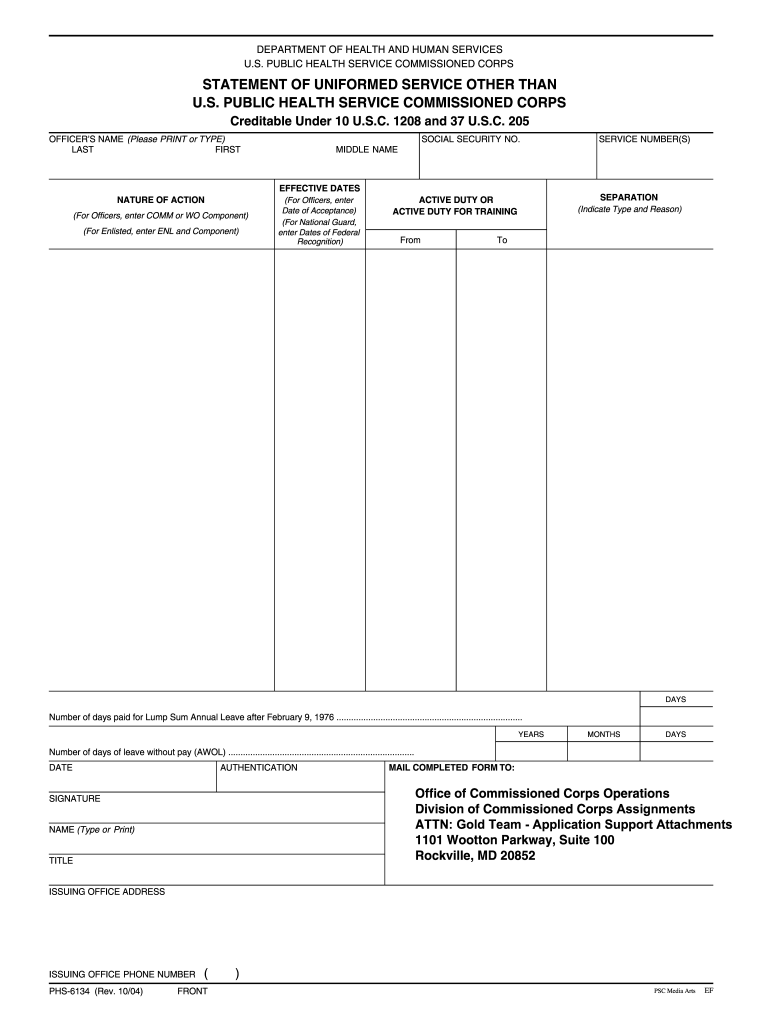
Begin by entering your name in the designated fields: Last, First, and Middle Name. Ensure accuracy as this information is crucial for identification.
Input your Social Security Number and Service Number(s) in the appropriate sections. This data is mandatory for processing your service credit.
Fill in the Effective Dates and Nature of Action. For officers, specify whether you are a COMM or WO Component; for enlisted personnel, indicate ENL and Component.
Document your active duty dates by entering 'From' and 'To' dates along with the total number of days served. Include any leave without pay (AWOL) details if applicable.
Complete the Authentication section by providing your signature, name, title, issuing office address, and phone number before submitting.
Start filling out your PHS-6134 form online for free today!
6134 PHYS 2207 LAB 403. Meeting Pattern. T 12:20pm - 2:15pm; Aug 26, 2025. Instructors. Case, G. T 12:20pm - 2:15pm; Sep 9, 2025. Instructors. T 12:Read more
The PHS-6134 (Statement of Uniformed Service other than U.S. Public Health Service. Commissioned Corps) is used to provide start and end dates of all priorRead more
Cookie consent notice
This site uses cookies to enhance site navigation and personalize your experience.
By using this site you agree to our use of cookies as described in our Privacy Notice.
You can modify your selections by visiting our Cookie and Advertising Notice.