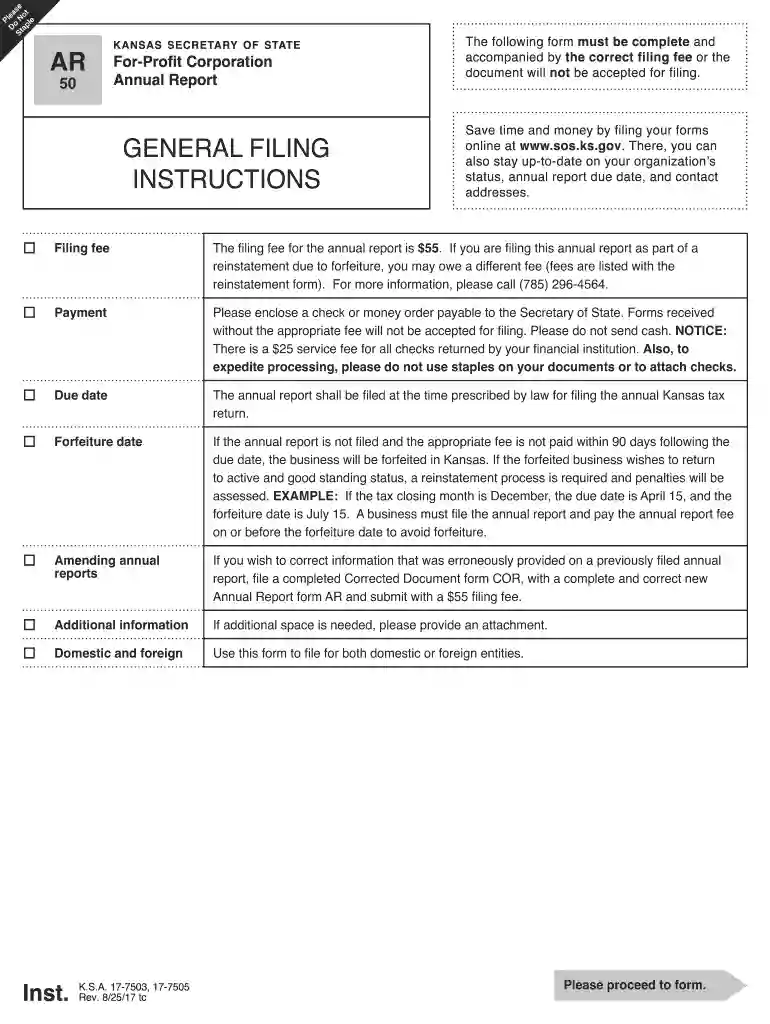
Ar50 kansas cec of state 2011 form-2026

Get Form
ar50 kansas cec of state 2011 form Preview on Page 1

Here's how it works

01. Edit your form online
Type text, add images, blackout confidential details, add comments, highlights and more.

02. Sign it in a few clicks
Draw your signature, type it, upload its image, or use your mobile device as a signature pad.

03. Share your form with others
Send it via email, link, or fax. You can also download it, export it or print it out.

How to use or fill out AR50 Kansas CEC of State 2011 Form with Our Platform

Form edit decoration
9.5
Ease of Setup
DocHub User Ratings on G2
9.0
Ease of Use
DocHub User Ratings on G2
  1. Click ‘Get Form’ to open the AR50 Kansas CEC of State 2011 form in the editor.
  2. Begin by entering your Business Entity ID number in the first field. Ensure this is not your Federal Employer ID Number (FEIN).
  3. In the next section, input the name of your corporation exactly as it appears on record with the Kansas Secretary of State.
  4. Fill out your mailing address, ensuring all fields are complete. This address will be used for official correspondence.
  5. Provide your principal office address, making sure it is a physical location and not a P.O. box. If this is a new address, check the corresponding box.
  6. Complete the tax closing date and provide details about each officer and director of your corporation in the designated sections.
  7. Answer questions regarding ownership and agricultural land as applicable, ensuring all required fields are filled accurately.
  8. Finally, review all entries for accuracy before signing and dating the form at the bottom.

Start using our platform today to fill out your AR50 form quickly and efficiently!

See more ar50 kansas cec of state 2011 form versions

We've got more versions of the ar50 kansas cec of state 2011 form form. Select the right ar50 kansas cec of state 2011 form version from the list and start editing it straight away!
Versions Form popularity Fillable & printable
2021 4.8 Satisfied (190 Votes)
2018 4.3 Satisfied (58 Votes)
2015 4.4 Satisfied (561 Votes)
2011 4.2 Satisfied (50 Votes)
be ready to get more

Complete this form in 5 minutes or less

Get form

Got questions?

We have answers to the most popular questions from our customers. If you can't find an answer to your question, please contact us.
Contact us

Electronic document approval requires a software solution that works in compliance with data security and eSignature standards. DocHub is an excellent tool for that, since it fulfills all the previously mentioned requirements. Whatever method you prefer to sign your ar50 kansas cec of state 2011 form in DocHub, your electronic signature will be legally binding and court-admissible.

You need only a web connection and a browser to complete your ar50 kansas cec of state 2011 form on an iOS phone. Open the DocHub website and authenticate. Then, add your file or select it from the list in your dashboard. Then use our editing tools to complete your form and save all your modifications. You may also send it to a dedicated recipient immediately.

Security and compliance

At DocHub, your data security is our priority. We follow HIPAA, SOC2, GDPR, and other standards, so you can work on your documents with confidence.

Learn more
ccpa2
pci-dss
gdpr-compliance
hipaa
soc-compliance