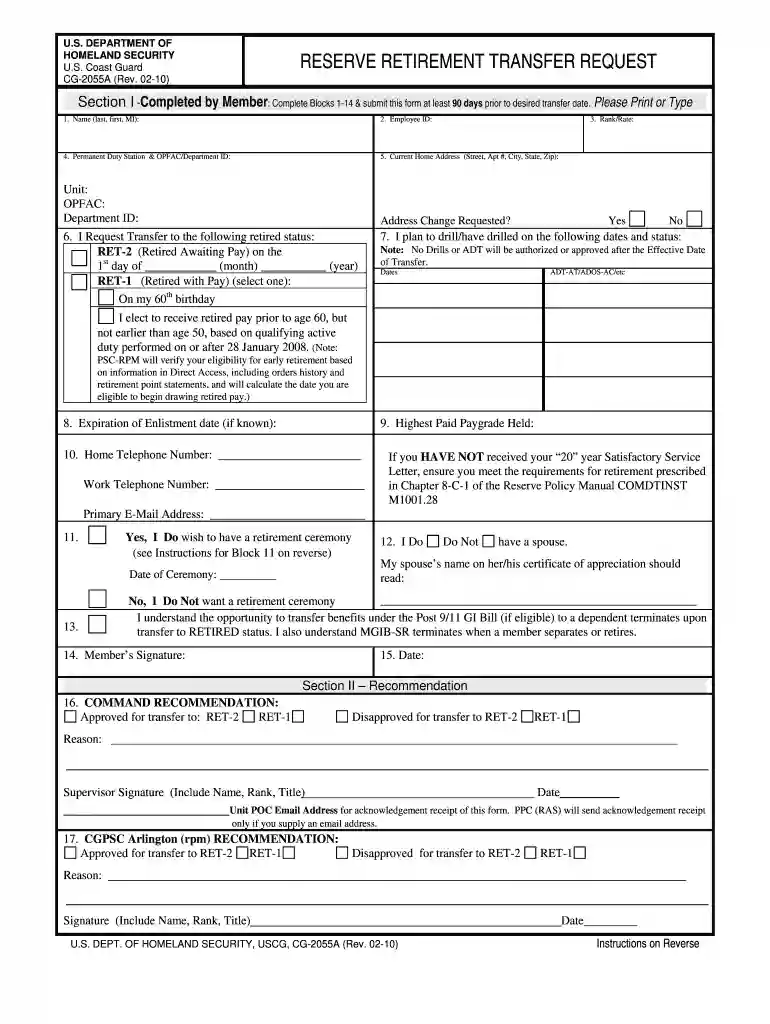
Cg 2055a 2026

Get Form
reserve retirement request form Preview on Page 1

Here's how it works

01. Edit your reserve retirement request form online
Type text, add images, blackout confidential details, add comments, highlights and more.

02. Sign it in a few clicks
Draw your signature, type it, upload its image, or use your mobile device as a signature pad.

03. Share your form with others
Send reserves requirements via email, link, or fax. You can also download it, export it or print it out.

How to use or fill out cg 2055a with our platform

Form edit decoration
9.5
Ease of Setup
DocHub User Ratings on G2
9.0
Ease of Use
DocHub User Ratings on G2
  1. Click ‘Get Form’ to open the CG-2055A in the editor.
  2. Begin by completing Blocks 1-14 in Section I. Enter your full name, employee ID, and rank/rate clearly.
  3. Provide your permanent duty station and current home address. If you wish to change your mailing address, check the appropriate box.
  4. Indicate your desired retirement status in Block 6, specifying the effective date for RET-2 or RET-1.
  5. List any planned drill dates in Block 7 and provide your expiration of enlistment date if known.
  6. Fill in your highest paid paygrade and contact information in Blocks 9 and 10.
  7. Decide if you want a retirement ceremony and provide details if applicable. Sign and date the form at the end of Section I.
  8. For Section II, ensure command recommendations are filled out correctly before submitting via email as instructed.

Start using our platform today to streamline your CG-2055A completion for free!

See more cg 2055a versions

We've got more versions of the cg 2055a form. Select the right cg 2055a version from the list and start editing it straight away!
Versions Form popularity Fillable & printable
2020 4.6 Satisfied (53 Votes)
2010 4.8 Satisfied (258 Votes)
be ready to get more

Complete this form in 5 minutes or less

Get form

Got questions?

We have answers to the most popular questions from our customers. If you can't find an answer to your question, please contact us.
Contact us
However, members can receive payment as early as age 50 if they perform qualifying active service, typically achieved by being on deployment or operational orders for each aggregate of 90 days.
Reserve service is converted to active service by dividing retirement points by 360. Read more about reserve retirement on the OSD website.
The years of creditable service for an active duty retirement calculation is the sum of years of active service (i.e., active duty or full-time National Guard duty) and any additional years computed by adding all reserve points, if any (except those for active service)and dividing by 360.
The creditable years of service for a reserve retirement calculation is determined by the sum of all accumulated reserve points divided by 360.
National Guard and Reserve Service Active-duty military service in any Reserve component is creditable when the federal employee is called to active duty. Such periods include annual active-duty training service periods.

Security and compliance

At DocHub, your data security is our priority. We follow HIPAA, SOC2, GDPR, and other standards, so you can work on your documents with confidence.

Learn more
ccpa2
pci-dss
gdpr-compliance
hipaa
soc-compliance
be ready to get more

Complete this form in 5 minutes or less

Get form