




Here's how it works



How to use or fill out dps for drug receipt 2010 form with our platform

- Click ‘Get Form’ to open the dps for drug receipt 2010 form in the editor.
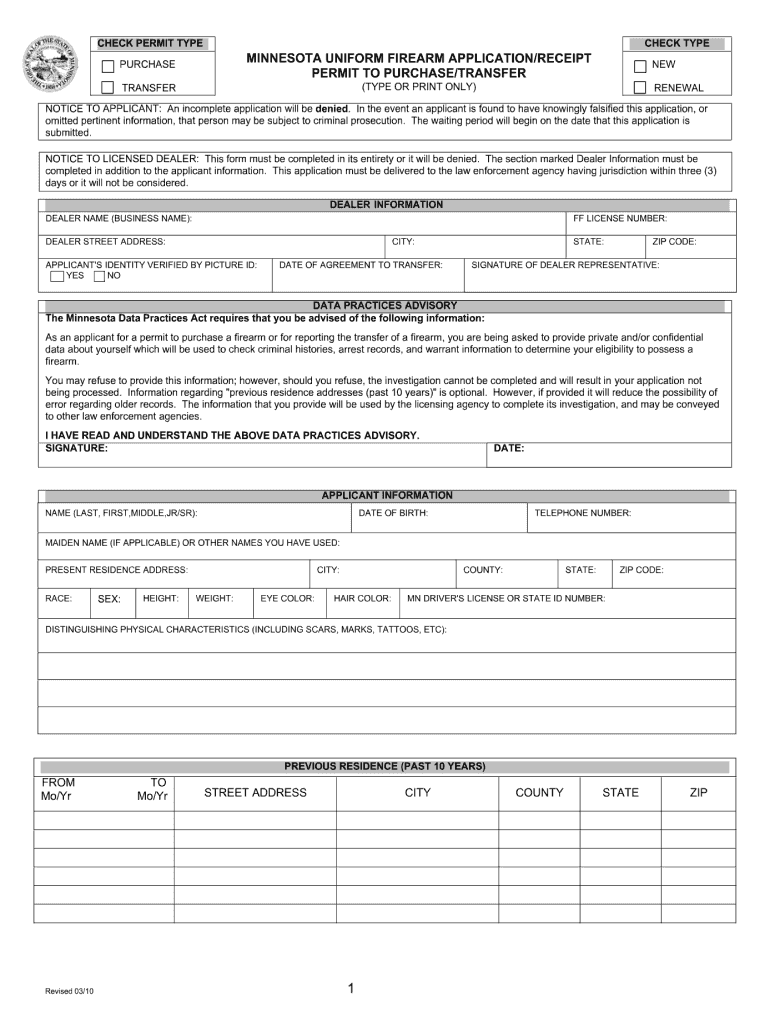
- Begin by filling out the 'Applicant Information' section. Enter your full name, date of birth, and contact details accurately to ensure proper identification.
- Complete the 'Dealer Information' section by providing the dealer's name and address. Ensure that all fields are filled out completely to avoid application denial.
- In the 'Authorization for Release of Information' section, provide your consent by signing and dating where indicated. This is crucial for background checks.
- Review all sections carefully before submitting. Use our platform’s editing tools to make any necessary adjustments easily.
Start using our platform today to fill out your dps for drug receipt 2010 form online for free!
It's free
See more dps for drug receipt 2010 form versions
Got questions?
How can I eSign my dps for drug receipt 2010 form from Gmail?
With DocHub, it’s quite simple. The editor offers users an add-on called DocHub for Gmail, which you can find in the Google Workspace Marketplace free of charge. Set it up and grant it access to your Google account. Open your email with your dps for drug receipt 2010 form attached and click on the add-on button in the right-side panel. Sign in to your DocHub account, and import the form to our editor, where you can complete it and sign.
How do you edit dps for drug receipt 2010 form on iOS?
You can easily edit fill out your dps for drug receipt 2010 form on any iOS gadget. Open an internet browser of your choice, visit the DocHub site, authorize or create a new account, add your file for editing, and make your desired adjustments. Our service is mobile-friendly, so using its features on your phone will be a no-brainer, even on the first try.
Security and compliance
At DocHub, your data security is our priority. We follow HIPAA, SOC2, GDPR, and other standards, so you can work on your documents with confidence.
Learn more




