




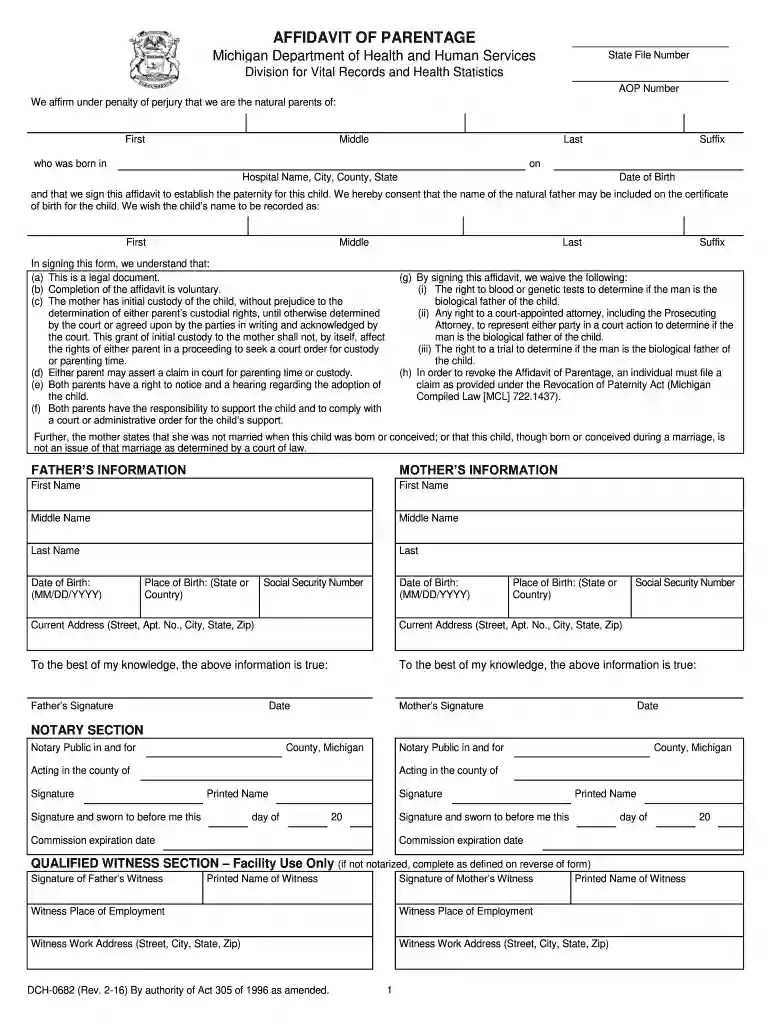
01. Edit your affidavit of parentage maryland online
Type text, add images, blackout confidential details, add comments, highlights and more.

Type text, add images, blackout confidential details, add comments, highlights and more.

Draw your signature, type it, upload its image, or use your mobile device as a signature pad.

Send affidavit of parentage via email, link, or fax. You can also download it, export it or print it out.

Start using our platform today to easily complete your affidavit of parentage online for free!
We've got more versions of the affidavit of parentage maryland form. Select the right affidavit of parentage maryland version from the list and start editing it straight away!
Yes, electronically drawing your signature is appropriate, but only if you use a tool that complies with industry regulations and policies. Consider DocHub, which guarantees eSignature validity under ESIGN and UETA requirements. All you need to approve your proof of parentage electronically is an account with DocHub and an internet connection. Once you open your document in our editor, click Sign and select the Draw tool.
Using a swift editing platform like DocHub, you do not require anything but a web browser and connection to the internet to edit your affadavit of parentage on the internet easily. Upload your file or find the relevant form in DocHub’s catalog, open our editor with one click, and finish it electronically. To edit your forms anytime, sign up a free account with DocHub.
At DocHub, your data security is our priority. We follow HIPAA, SOC2, GDPR, and other standards, so you can work on your documents with confidence.
The Administration shall supply participating entities with a standardized affidavit of parentage form which provides the following information.Read more
Check one of the two boxes below. Do not check more than one. We affirm that the man will be considered the natural father of this child.Read more


