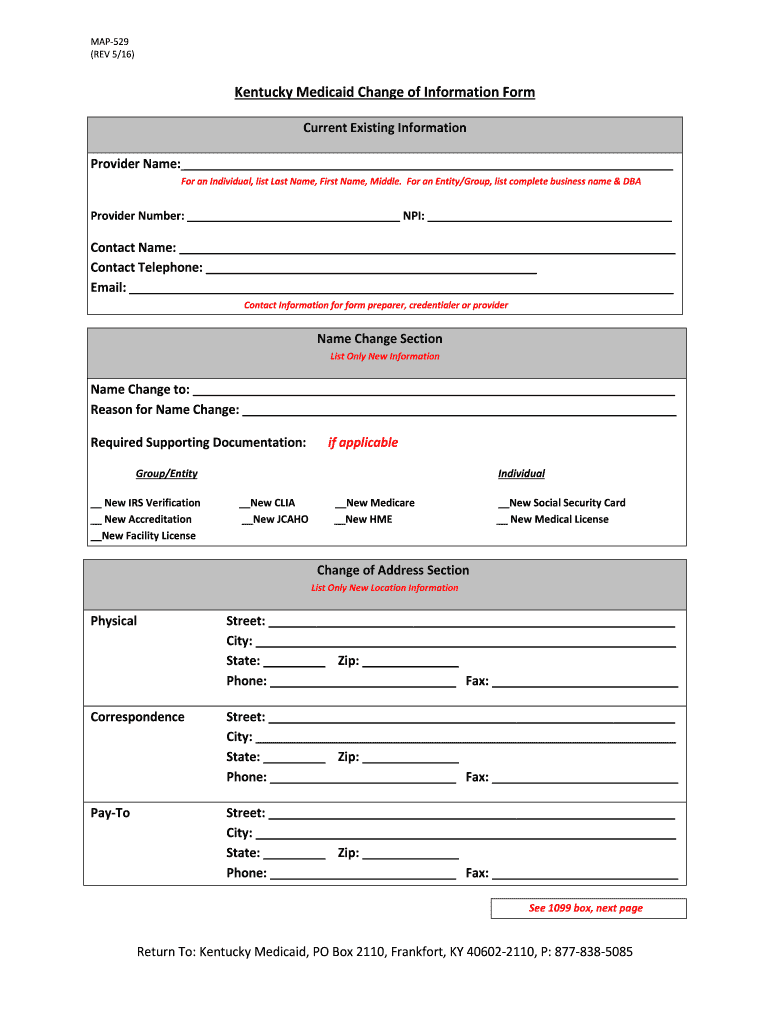
Kentucky information form 2026

Get Form
patient form Preview on Page 1

Here's how it works

01. Edit your patient form online
Type text, add images, blackout confidential details, add comments, highlights and more.
02. Sign it in a few clicks
Draw your signature, type it, upload its image, or use your mobile device as a signature pad.
03. Share your form with others
Send kentucky medicaid change via email, link, or fax. You can also download it, export it or print it out.

How to use or fill out Kentucky Information Form with DocHub

Form edit decoration
9.5
Ease of Setup
DocHub User Ratings on G2
9.0
Ease of Use
DocHub User Ratings on G2
  1. Click ‘Get Form’ to open it in the editor.
  2. Begin by filling out the 'Current Existing Information' section. Enter your Provider Name, Provider Number, NPI, and Contact Information accurately.
  3. If you need to change your name, navigate to the 'Name Change Section'. Provide the new name and reason for the change, along with any required supporting documentation.
  4. For address changes, complete the 'Change of Address Section' with your new physical and correspondence addresses. Ensure all fields are filled out correctly.
  5. If applicable, fill in the 'Additional Location Section' with any new physical addresses and contact information.
  6. To request termination of your Kentucky Medicaid number, complete that section with your name, effective date, and Medicaid number being terminated.
  7. Finally, review all entries for accuracy before signing and dating the form at the bottom.

Start using our platform today to streamline your Kentucky Information Form completion for free!

See more kentucky information form versions

We've got more versions of the kentucky information form form. Select the right kentucky information form version from the list and start editing it straight away!
Versions Form popularity Fillable & printable
2016 4.8 Satisfied (255 Votes)
2009 4.4 Satisfied (341 Votes)
be ready to get more

Complete this form in 5 minutes or less

Get form

Got questions?

We have answers to the most popular questions from our customers. If you can't find an answer to your question, please contact us.
Contact us
Proof of Zero Income Form (PAFS-702) Verification of Employment and Wages (PAFS-700)
KY 720 Information All corporations, other than S corporations, are required by law to file a Kentucky Corporation Income Tax and LLET Return. Any corporation electing S corporation treatment in accordance with Sections 1361(a) and 1362(a) of the Internal Revenue Code must use Form 720S and related schedules.
Form K-4 is only required to document that an employee has requested an exemption from withholding OR to document that an employee has requested additional withholding in excess of the amounts calculated using the formula or tables. If neither situation applies, then an employer is not required to maintain Form K-4.
Kentucky residency verification Kentucky residency verification is a foundational requirement for applicants seeking to utilize the PAFS 76 form for financial aid. Accurate determination of residency status ensures that financial resources are allocated appropriately and in accordance with state regulations.

Security and compliance

At DocHub, your data security is our priority. We follow HIPAA, SOC2, GDPR, and other standards, so you can work on your documents with confidence.

Learn more
ccpa2
pci-dss
gdpr-compliance
hipaa
soc-compliance
be ready to get more

Complete this form in 5 minutes or less

Get form