




01. Edit your request to reinstate benefits ssa 371 online
Type text, add images, blackout confidential details, add comments, highlights and more.

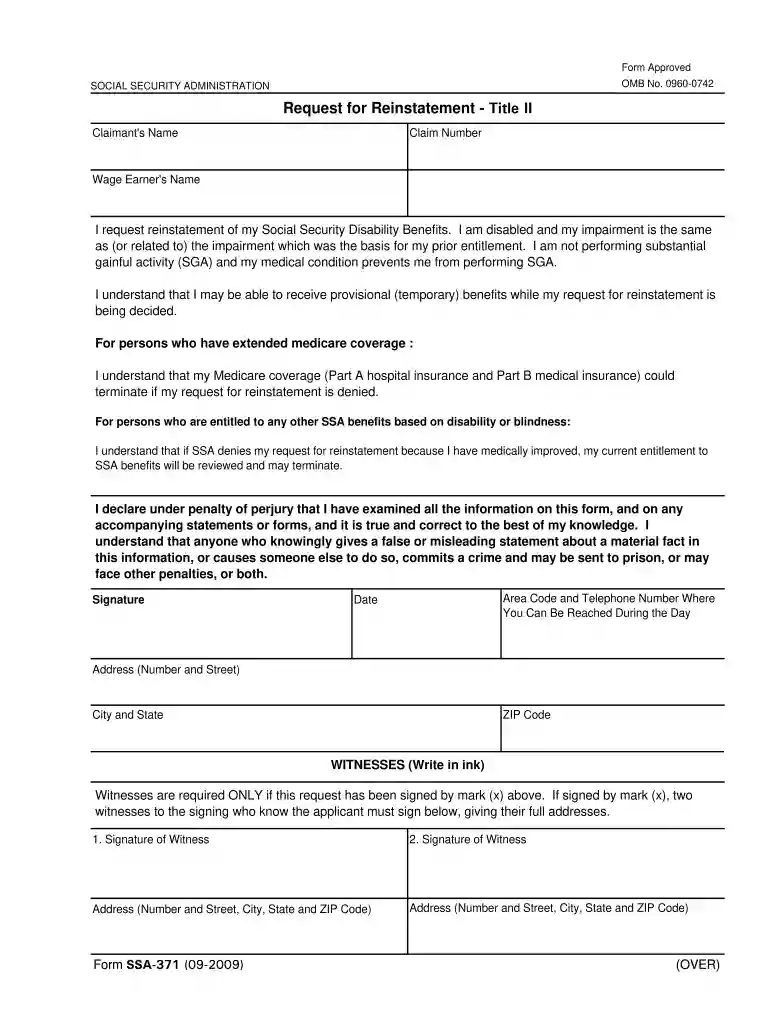
Type text, add images, blackout confidential details, add comments, highlights and more.

Draw your signature, type it, upload its image, or use your mobile device as a signature pad.

Send ssa 371 via email, link, or fax. You can also download it, export it or print it out.

Start using our editor today to fill out your SSA 371 form online for free!
We've got more versions of the request to reinstate benefits ssa 371 form. Select the right request to reinstate benefits ssa 371 version from the list and start editing it straight away!
Yes, you can utilize DocHub for signing any business and personal paperwork, including your ssi reinstatement form. All eSignatures you generate with our service are legally binding and court-admissible, as DocHub complies with criteria required by ESIGN and UETA. Save your accomplished form with a detailed Audit Trail if needed.
Having a swift editing platform like DocHub, you do not need anything but a web browser and internet connection to modify your ssa 371 form on the internet quickly. Upload your file or find the relevant form in DocHub’s catalog, open our editor with a single click, and complete it digitally. To revise your forms anytime, sign up a free profile with DocHub.
At DocHub, your data security is our priority. We follow HIPAA, SOC2, GDPR, and other standards, so you can work on your documents with confidence.
(A) the term “agreement” means an agreement described in section 371(b)(3)(A) of the Public Health Service Act ;. (B) the term “designated organ procurement ...
27 Jun 2022 — 2. Complete EXR package · SSA-371 - Request for Reinstatement - Title II; · SSA-16-BK-Application for Disability Insurance Benefits, SSA-10-BK ...


