Formule 243 - Rapport annuel - Service New Brunswick - pxw1 snb 2025

Get Form
snb corporate registry Preview on Page 1

Here's how it works

01. Edit your snb corporate registry online
Type text, add images, blackout confidential details, add comments, highlights and more.
02. Sign it in a few clicks
Draw your signature, type it, upload its image, or use your mobile device as a signature pad.
03. Share your form with others
Send corporate services new brunswick via email, link, or fax. You can also download it, export it or print it out.

How to use or fill out Formule 243 - Rapport annuel - Service New Brunswick - pxw1 snb with our platform

Form edit decoration
9.5
Ease of Setup
DocHub User Ratings on G2
9.0
Ease of Use
DocHub User Ratings on G2
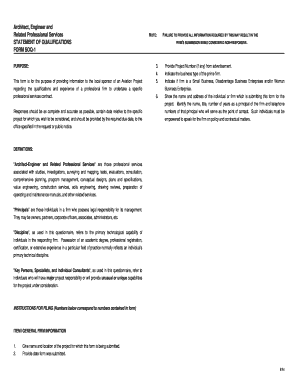
  1. Click ‘Get Form’ to open it in the editor.
  2. Begin by filling in the year for which the return is being filed at the top of the page.
  3. Enter your Corporation Number and Anniversary Month in the designated fields. Remember, your annual return is due by the end of the month following your anniversary month.
  4. Provide a brief Description of Business, detailing what type of business your corporation conducts.
  5. Fill in the Complete Address of Registered Office, ensuring to include street number, municipality, province, and postal code. Note that a P.O. Box is not sufficient.
  6. If applicable, enter a different Mailing Address in Item 5.
  7. List all directors' names and complete addresses in Item 7. If there’s insufficient space, add them on a separate sheet.
  8. Sign and date the form at the bottom, indicating your position within the corporation.

Start using our platform today to easily complete and submit your Formule 243 online for free!

See more Formule 243 - Rapport annuel - Service New Brunswick - pxw1 snb versions

We've got more versions of the Formule 243 - Rapport annuel - Service New Brunswick - pxw1 snb form. Select the right Formule 243 - Rapport annuel - Service New Brunswick - pxw1 snb version from the list and start editing it straight away!
Versions Form popularity Fillable & printable
2018 4.8 Satisfied (42 Votes)
2010 4.4 Satisfied (66 Votes)
be ready to get more

Complete this form in 5 minutes or less

Get form

Got questions?

We have answers to the most popular questions from our customers. If you can't find an answer to your question, please contact us.
Contact us

Electronic document signing demands a software solution that complies with data protection and eSignature laws. DocHub is a perfect tool for that, as it fulfills all the above mentioned requirements. Whatever method you like to sign your Formule 243 - Rapport annuel - Service New Brunswick - pxw1 snb in DocHub, your eSignature will be legally binding and court-admissible.

If you use Chrome, there are two straightforward methods to modify your Formule 243 - Rapport annuel - Service New Brunswick - pxw1 snb online. First, visit the DocHub site, add your file, and modify it using our toolbar. You can also install our Chrome extension and modify any document by dragging and dropping it in your browser tab.

be ready to get more

Complete this form in 5 minutes or less

Get form