Ca cr003 court county online 2026

Get Form
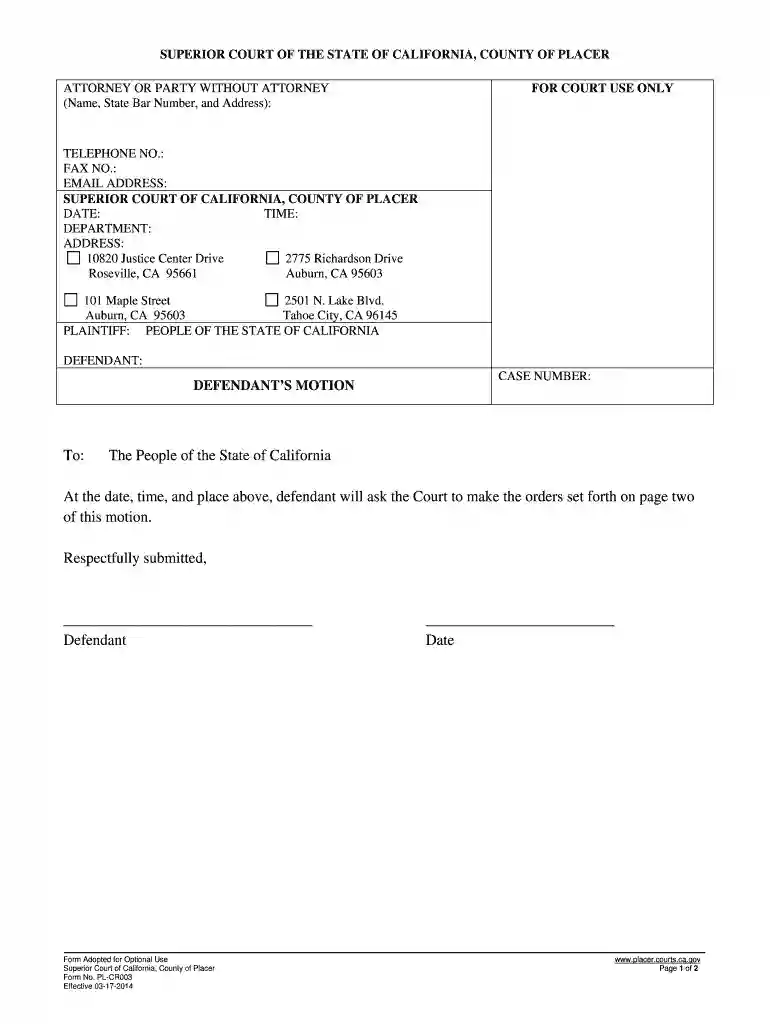
ca cr003 court county online Preview on Page 1

Here's how it works

01. Edit your form online
Type text, add images, blackout confidential details, add comments, highlights and more.

02. Sign it in a few clicks
Draw your signature, type it, upload its image, or use your mobile device as a signature pad.

03. Share your form with others
Send it via email, link, or fax. You can also download it, export it or print it out.

How to use or fill out ca cr003 court county online with our platform

Form edit decoration
9.5
Ease of Setup
DocHub User Ratings on G2
9.0
Ease of Use
DocHub User Ratings on G2
  1. Click ‘Get Form’ to open the ca cr003 court county form in the editor.
  2. Begin by entering your name, state bar number (if applicable), and address in the 'Attorney or Party Without Attorney' section. Ensure all details are accurate for proper identification.
  3. Fill in your contact information, including telephone number, fax number, and email address. This is crucial for any communication regarding your case.
  4. In the 'Defendant’s Motion' section, clearly state the orders you are requesting from the court. Choose from options like changing a turn-in date or requesting community service instead of a fine.
  5. Provide a detailed explanation for your requests in the 'I am asking the Court to make these orders because' section. Be thorough to support your motion effectively.
  6. Finally, sign and date the form at the bottom to validate your request before submitting it through our platform.

Start using our platform today to fill out your ca cr003 court county form easily and for free!

See more ca cr003 court county online versions

We've got more versions of the ca cr003 court county online form. Select the right ca cr003 court county online version from the list and start editing it straight away!
Versions Form popularity Fillable & printable
2020 4.7 Satisfied (29 Votes)
2014 4.8 Satisfied (155 Votes)
be ready to get more

Complete this form in 5 minutes or less

Get form

Got questions?

We have answers to the most popular questions from our customers. If you can't find an answer to your question, please contact us.
Contact us
You can obtain a summary of the status and actions taken on your case at the Los Angeles Superior Court website. Click Find a Case on the left side of the front page. You will need your case number to access information. For older cases, enter the two-digit year, the court initial, and the case number.
A certified copy is a duplicated version of an original document that has been verified by an authorized individual. This verification process confirms that the copy is an accurate representation of the original, making it a legally acceptable substitute in various official and legal contexts.
It means a copy of a document (yes, usually a legal document of some kind) has been examined by an authorized representative of another (usually the clerk of a court representing the judge) and stamped with an official seal and signed by the clerk saying (in legal effect) this is an accurate copy of this document
You have a right to attend most court proceedings in California state courts.
There are several ways to obtain copies of documents: Visit PACER to access court documents; Visit the Clerks Office in person (View Court Locator for office locations); To electronically submit the copy request form, you must complete, save, and email the form to paygovrequest@cacb.uscourts.gov (link sends e-mail);

Security and compliance

At DocHub, your data security is our priority. We follow HIPAA, SOC2, GDPR, and other standards, so you can work on your documents with confidence.

Learn more
ccpa2
pci-dss
gdpr-compliance
hipaa
soc-compliance
be ready to get more

Complete this form in 5 minutes or less

Get form