




01. Edit your form online
Type text, add images, blackout confidential details, add comments, highlights and more.

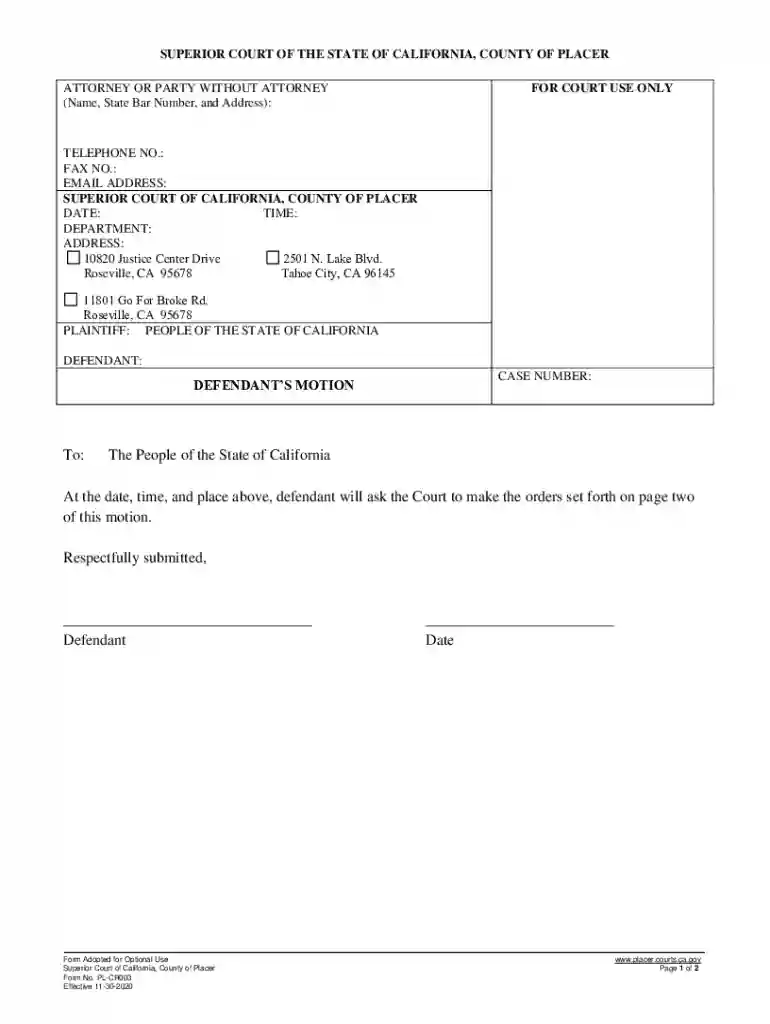
Type text, add images, blackout confidential details, add comments, highlights and more.

Draw your signature, type it, upload its image, or use your mobile device as a signature pad.

Send it via email, link, or fax. You can also download it, export it or print it out.
Understanding the term "form online" is crucial for navigating the landscape of digital documentation. This refers to a web-based or electronic form that can be completed through an internet-connected device, such as a computer or smartphone. These forms streamline data collection and submission processes, eliminating the need for physical paperwork. Whether you're applying for a permit, registering for a service, or completing a tax return, digital forms enhance efficiency by allowing for submissions without geographical constraints.
Online forms vary widely across different sectors, from government documents to business applications. They can range from simple contact forms to complex tax forms, accommodating diverse needs. The underlying technology ensures that data input is often guided—requiring specific formats or information types—thus reducing errors and improving accuracy. For instance, mandatory fields in an employment application form might require a valid Social Security Number and employment history, while optional fields can include references or additional qualifications.
Completing a form online involves several well-defined steps to ensure that all necessary information is accurately captured and submitted.
Access the Form: Start by navigating to the website or portal where the form is hosted. For example, government's official pages may host tax forms, while private service providers like DocHub facilitate a range of document types.
Read the Instructions: Before entering any data, carefully review the instructions provided. These guidelines often include crucial details on how to correctly fill out each section of the form.
Fill in Required Fields: Input your information into the required fields, which are often denoted by an asterisk. These fields might include basic personal details, such as name, address, and contact information, without which the form cannot be submitted.
Upload Necessary Documents: Some forms allow or require you to attach supplementary documents. This could include identification documents, financial statements, or proof of residence.
Review and Edit: Before submission, ensure that all entered data is correct. Most platforms offer a preview of the completed form, allowing a thorough check for any errors or omissions.
Submit the Form: Once all information is verified, submit the form by following the on-screen instructions. You'll often receive a confirmation email or receipt verifying the submission.
Keep a Copy: Save or print a copy of the completed form for your records, which can be useful for future reference or in case of any discrepancies.
Using online forms offers convenience and efficiency across different applications, but understanding how to use these forms effectively is key.
Navigation: Familiarize yourself with the structure and flow of the form. Navigation tools, such as 'Previous' and 'Next' buttons, make it easier to jump between sections or pages.
Tooltips and Help Sections: Many online forms include interactive elements like tooltips or dedicated help sections to assist users in understanding complex fields or terminology. Hovering over certain areas can reveal definitions or examples.
Auto-fill and Save Features: Take advantage of auto-fill options if available, which can promptly fill out repeated data fields. Additionally, saving your progress is crucial, especially for lengthy forms that may require extended input time, allowing you to return and complete them later without loss of information.
Savings in time and resources are primary reasons for utilizing online forms over traditional paper forms.
Efficiency: Online submissions bypass the need for physical mailing or in-person delivery, ensuring immediate receipt by the relevant parties. This can lead to faster processing times.
Environmental Impact: By reducing paper use, digital forms contribute to environmentally sustainable practices, aligning with broader corporate or personal commitments to reduce carbon footprints.
Accessibility: Forms are accessible 24/7 from any location with internet access, allowing users to complete necessary documentation at their convenience.
Online forms often include specific terms and language that may be unfamiliar. Understanding these is essential for accurately completing the form.
Captcha: A security feature designed to differentiate between human users and bots, often requiring users to enter a series of characters shown in a distorted image.
Digital Signature: An electronic form of a signature that is legally recognized, which can be typed or drawn, used to affirm the authenticity and approval of a document.
Mandatory Field: An information field that must be completed for the form to be successfully submitted. Often marked with an asterisk (*).
Legal compliance is an important consideration when engaging with online forms. Documents signed and submitted digitally hold the same legal standing as those completed physically when the platform adheres to specific regulations.
Compliance with Acts: For example, documents completed in accordance with the guidelines of the ESIGN Act are recognized as legally binding. This means digital signatures and approvals carry legal weight similar to traditional pen-and-paper methods.
Security Measures: Platforms must employ robust security protocols to safeguard data integrity and confidentiality. This includes SSL encryption and secure access controls like OAuth 2.0 authentication.
Online forms are versatile tools implemented across numerous scenarios.
Government Applications: Many government services, such as those for tax filing (W-9 forms) or social security benefits applications, utilize online forms to streamline and expedite submission processes.
Educational Institutions: Universities often employ digital forms for admissions, course registrations, and student evaluations, reflecting the institutional shift toward digital operations.
Business Operations: Corporations use forms for diverse functions, including job applications, client registrations, and employee performance reviews, highlighting efficiency gains through digital transformation.
The effectiveness of online forms greatly improves when compatible with existing software and operational infrastructures.
Integration with Cloud Services: Reliable platforms like DocHub offer seamless integration with Google Workspace, allowing for smooth document imports and exports to and from services like Google Drive and Gmail.
Support for Multiple Formats: Compatibility with a variety of document formats, such as PDFs, DOCX, and XLS files, ensures flexibility and the ability to work with diverse data types.
Third-Party Software: Integration with popular accounting or tax preparation software like TurboTax or QuickBooks can simplify the process for users managing fiscal responsibilities, enabling direct form submissions or data exports to these applications.
Different versions and alternatives to standard forms cater to specific needs or legal requirements.
Updated Versions: Over time, forms may receive updates to reflect changes in legislation, data requirements, or process optimizations. It's important to ensure the latest version is being used for submissions.
Customizable Templates: Especially within business environments, customized templates align forms with internal workflows and branding, enhancing consistency and process adherence across various documentation needs.
Online forms provide a streamlined, efficient method of handling documentation in today's digital world, making them indispensable to modern personal, business, and governmental processes.
We've got more versions of the California Defendant's Motion Form form. Select the right California Defendant's Motion Form version from the list and start editing it straight away!
At DocHub, your data security is our priority. We follow HIPAA, SOC2, GDPR, and other standards, so you can work on your documents with confidence.


