PDF, esdc-emp5604(2015-12-004) - Service Canada - servicecanada gc-2025

Get Form
emp5604 Preview on Page 1

Here's how it works

01. Edit your emp5604 online
Type text, add images, blackout confidential details, add comments, highlights and more.
02. Sign it in a few clicks
Draw your signature, type it, upload its image, or use your mobile device as a signature pad.
03. Share your form with others
Send it via email, link, or fax. You can also download it, export it or print it out.

How to use or fill out PDF, esdc-emp5604(2015-12-004) - Service Canada - servicecanada gc with our platform

Form edit decoration
9.5
Ease of Setup
DocHub User Ratings on G2
9.0
Ease of Use
DocHub User Ratings on G2
  1. Click ‘Get Form’ to open it in the editor.
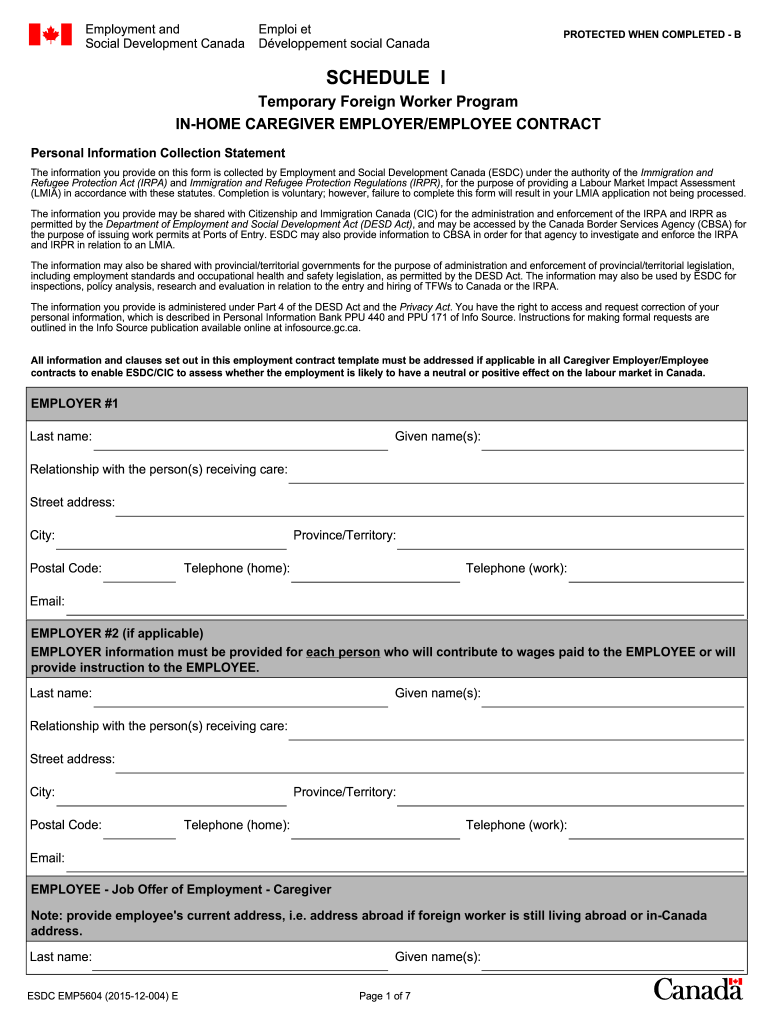
  2. Begin by filling out the EMPLOYER #1 section. Enter the last name, given name(s), relationship with the person receiving care, and contact details including street address, city, postal code, province/territory, and telephone numbers.
  3. If applicable, complete the EMPLOYER #2 section with similar information as above.
  4. Proceed to the EMPLOYEE section. Provide the employee's last name, given name(s), date of birth, current address (if abroad or in Canada), and contact information.
  5. Indicate whether the employee will work at the employer's residence by selecting 'Yes' or 'No'. If 'No', provide details of where they will work.
  6. Fill in details about household members and describe care responsibilities under the Job Description section.
  7. Complete sections regarding work schedule, wages, recruitment fees, accommodation provisions, transportation costs, health care insurance, workplace safety insurance, notice periods for resignation and termination.
  8. Finally, ensure all parties sign and date the contract to validate it.

Start using our platform today for free to streamline your document editing and form completion!

See more PDF, esdc-emp5604(2015-12-004) - Service Canada - servicecanada gc versions

We've got more versions of the PDF, esdc-emp5604(2015-12-004) - Service Canada - servicecanada gc form. Select the right PDF, esdc-emp5604(2015-12-004) - Service Canada - servicecanada gc version from the list and start editing it straight away!
Versions Form popularity Fillable & printable
2018 4.8 Satisfied (128 Votes)
2016 4.2 Satisfied (74 Votes)
2015 4.4 Satisfied (93 Votes)
2015 4.4 Satisfied (541 Votes)
2015 4.5 Satisfied (61 Votes)
2014 4 Satisfied (26 Votes)
be ready to get more

Complete this form in 5 minutes or less

Get form

Got questions?

We have answers to the most popular questions from our customers. If you can't find an answer to your question, please contact us.
Contact us

With DocHub, you can quickly approve your PDF, esdc-emp5604(2015-12-004) - Service Canada - servicecanada gc or any other document on iOS, even without installing extra applications. You can access your DocHub account from any web-connected browser and complete and sign your document in any way you like with just a couple of clicks.

If you choose analog ways of completing your PDF, esdc-emp5604(2015-12-004) - Service Canada - servicecanada gc, it is simple to download your file for printing. Search DocHub’s Forms & Templates catalog to locate the exact file template you require and open it for editing or download it on your gadget in the format of your liking. It is easy to complete your form electronically and place your handwritten signature on it right after printing or eSign your file with DocHub.

They may also display the legitimate phone number of these agencies. This is called Call-spoofing and this technology is easily available. No government agency will contact you and tell you that your SIN is blocked.
Please do not submit multiple service requests. A Service Canada Officer will contact you within 2 business days. Please note: You may be contacted from a blocked or private number. If your phone is set up to block these types of calls, we may not be able to contact you.
But Service Canada says the emails are no hoax, and those who receive them really do have to pay up. The agency uses the email address in question EI-AE.ServiceCanada@canada.gc.ca to contact people about employment insurance and emergency benefits.
be ready to get more

Complete this form in 5 minutes or less

Get form

People also ask

Be aware of fraudulent email (phishing), mail and telephone (including text messages) scams where you may be asked to provide personal information. These messages are fraudulent and do not originate from Service Canada, even though the email or mail messages are using what appears to be Service Canada letterhead.
Conversation. If you receive a call claiming that your SIN has been suspended due to criminal activity, hang up and report it to the Canadian Anti-Fraud Centre: ow.ly/8CtF50OquzN Its a scam!