



01. Edit your form online
Type text, add images, blackout confidential details, add comments, highlights and more.

Type text, add images, blackout confidential details, add comments, highlights and more.

Draw your signature, type it, upload its image, or use your mobile device as a signature pad.

Send it via email, link, or fax. You can also download it, export it or print it out.
Understanding the concept of "form online" is crucial for modern digital workflows. An "online form" is a digital interface designed to collect and process information via the internet. These forms are integral to the document management systems offered by platforms like DocHub. They allow for seamless data gathering without physical paperwork, transforming how users interact with documents, such as surveys, applications, questionnaires, and contracts. By enabling real-time data collection and analysis, these online forms enhance efficiency and accuracy, providing instant access and processing capabilities to users across various sectors.
Using an online form through DocHub begins with accessing the platform via a web browser on either a desktop or mobile device. Once logged in, you can choose to create a new form or edit an existing one. DocHub’s intuitive interface simplifies the process with a drag-and-drop feature for adding various form elements, such as text fields, checkboxes, and dropdown menus. Users can customize these elements to suit their specific needs and set rules for field completion, ensuring that all necessary information is acquired. Upon completion, the form can be sent to recipients via email, streamlining data collection and diminishing the need for physical document exchange.
Completing these steps allows for efficient document management and information collection, fully leveraging the online capabilities.
Opting for online forms over traditional paper forms brings numerous advantages:
These benefits underline the importance of transitioning to digital solutions for form management in today's fast-paced environment.
Understanding certain terms is essential for efficient use of online forms:
These terms form the backbone of creating secure and effective online forms.
Successful online forms typically include:
Including these elements ensures functionality and accessibility, key to a user-friendly experience.
The transition from paper to digital forms involves several considerations:
Choosing digital over paper forms enhances operational efficiency, cuts costs, and aligns with sustainable practices.
Ensuring compatibility with various software systems is vital:
This compatibility supports a streamlined workflow, allowing easy access and manipulation of digital documents across platforms.
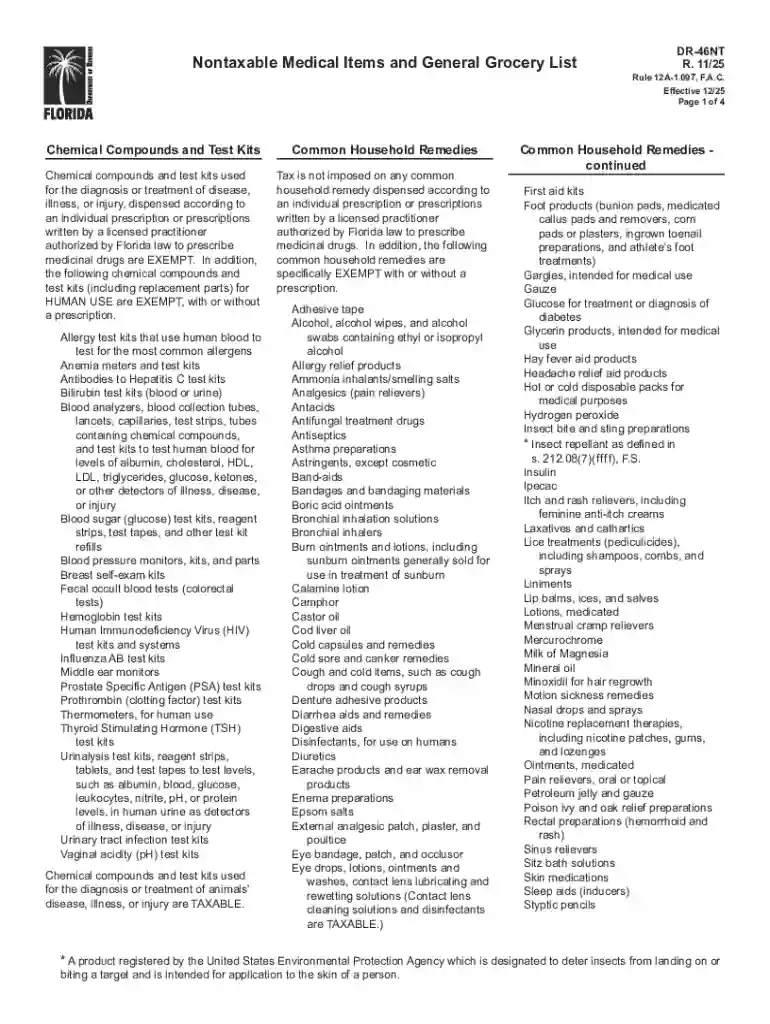
We've got more versions of the Florida Nontaxable Medical Items and Grocery List form. Select the right Florida Nontaxable Medical Items and Grocery List version from the list and start editing it straight away!
At DocHub, your data security is our priority. We follow HIPAA, SOC2, GDPR, and other standards, so you can work on your documents with confidence.
Feb 23, 2024 Creating a Basic Form Open the Excel Online document the form will be inserted to. Click Insert Forms New Form. Enter a name for theRead more
Mar 23, 2026 This page lists the USCIS forms that are currently available to file online. Visit the File Online page to learn about the benefits of


