Type text, add images, blackout confidential details, add comments, highlights and more.
02. Sign it in a few clicks
Draw your signature, type it, upload its image, or use your mobile device as a signature pad.
03. Share your form with others
Send gym incident report form via email, link, or fax. You can also download it, export it or print it out.
How to use or fill out gym incident report with our platform
Ease of Setup
DocHub User Ratings on G2
Ease of Use
DocHub User Ratings on G2
Click ‘Get Form’ to open the gym incident report in the editor.
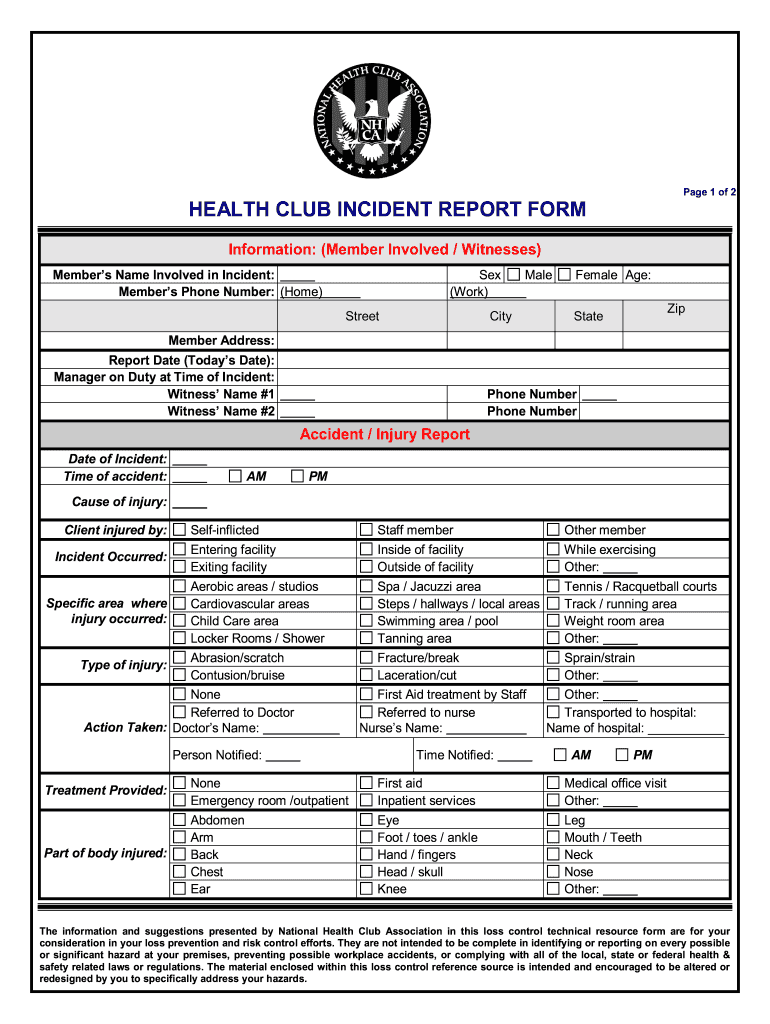
Begin by filling in the 'Information' section. Enter the member's name, phone number, and address. Specify their age and sex, along with the report date and manager on duty at the time of the incident.
In the 'Accident / Injury Report' section, document the date and time of the incident. Clearly state the cause of injury and identify if it was self-inflicted or involved another party.
Detail where the incident occurred by selecting from options like aerobic areas or locker rooms. Specify the type of injury sustained and any actions taken post-incident.
Provide a clear description of how the incident occurred, including witness accounts and an analysis of contributing factors.
Conclude with corrective actions taken or planned to prevent future incidents, along with follow-up dates and signatures for investigation and review.
Start using our platform today to streamline your gym incident reporting process for free!
Sport Club Program Injury/Accident Report please complete and submit to the Club Sports Office, Room 167, Alumni Gym. Safety officer(s) on duty. Sport Club.Read more
Accident Report Detail | Occupational Safety and Health
Employee #1 failed to lock the wheels and extend the outriggers on the unit. There were no witnesses to the accident, and it is believed that Employee #1 triedRead more
Cookie consent notice
This site uses cookies to enhance site navigation and personalize your experience.
By using this site you agree to our use of cookies as described in our Privacy Notice.
You can modify your selections by visiting our Cookie and Advertising Notice.