




Here's how it works

01. Edit your skate canada central ontario online
Type text, add images, blackout confidential details, add comments, highlights and more.

02. Sign it in a few clicks
Draw your signature, type it, upload its image, or use your mobile device as a signature pad.

03. Share your form with others
Send it via email, link, or fax. You can also download it, export it or print it out.
How to use or fill out Test Summary Sheet - Skate Canada Central Ontario with our platform

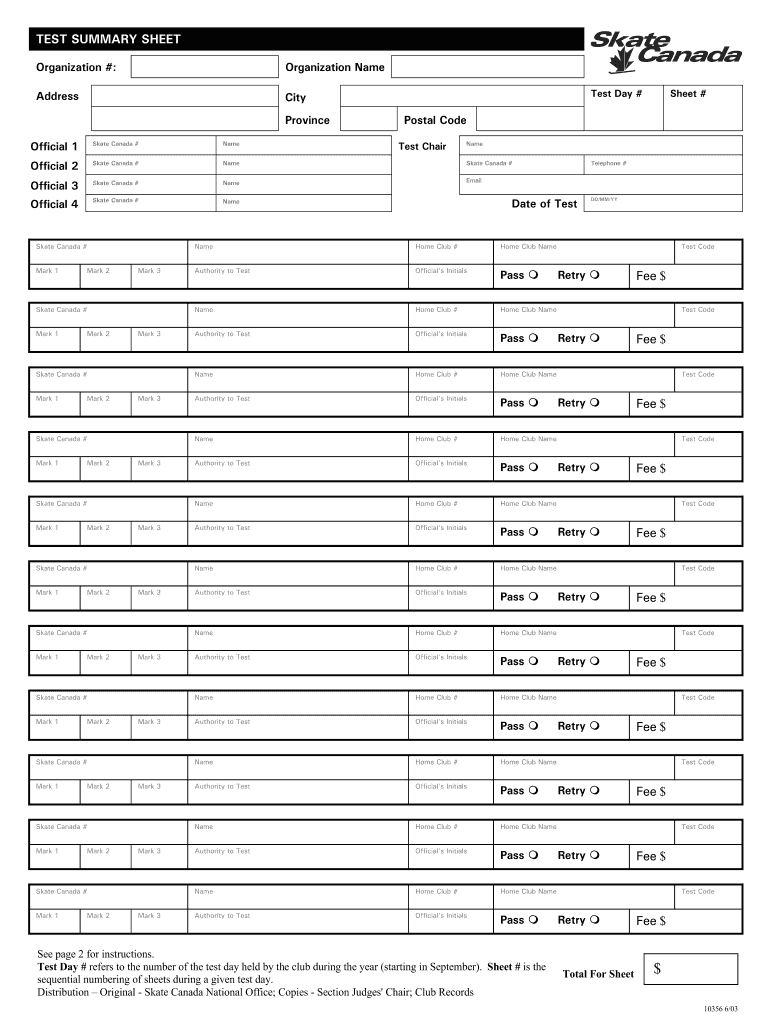
- Click ‘Get Form’ to open the Test Summary Sheet in the editor.
- Begin by entering your Organization # and Organization Name at the top of the form. Ensure that all details are accurate for proper identification.
- Fill in the Address, City, Province, and Postal Code fields to provide complete contact information for your organization.
- Record the Test Day #, which indicates the sequence of test days held during the year. This should start from 1 for the first test day after September.
- List all officials involved by entering their names and Skate Canada #s in the designated fields. Make sure to include their email addresses where required.
- For each skater, enter their Skate Canada Registration number, Home Club number, and Name exactly as it appears on their membership card.
- In the 'Authority to Test' section, specify who is responsible for submitting tests (e.g., coach or parent) and check off results accordingly.
- Finally, review all entries for accuracy before saving or exporting your completed form. Use our platform's features to sign and distribute as needed.
Start using our platform today to streamline your document editing and form completion process for free!
Fill out Test Summary Sheet - Skate Canada Central Ontario online
It's free
It's free
See more Test Summary Sheet - Skate Canada Central Ontario versions
We've got more versions of the Test Summary Sheet - Skate Canada Central Ontario form. Select the right Test Summary Sheet - Skate Canada Central Ontario version from the list and start editing it straight away!
Security and compliance
At DocHub, your data security is our priority. We follow HIPAA, SOC2, GDPR, and other standards, so you can work on your documents with confidence.
Learn more


