




01. Edit your meal attendance sheet online
Type text, add images, blackout confidential details, add comments, highlights and more.

Type text, add images, blackout confidential details, add comments, highlights and more.

Draw your signature, type it, upload its image, or use your mobile device as a signature pad.

Send cacfp meal count form via email, link, or fax. You can also download it, export it or print it out.
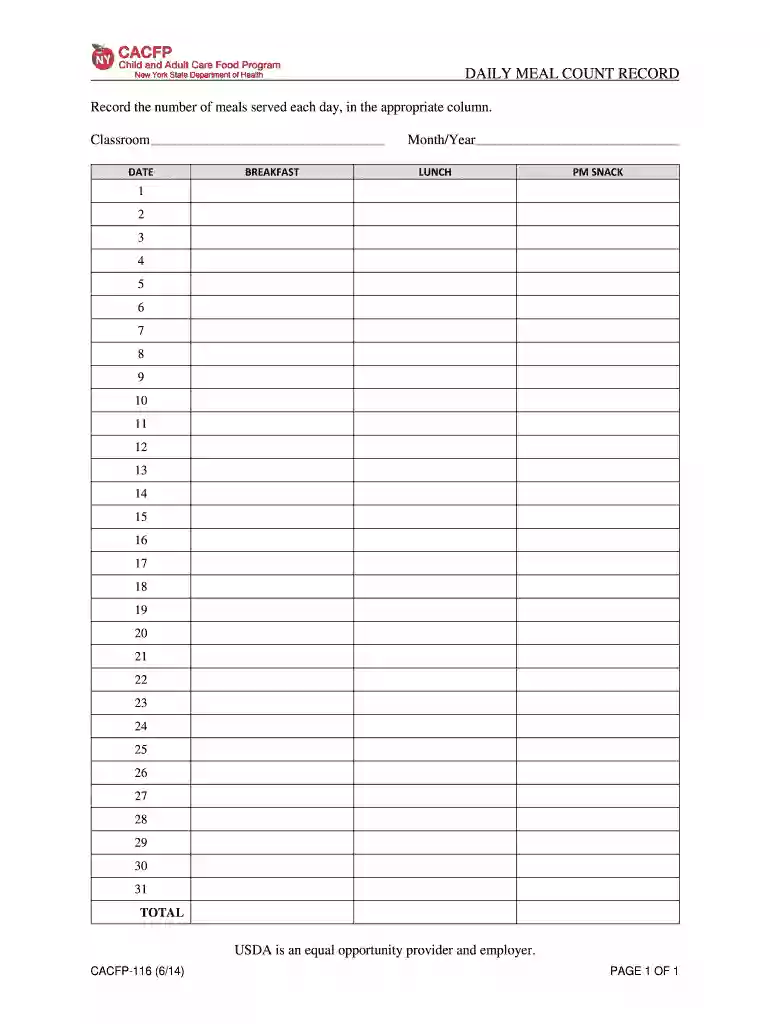
The CACFP daily meal count form serves a critical role in the Child and Adult Care Food Program (CACFP), which is designed to provide nutritious meals to children and eligible adults in approved care settings. This form is essential for tracking the number of meals served daily, ensuring compliance with USDA guidelines on meal offerings and nutritional standards.
Completing the CACFP daily meal count form requires careful attention to detail to ensure all meals are accurately recorded for each day. Here is a structured approach:
The CACFP daily meal count form is designed with specific components that facilitate efficient and accurate record-keeping:
Accurate meal counts are vital for several reasons, including:
At the end of each month, the completed CACFP daily meal count form must be submitted for review. Here are the essential components involved in this process:
It is essential to be aware that some states may have additional documentation requirements or specific submission guidelines. Verify with local regulations to ensure compliance.
While using the CACFP daily meal count form, users may encounter various challenges:
Though the CACFP daily meal count form is widely used, there may be alternatives available that could be adapted for similar purposes:
Adopting best practices when using the CACFP daily meal count form can simplify the meal counting process and increase accuracy.
We've got more versions of the meal attendance sheet form. Select the right meal attendance sheet version from the list and start editing it straight away!
Most eSignature services require users to have a paid subscription. With DocHub, there are two options for you to add an electronic signature to your free meal count d69c894a free of charge:
The second option, though, has restrictions on the number of signatures, sign requests, emails, and forms for adjusting available per month. You can check for full details here.
It is a no-brainer on a computer or via a mobile phone to complete a cacfp 116 with DocHub. All you need to do is open any installed web browser on your smartphone and proceed to the DocHub site. Once authenticated, add your document and open it in editing mode. Use our toolbar to make your edits and save modifications. Optionally, keep your document in your files or send it to a recipient immediately.
At DocHub, your data security is our priority. We follow HIPAA, SOC2, GDPR, and other standards, so you can work on your documents with confidence.


