




Here's how it works

01. Edit your form online
Type text, add images, blackout confidential details, add comments, highlights and more.

02. Sign it in a few clicks
Draw your signature, type it, upload its image, or use your mobile device as a signature pad.

03. Share your form with others
Send it via email, link, or fax. You can also download it, export it or print it out.
How to use or fill out sa325 with our platform

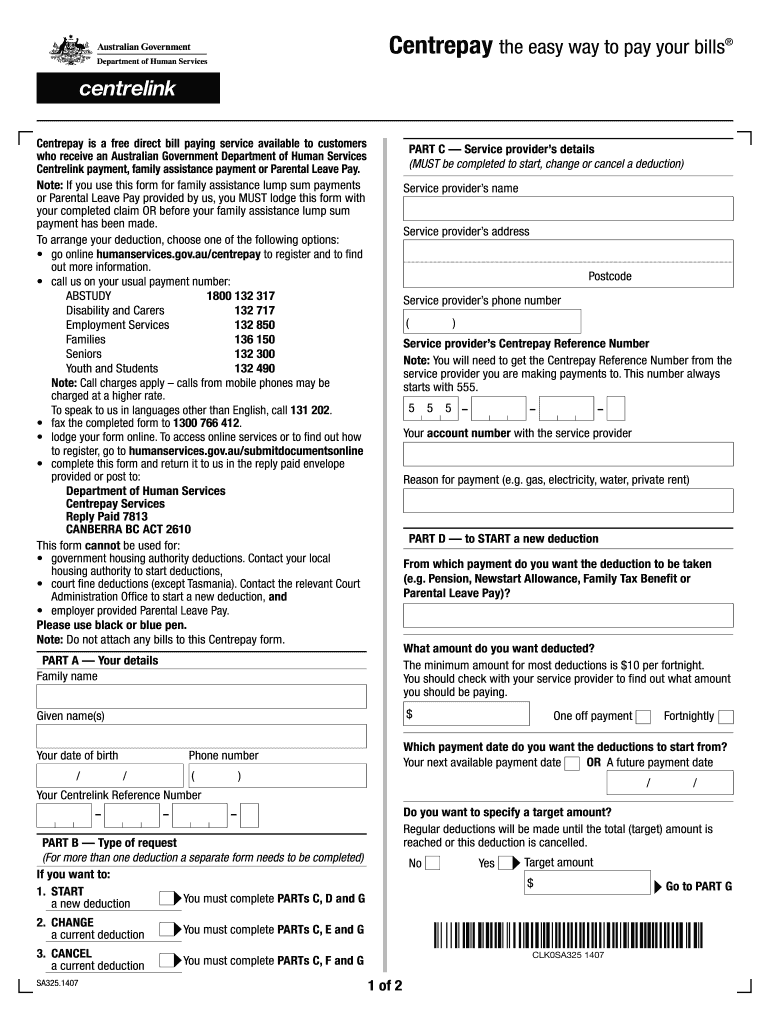
- Click ‘Get Form’ to open the sa325 in the editor.
- Begin with PART A, entering your family name, given names, and Centrelink Reference Number. Specify the amount you wish to deduct, ensuring it meets the minimum requirement of $10 per fortnight.
- In PART B, indicate whether you want to start, change, or cancel a deduction. Complete the relevant sections based on your choice.
- Proceed to PART C to provide the service provider’s details including their name, address, phone number, and Centrepay Reference Number which starts with 555.
- If starting a new deduction, complete PART D by selecting which payment will be deducted from and when you want it to start.
- Finally, review all information for accuracy before signing in PART G and submitting your form through our platform.
Start using our platform today for free to streamline your sa325 form completion!
Fill out sa325 online
It's free
It's free
Security and compliance
At DocHub, your data security is our priority. We follow HIPAA, SOC2, GDPR, and other standards, so you can work on your documents with confidence.
Learn more


