Definition & Meaning
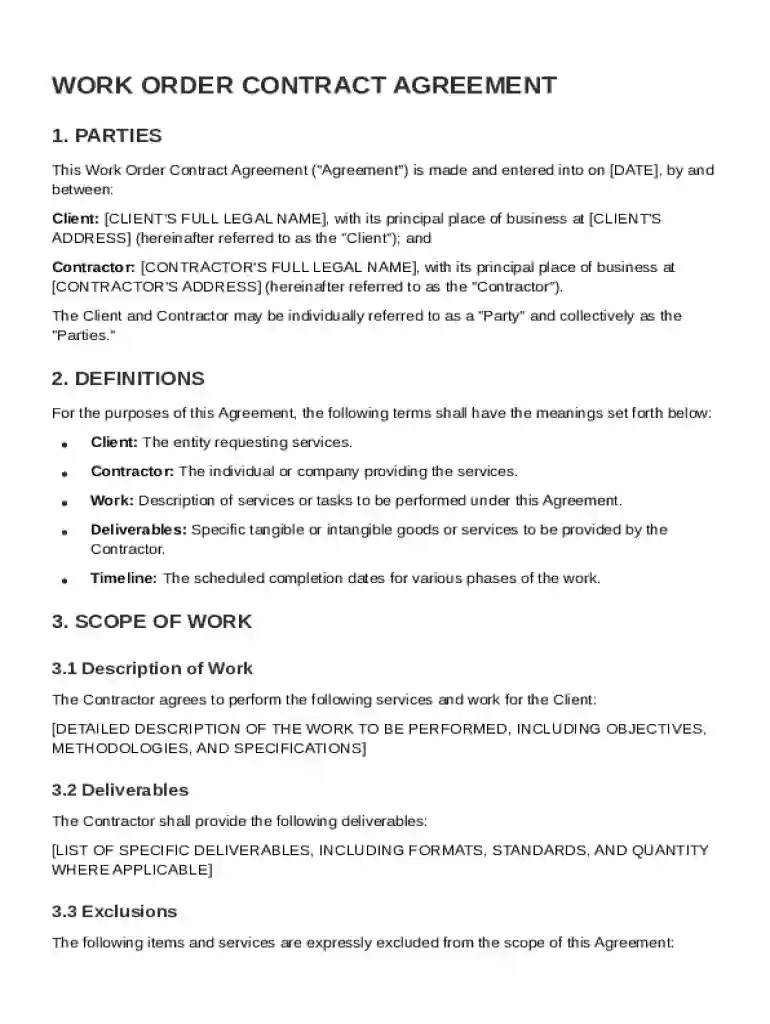
The Work Order Contract Template is a standardized document that establishes an agreement between a Client and a Contractor. It outlines the scope of services to be provided and the terms under which these services will be delivered. The primary purpose of this contract is to ensure clarity and mutual understanding regarding the responsibilities and expectations of both parties. The document typically includes details about the parties involved, the project's scope, compensation arrangements, and any legal considerations.
Key Elements of the Work Order Contract Template
The essential components of a Work Order Contract Template include:
- Parties Involved: Clearly identifies both the Client and the Contractor, providing relevant contact details.
- Scope of Work: Provides a detailed description of the tasks and responsibilities that the Contractor agrees to perform.
- Timelines: Outlines deadlines and timeframes for the completion of the specified tasks.
- Compensation Details: Specifies how and when the Contractor will be compensated, including any milestone payments or bonuses.
- Confidentiality Clause: Ensures that any sensitive information exchanged during the project is protected.
- Amendments: Describes how changes to the contract will be handled, either as amendments or supplementary agreements.
- Termination Conditions: Enumerates the conditions under which either party can terminate the contract.
- Liability and Governing Law: Addresses liability issues and specifies the governing law for resolving any disputes.
How to Use the Work Order Contract Template
Using the Work Order Contract Template involves several critical steps:
- Review the Template: Examine the template thoroughly to ensure it aligns with the project's requirements and local laws.
- Customize for Specific Needs: Modify sections related to scope, timelines, and compensation to fit the particular project.
- Collaborate on Terms: Ensure both the Client and Contractor agree on all terms before proceeding.
- Finalize the Document: Enter all necessary signatures and store the document for future reference.
Steps to Complete the Work Order Contract Template
Completing the Work Order Contract Template is a straightforward process:
- Fill in Party Details: Begin by entering the legal names and addresses of both parties.
- Define the Scope of Work: Detail the work to be performed, including any deliverables.
- Specify Timelines: Set realistic and mutually agreed-upon deadlines.
- Detail Compensation Structure: Clearly outline payment terms, including amounts and due dates.
- Outline Confidentiality and Legal Terms: Ensure clauses regarding privacy and legal obligations are clear and understood.
- Add Signatures: Both parties should read the contract one final time and add their signatures to validate it.
State-Specific Rules for the Work Order Contract Template
Different states may have unique requirements or rules that affect how Work Order Contracts should be drafted or enforced. For instance:
- California: May require additional clauses related to consumer protection laws.
- New York: Often mandates specific language for indemnity clauses.
- Texas: Might necessitate particular provisions for project duration and labor laws.
Legal Use of the Work Order Contract Template
Ensuring the Work Order Contract Template is legally binding involves considering:
- Compliance with Local Laws: Making sure all clauses adhere to state regulations.
- Use of Electronic Signatures: Validating that electronic signatures are considered legally binding under the ESIGN Act.
- Consultation with Legal Counsel: It may be beneficial to have the document reviewed by legal experts to confirm its enforceability.
Examples of Using the Work Order Contract Template
The Work Order Contract Template is adaptable for various scenarios:
- Freelance Graphic Designer: A designer can use the template to stipulate the creation of logos or brochures for a client.
- Home Renovation Contractor: Specify renovation tasks, like kitchen remodeling, using clearly outlined project phases.
- Software Development Project: Define the process and deliverables for custom software applications.
Versions or Alternatives to the Work Order Contract Template
While the Work Order Contract Template is a comprehensive tool, other document types or templates may be more suitable depending on the context:
- Master Service Agreements (MSA): Used where ongoing services require generalized terms with specific scopes defined in statements of work.
- Purchase Order Contracts: Utilized for transactions focused on the sale of products rather than services.
Software Compatibility
The Work Order Contract Template is compatible with various software tools that facilitate document editing and management:
- DocHub: Ideal for editing, signing, and managing the contract online.
- Microsoft Word: Allows for customization and sharing in a widely-used document format.
- Google Docs: Offers collaboration features for real-time editing and input from multiple parties.