




01. Edit your form online
Type text, add images, blackout confidential details, add comments, highlights and more.

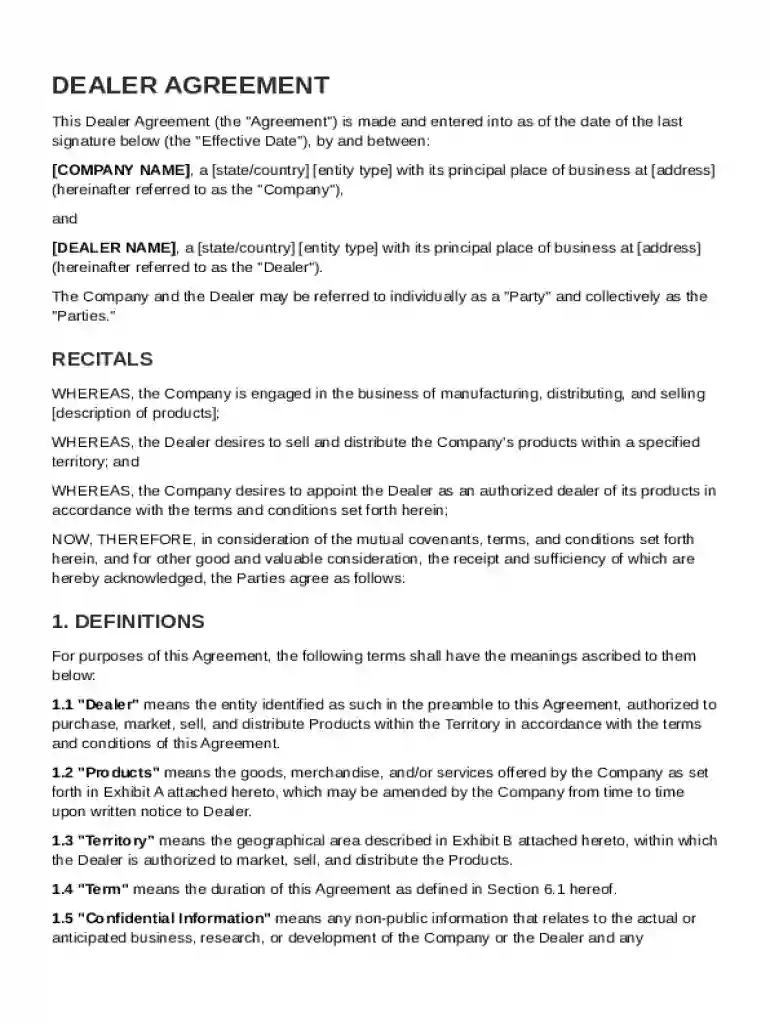
Type text, add images, blackout confidential details, add comments, highlights and more.

Draw your signature, type it, upload its image, or use your mobile device as a signature pad.

Send it via email, link, or fax. You can also download it, export it or print it out.
A Dealer Agreement Template is a pre-structured document that outlines the terms and conditions for a Company appointing a Dealer to market, sell, and distribute its products within a specified territory. It serves as a foundation for business relationships by defining roles, responsibilities, and expectations. The template includes sections on performance standards, obligations concerning marketing and compliance, product supply, payment terms, confidentiality agreements, and procedures for dispute resolution. By providing clarity and structure, it ensures that both parties have a mutual understanding of their duties and rights throughout the duration of their partnership.
Completing the Dealer Agreement Template involves several steps to ensure both parties are clear on the terms of their engagement.
The Dealer Agreement Template must be used in compliance with federal and state laws, ensuring that all practices within the agreement are lawful. The template serves as a legally binding contract when signed, following the principles outlined in the Uniform Commercial Code (UCC) and other relevant statutes. It provides legal protection to both entities by defining clear terms and outlining procedures for addressing disputes. Regular legal reviews and updates to the agreement may be necessary to adapt to changes in business policies or regulations.
While the Dealer Agreement Template provides a general framework, it is essential to adapt it to comply with state-specific regulations. Different states may have unique rules concerning commercial contracts, and failure to account for these can result in legal complications. For example, some states have stricter anti-competition laws or specific requirements for termination clauses. It is crucial to work with a legal advisor familiar with regional laws to ensure the template is properly customized for compliancy.
Various business entities can benefit from utilizing the Dealer Agreement Template, especially those looking to expand their market reach through third-party distributors. Typically, manufacturing companies, import-export businesses, and enterprises within the technology and consumer goods sectors find this template invaluable. The template allows them to maintain control over how their products are marketed and sold while expanding their distribution network. By setting clear guidelines and expectations, businesses can protect their brand and improve operational efficiency.
In today's digital age, using the electronic version of the Dealer Agreement Template can streamline the process of negotiation, editing, and signing. Platforms like DocHub allow users to edit, share, and securely sign documents online, reducing the reliance on physical paperwork. The digital format offers several advantages, including:
On the other hand, some may prefer a paper version for its tangible presence and ability to mark physical notes. However, maintaining original paper copies involves meticulous filing and storage systems to ensure they remain accessible and secure.
The Dealer Agreement Template can be seamlessly integrated with various software tools to optimize document management. Platforms like DocHub support a wide range of file formats, ensuring compatibility with applications like Microsoft Word, Excel, and Google Workspace. This flexibility allows users to import and export documents without the need for additional conversion steps, facilitating a smooth and efficient workflow. Additionally, its robust integration capabilities with Google Drive and Dropbox enhance accessibility and collaboration across different software systems.
At DocHub, your data security is our priority. We follow HIPAA, SOC2, GDPR, and other standards, so you can work on your documents with confidence.





A Specimen of a Dealership Contract. A dealership agreement may be drawn somewhat on the following pattern: THIS AGREEMENT is made on the day of
This contract makes sure the dealership is legally required to sell you the vehicle and maintains fairness between both parties, safeguarding consumers from


