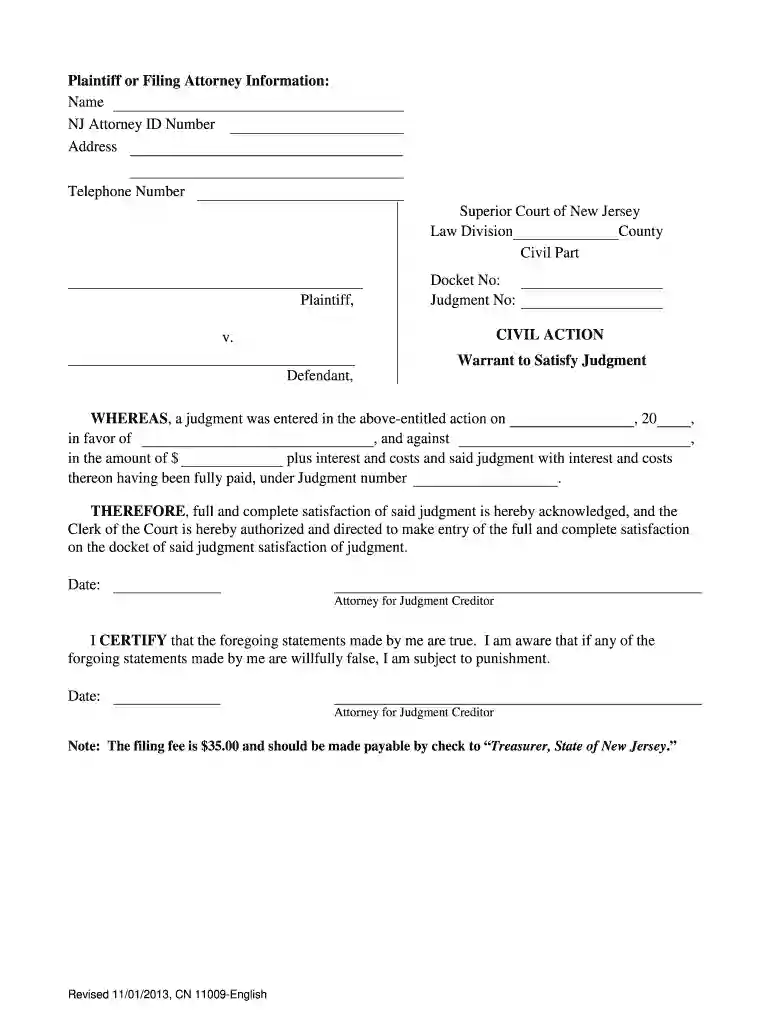
Warrant to Satisfy Judgment - New Jersey Courts - judiciary state nj 2026

Get Form
nj warrant search Preview on Page 1

Here's how it works

01. Edit your nj warrant search online
Type text, add images, blackout confidential details, add comments, highlights and more.

02. Sign it in a few clicks
Draw your signature, type it, upload its image, or use your mobile device as a signature pad.

03. Share your form with others
Send warrant to satisfy judgment nj via email, link, or fax. You can also download it, export it or print it out.

How to use or fill out Warrant to Satisfy Judgment - New Jersey Courts - judiciary state nj with our platform

Form edit decoration
9.5
Ease of Setup
DocHub User Ratings on G2
9.0
Ease of Use
DocHub User Ratings on G2
  1. Click ‘Get Form’ to open the Warrant to Satisfy Judgment in the editor.
  2. Begin by entering the Plaintiff or Filing Attorney Information. Fill in your name, NJ Attorney ID Number, address, and telephone number accurately.
  3. Next, specify the Superior Court of New Jersey details including Law Division, County, and Civil Part.
  4. In the Docket No and Judgment No fields, input the respective numbers associated with your case.
  5. Indicate the date when the judgment was entered and provide the name of the party in favor of whom the judgment was made.
  6. Fill in the amount of judgment plus interest and costs that have been fully paid.
  7. Finally, sign and date where indicated as Attorney for Judgment Creditor. Ensure all information is accurate before submission.

Start using our platform today to easily complete your Warrant to Satisfy Judgment form online for free!

See more Warrant to Satisfy Judgment - New Jersey Courts - judiciary state nj versions

We've got more versions of the Warrant to Satisfy Judgment - New Jersey Courts - judiciary state nj form. Select the right Warrant to Satisfy Judgment - New Jersey Courts - judiciary state nj version from the list and start editing it straight away!
Versions Form popularity Fillable & printable
2017 4.8 Satisfied (30 Votes)
2013 4.3 Satisfied (138 Votes)
be ready to get more

Complete this form in 5 minutes or less

Get form

Got questions?

We have answers to the most popular questions from our customers. If you can't find an answer to your question, please contact us.
Contact us

Yes, you’ll find many different applications for this on the web. Nonetheless, if you need to eSign your warrant of satisfaction without installing extra software, DocHub is the best choice you can make. This robust editor works on mobile devices just as on desktops. Open our editor in any internet browser, register or log in to your account, and start processing your forms.

Apart from a comprehensive toolset for editing PDFs on mobile devices, DocHub enables you to sign your nj judgment search along the way. Open our editor in your internet browser, make changes using DocHub’s toolset, and complete your editing by eSigning the finished form.

File the Form The completed WOS and filing fee should be submitted to: Clerk of the Superior Court Clerk, P.O. Box 971, 25 Market Street, Trenton, New Jersey 08625. For further information regarding the filing of a WOS, the Clerk's telephone number is 609-421-6100.
The sheriff will notify the bank of the writ and the account will be frozen. You must then a file a Motion to Turn Over Funds with the court and serve a copy on the sheriff, the bank and the debtor.
If you pay the full amount owed before that time, the judgment will be removed from your credit report as soon as the credit bureau receives either proof of payment from the credit provider or a valid court order rescinding the judgment.

Security and compliance

At DocHub, your data security is our priority. We follow HIPAA, SOC2, GDPR, and other standards, so you can work on your documents with confidence.

Learn more
ccpa2
pci-dss
gdpr-compliance
hipaa
soc-compliance
be ready to get more

Complete this form in 5 minutes or less

Get form

People also ask

If you file a motion to vacate a default or a default judgment, you must file an answer to the original complaint along with any cross claims or counterclaims you may wish to assert, and the motion must be accompanied by the appropriate fee. Make a check or money order payable to Treasurer, State of New Jersey.
Judgments in New Jersey remain in effect for 20 years and may be renewed for an additional 20 years by filing a motion in the Superior Court, Law Division, Civil Part and/or in the Special Civil Part if the Special Civil Part case was assigned a DJ or J docket number.
Satisfied means you have paid in full, unsatisfied means you have not. You can ask the court for this to be corrected if it is wrong. If you have fully paid the CCJ more than a calendar month after the judgment date, you can apply to have it shown as satisfied by providing the court with proof of payment.
If a judgment has been entered against you, there are a few options available to you. These include paying the judgment, appealing the case, or filing a motion to rehear. If you fail to act, a number of other actions initiated by the Judgment Creditor may occur.
Judgments, collections, and bankruptcies If you would like to enter into a payment plan or pay off the liability on a judgment, call our Collections Unit at 609-633-6400, option 1, or email Collection.Mailbox@dol.nj.gov.

nj warrant of satisfaction