IT Business Contract Template 2026

Get Form
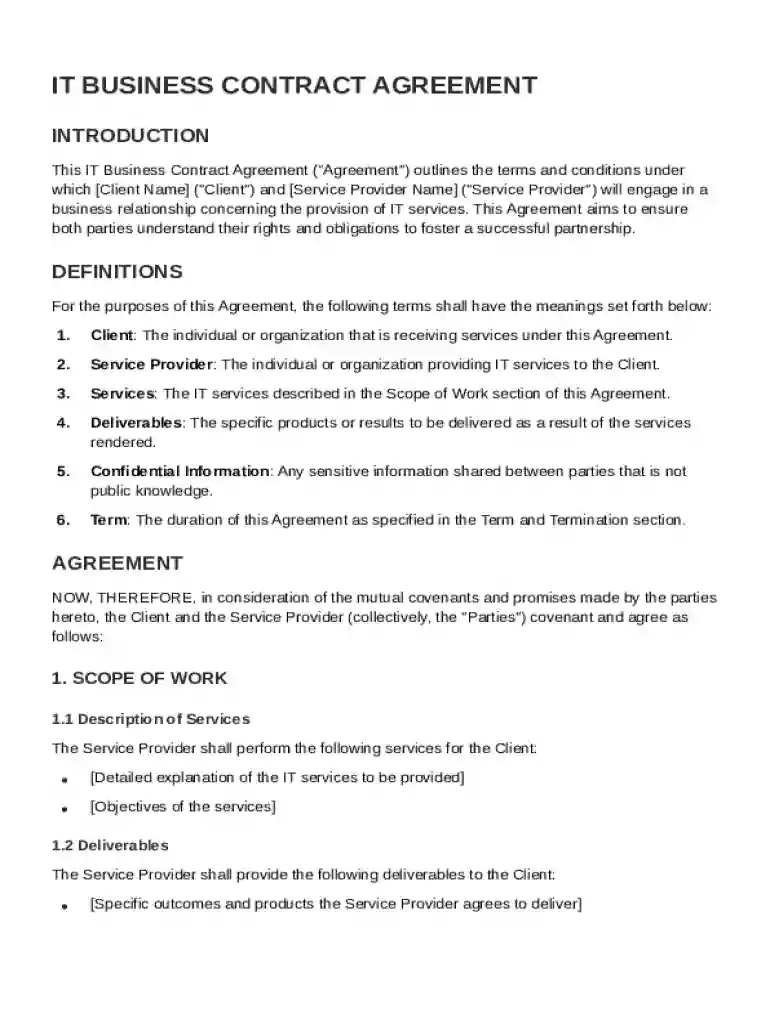
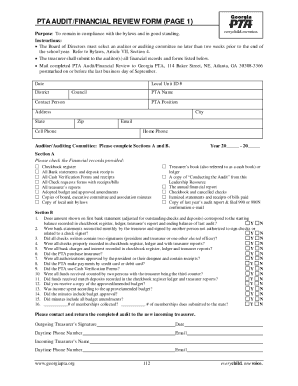
IT Business Contract Template Preview on Page 1

Here's how it works

01. Edit your form online
Type text, add images, blackout confidential details, add comments, highlights and more.

02. Sign it in a few clicks
Draw your signature, type it, upload its image, or use your mobile device as a signature pad.

03. Share your form with others
Send it via email, link, or fax. You can also download it, export it or print it out.

Definition and Meaning

An IT Business Contract Template serves as a blueprint for formalizing agreements between a client and a service provider in the IT industry. It outlines the specific terms and conditions under which IT services will be delivered. The template is designed to ensure that both parties fully understand their rights and obligations, thereby promoting a successful partnership. This contract typically covers aspects such as the scope of work, responsibilities of each party, payment terms, confidentiality agreements, and dispute resolution procedures.


Key Elements of the IT Business Contract Template

  • Scope of Work: Clear delineation of the tasks and services to be performed by the service provider.
  • Responsibilities: Detailed account of the obligations of both client and service provider.
  • Payment Terms: Specification of how and when payments will be made, including any milestones or conditions.
  • Confidentiality: Clauses ensuring the protection of sensitive information shared during the contract term.
  • Intellectual Property Rights: Provisions defining ownership and usage rights of any technology or content developed.
  • Termination Conditions: Conditions under which the contract may be terminated by either party.
  • Liability Limitations: Restrictions on the extent of liabilities for both parties, safeguarding against unreasonable claims.
  • Dispute Resolution: Processes for resolving any conflicts that may arise, possibly including mediation or arbitration.
  • Miscellaneous Provisions: Additional clauses addressing issues like amendments, governing law, and force majeure.

How to Use the IT Business Contract Template

  1. Download the Template: Obtain the template from a document management platform like DocHub.
  2. Customization: Tailor the contract to fit the specific needs and circumstances of the business relationship.
  3. Review with Legal Counsel: Seek legal advice to ensure compliance with applicable laws and regulations.
  4. Discussion and Negotiation: Review the document with the other party to agree on all terms.
  5. Signing: Use electronic signature tools for convenient and legally-binding endorsements.
  6. Distribution: Share the finalized contract with all relevant parties, maintaining an electronic or hard copy for records.

Steps to Complete the IT Business Contract Template

  1. Identify Parties: Clearly state the full legal names and addresses of both parties involved.
  2. Define the Scope: Outline in detail the services to be provided and the expected deliverables.
  3. Specify Payment Details: Include the total contract value, payment schedule, and any penalties for late payment.
  4. Insert Confidentiality Terms: Draft clauses to ensure the protection of proprietary information.
  5. Add Termination Rights: Describe acceptable reasons for contract termination by either party.
  6. Include Resolution Mechanisms: Detail processes for resolving disagreements to prevent litigation.
  7. Review for Completeness: Ensure all required fields and provisions are included and correct.
  8. Sign the Contract: Execute the contract using the preferred method of signature verification.

Who Typically Uses the IT Business Contract Template

  • IT Service Providers: Companies or freelancers offering technology-related services.
  • Clients in Need of Tech Solutions: Businesses or individuals seeking to outsource IT projects.
  • Legal Professionals: Lawyers drafting or reviewing contracts on behalf of clients.
  • Project Managers: Individuals overseeing IT projects requiring formal agreements.
decoration image ratings of Dochub

Legal Use of the IT Business Contract Template

Ensuring the contract is legally enforceable involves adhering to the following:

  • Compliance with Local Laws: Abide by all applicable federal, state, and local laws within the United States.
  • Proper Execution: All parties should provide valid signatures using secure methods like electronic signature platforms that comply with the ESIGN Act.
  • Clear Language: Use unambiguous, concise language to prevent misinterpretation of contract elements.
  • Documentation Retention: Keep signed copies of the agreement readily available for reference during the contract term.

Software Compatibility and Integration

The IT Business Contract Template can often be integrated with various document management and editing platforms, including:

  • DocHub: Offering filling, signing, and annotation tools, DocHub supports file formats like PDF, DOC, and PPT.
  • Google Workspace: Allows seamless importing and exporting between Google Drive and Gmail.
  • Microsoft Office: Compatible with Word and Excel, enabling easy modifications.
  • Cloud Storage Services: Facilitates storage and sharing through Dropbox and OneDrive.

Examples of Using the IT Business Contract Template

  • Freelancer Agreement: A freelance web developer signs a contract with a company for a six-month project that includes designing and maintaining their website.
  • Corporate IT Services: A corporation contracts an IT firm to manage its network infrastructure, outlining deliverables and payment scheduled over two years.
  • Tech Startup Collaboration: Two tech startups draft an agreement for a joint venture, detailing shared resources and intellectual property arrangements.
be ready to get more

Complete this form in 5 minutes or less

Get form

Got questions?

We have answers to the most popular questions from our customers. If you can't find an answer to your question, please contact us.
Contact us
Open the Google Docs template Contract Template and enter your company details and an image with your signature in the provided space, as well as the actual contract.
4 Common Types of Contracts Non-Disclosure Agreement. Companies often request or provide a Non-Disclosure Agreement (NDA) when they have sensitive or confidential information to disclose. Master Services Agreement. Order Form. Buy-Side Contracts.
A Technology Services Agreement typically describes in detail the types of technology and support services that the service provider must provide to the customer.
A service agreement is a contract that outlines the terms and conditions governing the provision of services between a service provider and a client. It serves to clearly define expectations, protect both parties interests, and provide a framework for a successful working relationship.
SLAs are the agreements made between provider and customer that specify agreed-upon service standards. KPIs are the measures used by the provider to gauge performance against these targets and enable teams to make continuous improvements.

Security and compliance

At DocHub, your data security is our priority. We follow HIPAA, SOC2, GDPR, and other standards, so you can work on your documents with confidence.

Learn more
ccpa2
pci-dss
gdpr-compliance
hipaa
soc-compliance

People also ask

a document signed between the customer or client and a person or company providing IT services. it talks about all the parameters that both parties fix in the contract (see SLA). It can also mention the resolution of possible discrepancies in the clause, such as a delay fee, the right to hold created content, etc.
The Essential Elements of a Successful B2B Contract Identification of Parties involved. Scope of Work or Products. Payment Terms. Delivery and Acceptance. Warranties and Guarantees. Intellectual Property Rights. Confidentiality and Non-Disclosure. Dispute Resolution.
The parties must agree on the total contract value, payment structure (e.g., fixed-fee or milestone-based), etc. Determine intellectual property rights. Establish a development timeline and milestones. Define support and maintenance obligations. Execute a non-disclosure agreement. Incorporate dispute resolution mechanisms.

Related links