Type text, add images, blackout confidential details, add comments, highlights and more.
02. Sign it in a few clicks
Draw your signature, type it, upload its image, or use your mobile device as a signature pad.
03. Share your form with others
Send dma form via email, link, or fax. You can also download it, export it or print it out.
How to use or fill out dma form 189 e with our platform
Ease of Setup
DocHub User Ratings on G2
Ease of Use
DocHub User Ratings on G2
Click ‘Get Form’ to open the dma form 189 e in the editor.
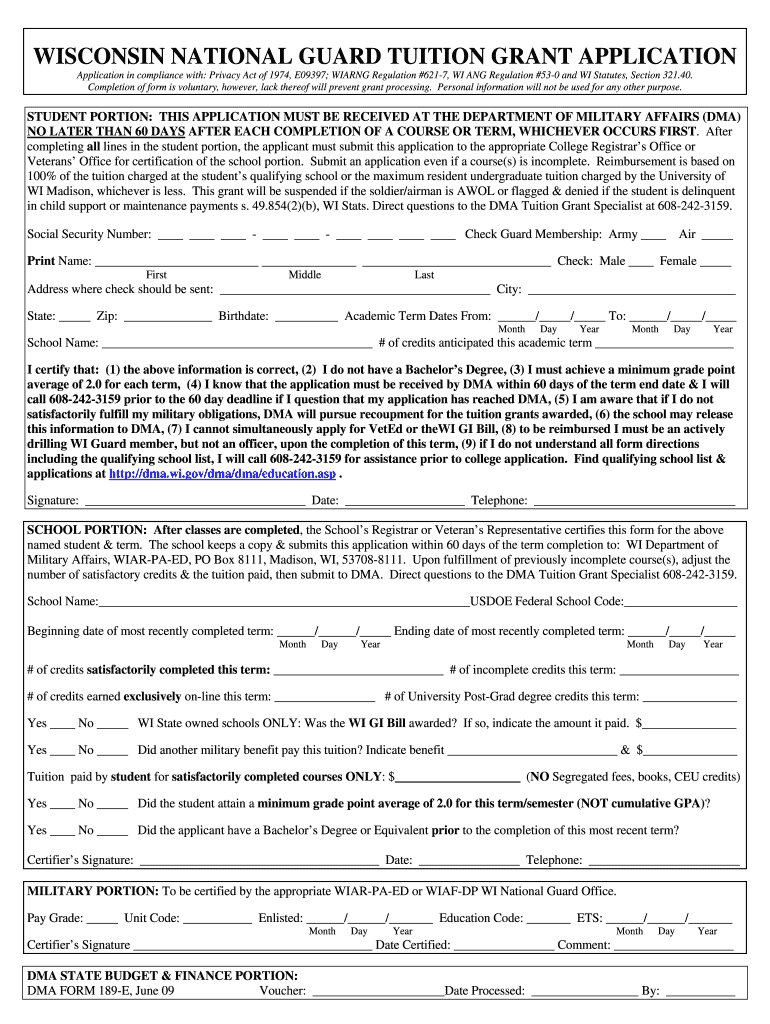
Begin by filling out the Student Portion. Enter your Social Security Number, select your Guard Membership, and provide your full name including first, middle, and last names.
Next, input the address where you would like the check sent, along with your city, state, and zip code. Don’t forget to include your birthdate.
Fill in the Academic Term Dates by specifying the start and end dates of your term. Then, enter the School Name and number of credits anticipated for this academic term.
Review and certify that all information is correct by checking each statement provided in this section before signing and dating the form.
Once completed, submit this application to the appropriate College Registrar’s Office or Veterans’ Office for certification of the school portion.
Start using our platform today to easily fill out dma form 189 e for free!
The grant program reimburses up to eight semesters. Application Process. The application must be submitted to your school DocHubing official and received atRead more
Information in this document is subject to change without notice. Some of the information contained in this document may not apply to all Dell systems.Read more
Cookie consent notice
This site uses cookies to enhance site navigation and personalize your experience.
By using this site you agree to our use of cookies as described in our Privacy Notice.
You can modify your selections by visiting our Cookie and Advertising Notice.