






Definition and Meaning
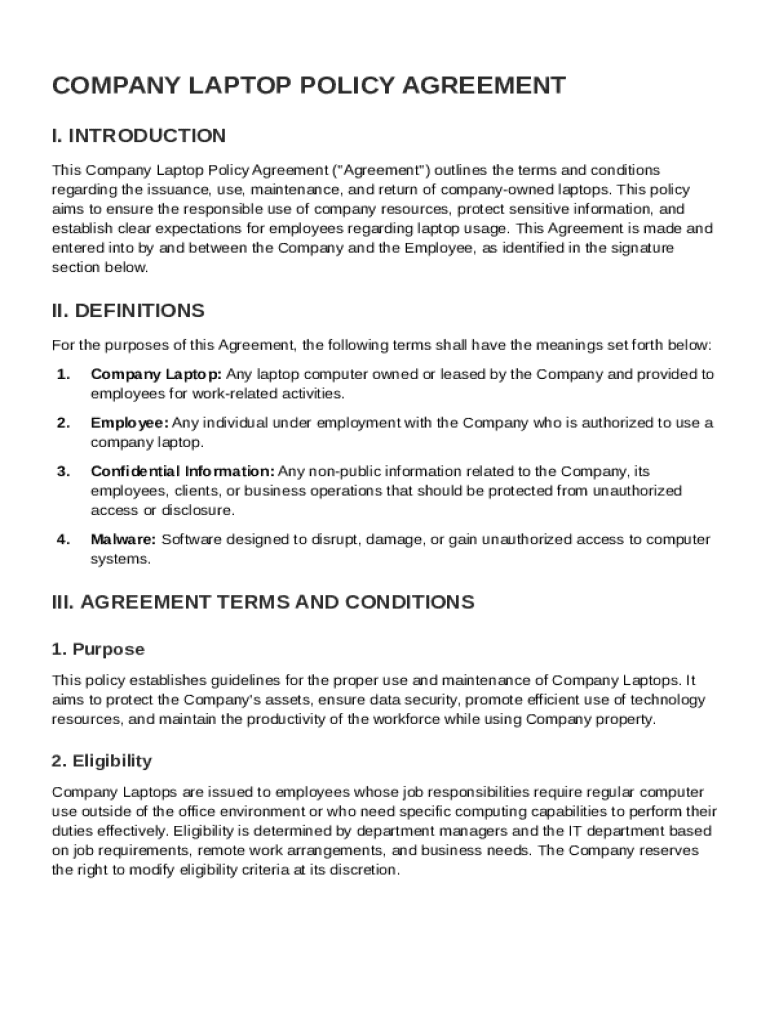
The Company Laptop Policy Agreement Template is a document that outlines the specific terms and conditions under which company-owned laptops are issued to employees. This template serves as a legal contract between the employer and the employee, establishing guidelines for the use, maintenance, and return of these devices. The agreement protects company assets, ensures sensitive data is secured, and sets clear expectations for employees regarding their responsibilities. This includes aspects such as the acceptable use policy, adherence to company data protection protocols, and compliance with security measures.
Key Elements
- Issuance Terms: Details the conditions under which laptops are provided to employees, including eligibility criteria and approval processes.
- Usage Guidelines: Specifies what constitutes acceptable use of company laptops, such as prohibitions on personal software installation or accessing certain types of content.
- Security Measures: Outlines the protocols employees must follow to protect sensitive information, including password protection and data encryption requirements.
- Maintenance Responsibilities: Describes employee obligations for keeping laptops in good working order and reporting any technical issues promptly.
- Return Conditions: Specifies the process for returning laptops upon employment termination, ensuring all equipment is accounted for and any company data is secured.
How to Use the Company Laptop Policy Agreement Template
To effectively use the Company Laptop Policy Agreement Template, an organization should understand each section and tailor it to its specific needs and policies.
- Review the Template: Before using the template, examine each section to ensure it aligns with the company's policies and legal requirements.
- Customize Details: Edit the template to reflect company-specific information such as logos, department names, and contact details for reporting issues.
- Consult Legal Counsel: Engage with an attorney to review the document, ensuring compliance with local, state, and federal laws.
- Distribute to Employees: Provide the customized agreement to eligible employees, ensuring they thoroughly understand their responsibilities.
- Collect Signatures: Require employees to sign the document, acknowledging their understanding and agreement to the terms outlined. This can be done using DocHub's electronic signature feature for convenience.
Steps to Complete the Company Laptop Policy Agreement Template
Completing the Company Laptop Policy Agreement Template involves several systematic steps to ensure it is filled out accurately and comprehensively.
- Fill in Employee Details: Provide personal and employment information, including name, position, and department.
- Specify Equipment Details: Input details about the laptop being issued, such as brand, model, serial number, and any additional accessories.
- Review Usage Policies: Ensure the employee reads and understands the usage policies, including provisions for remote work or any prohibitions on unauthorized software installation.
- Acknowledge Security Protocols: The employee must acknowledge understanding and commitment to follow security protocols, such as data encryption and regular password updates.
- Sign Agreement: Both the employee and a company representative must sign the agreement. Use digital signature tools like those on DocHub for efficiency and record-keeping.
Key Elements of the Company Laptop Policy Agreement Template
A comprehensive Company Laptop Policy Agreement Template includes various essential elements that facilitate clear communication and compliance.
Issuance and Return Conditions
- Equipment Issuance: Criteria for receiving a company laptop, including job role relevance and performance requirements.
- Return Process: Clear instructions for returning the laptop upon employee departure or role change, including condition assessments and data clearance procedures.
Specific Usage Conditions
- Authorized Use: Definition of permitted activities and applications on the company laptop.
- Prohibited Use: Definition of banned activities, such as using unauthorized software or accessing inappropriate content.
Data and Security Measures
- Data Protection: Guidelines for protecting company data, including encryption and secure backup practices.
- Security Protocols: Required security practices, such as regular software updates and using secure networks.
Legal Use of the Company Laptop Policy Agreement Template
Legally, the agreement serves as a binding contract between the company and employee, detailing obligations and rights regarding laptop use. Adhering to this template helps prevent legal disputes by clearly outlining employee responsibilities and company expectations.
Compliance and Legal Considerations
- Adherence to Laws: Ensure the template conforms to employment laws and digital security regulations.
- Dispute Resolution: Include provisions for how disputes arising from the laptop use will be resolved, whether through mediation, arbitration, or legal channels.
Important Terms Related to the Company Laptop Policy Agreement Template
Understanding key terms in the policy is crucial for effective compliance and communication.
Technical Terms and Acronyms
- Encryption: The process of converting information or data into a code to prevent unauthorized access.
- SSID: Service Set Identifier, a unique name that identifies a particular wireless network.
Legal and Compliance Terms
- Non-Compliance Penalties: Possible consequences, ranging from disciplinary action to termination for breach of contract terms.
- Liability: Conditions under which the employee would be liable for laptop damages or data breaches.
Penalties for Non-Compliance
The Company Laptop Policy Agreement outlines specific penalties for failing to comply with its terms, serving as a deterrent to misuse.
Types of Penalties
- Disciplinary Action: Warnings, demotion, or suspension for minor breaches.
- Financial Restitution: Employees may be required to cover repair costs for damaged equipment due to negligence.
- Termination: Severe or repeated violations may result in termination, ensuring the enforcement of company policies.
Understanding these potential penalties underscores the importance of adhering to the agreement’s terms, ensuring the protection of both the company and its employees.