
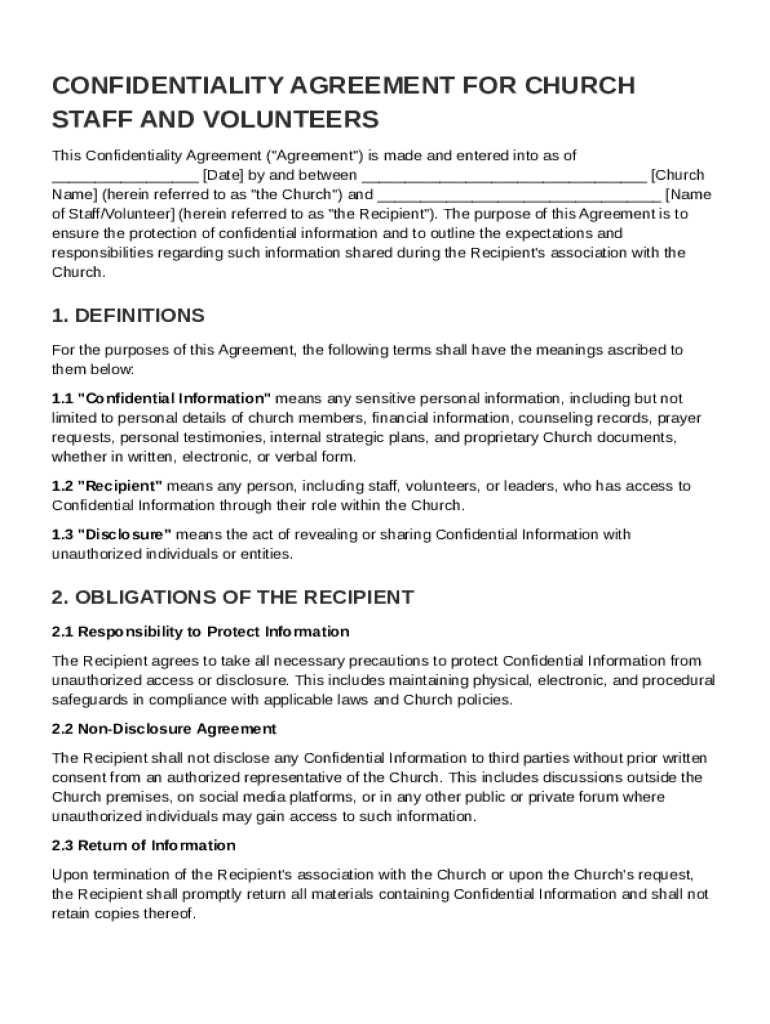







Definition and Purpose of the Church Confidentiality Agreement Template
A Church Confidentiality Agreement Template is a legal document that outlines the obligations and responsibilities of church staff and volunteers in protecting confidential information. This agreement ensures that sensitive information, such as personal details of congregation members or confidential operational details, is safeguarded from unauthorized disclosure. Key terms are defined within the agreement, providing clarity on what constitutes confidential information and the scope of the recipient's duties. Typically, the document details the duration of confidentiality and outlines the consequences of any breaches, ensuring all parties understand their obligations.
How to Use the Church Confidentiality Agreement Template
Understanding how to properly utilize the Church Confidentiality Agreement Template is crucial for maintaining confidentiality within a church setting. It involves several steps:
- Customization: Tailor the template to fit the specific needs of your church, including adding relevant church logos or specific clauses related to your church's practices.
- Educate Staff and Volunteers: Ensure that all parties required to sign the agreement understand their roles and responsibilities.
- Signature Collection: Use platforms like DocHub for collecting electronic signatures to streamline the process. Ensure all signees receive a copy of the signed document.
- Storage: Securely store the signed agreements on DocHub or other secure cloud services to maintain a record for future reference or in the event of a dispute.
Key Elements of the Church Confidentiality Agreement Template
The Church Confidentiality Agreement Template includes several critical components that protect both the church and those working within it:
- Definition of Confidential Information: Clearly specifies what information is considered confidential, such as personal data, financial records, and internal documents.
- Duties and Obligations: Details the responsibilities of the recipients in handling the confidential information and the measures they must take to protect it.
- Permitted and Prohibited Uses: Outlines what the confidential information can and cannot be used for, thereby limiting the exposure of sensitive data.
- Duration of Confidentiality: Sets a defined period during which the information must remain confidential, which could extend beyond the period of employment or volunteer service.
Legal Use of the Church Confidentiality Agreement Template
The Church Confidentiality Agreement Template must be used in compliance with U.S. legal standards to ensure its enforceability:
- Governing Law: The agreement typically specifies the applicable state laws that govern its interpretation and enforcement.
- Amendments: Provides guidelines on how modifications to the agreement should be handled, usually requiring mutual consent from all parties involved.
- Consequences of Breach: Describes legal actions that can be taken in case of unauthorized disclosure or breach of the agreement, such as seeking injunctive relief or damages.
Who Typically Uses the Church Confidentiality Agreement Template
This template is primarily employed by:
- Church Administration: For staff members involved in handling sensitive data.
- Volunteers: Who work in roles that involve access to confidential information, like those involved in financial tasks or pastoral care.
- Consultants or Contractors: Engaged by the church to perform tasks requiring access to confidential information.


Steps to Complete the Church Confidentiality Agreement Template
Completing the Church Confidentiality Agreement Template involves several methodical steps:
- Document Preparation: Begin by downloading the template and reviewing it to ensure it aligns with the church's specific needs.
- Information Input: Fill in necessary details such as the name of the church, the name of the recipient, and any specific duties that relate to managing the confidential information.
- Review Process: Have the document reviewed by legal counsel to ensure compliance with applicable laws.
- Signature and Implementation: Collect signatures from the involved parties via electronic platforms like DocHub for easy tracking and storing.
Examples of Using the Church Confidentiality Agreement Template
Examples highlight the practical uses of the Church Confidentiality Agreement:
- Pastoral Care: When a volunteer assists with collecting sensitive counseling data.
- Financial Activities: When a staff member handles confidential financial contributions.
- Event Planning: Where volunteers gain access to personal data of attendees.
State-Specific Rules for the Church Confidentiality Agreement Template
Given that the Church Confidentiality Agreement is subject to state laws, different states may have specific requirements:
- California: May require extra disclosures related to privacy protection under the California Consumer Privacy Act (CCPA).
- Texas: Could involve distinct stipulations about data management due to specific state privacy laws.
- New York: May necessitate compliance with unique provisions relating to data privacy and protection per state law.
Understanding these elements is crucial to drafting an agreement that is legally sound and effectively safeguards sensitive information.




