




01. Edit your form online
Type text, add images, blackout confidential details, add comments, highlights and more.

Type text, add images, blackout confidential details, add comments, highlights and more.

Draw your signature, type it, upload its image, or use your mobile device as a signature pad.

Send it via email, link, or fax. You can also download it, export it or print it out.
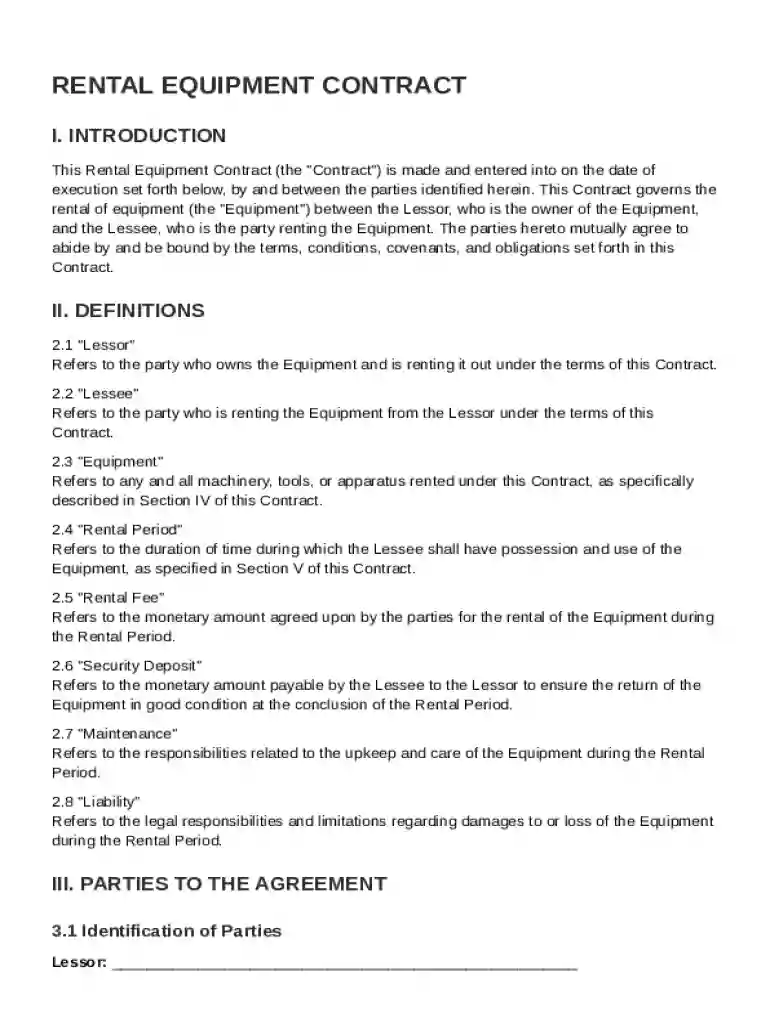
The Rental Equipment Contract Template is designed to formalize the agreement between two parties: the lessor, who owns the equipment, and the lessee, who rents it. This document outlines each party's rights and responsibilities, ensuring clarity and legal protection. The contract defines key terms such as “lessor,” “lessee,” and “equipment,” providing a clear framework for the rental agreement. It also sets expectations for maintenance, usage, and the return condition of the equipment.
This template includes several essential components to ensure a comprehensive agreement. The first element is the specification of rental fees, including payment schedules and methods, as well as any applicable taxes. Additionally, the contract outlines liability clauses and insurance requirements, ensuring both parties understand who is responsible for potential damages or losses. Security deposits are addressed, with terms for their use, conditions for refunds, and any non-refundable circumstances clearly specified.
Filling out this contract template involves a structured process to capture all necessary information accurately. Begin by entering the contact details of both the lessor and lessee. Next, describe the equipment in detail, including model numbers and any identifying features. Specify the rental period, start and end dates, and any renewal terms. Clearly outline the payment terms, including the amount, frequency, and due dates. Finally, review clauses regarding termination, dispute resolution, and amendments.
The contract template serves as a legally binding agreement, conforming to relevant laws in the U.S. It ensures that both parties comply with federal and state regulations, protecting their rights and interests. By outlining dispute resolution processes, the template provides a mechanism for handling disagreements, potentially reducing the need for litigation. It’s important to consult legal professionals when customizing the template to comply with specific jurisdictional requirements and to address any unique circumstances related to the equipment or rental terms.
Grasping the terminology used in this contract is crucial for understanding the document’s implications. Key terms include "rental fees," referring to the cost payable by the lessee, "liability," which pertains to the legal responsibilities of each party, and "insurance requirements," detailing mandatory coverages to protect against damages. "Early termination" provisions help both parties understand under what conditions the contract may be ended prematurely, and what, if any, penalties apply.
This template is vital for businesses and individuals who frequently engage in equipment rentals. Common users include construction companies, event planners, film and photography professionals, and small business owners. Lessors benefit by standardizing rental terms across different agreements, while lessees gain clarity and assurance about their responsibilities. This contract also supports peer-to-peer rentals, popular on online platforms, by establishing a trustworthy framework for transactions.


Various industries rely heavily on renting equipment rather than purchasing it outright. Construction firms, event logistics providers, and agricultural operations may find this template particularly beneficial. Businesses with seasonal operations can manage costs more effectively by renting equipment only when needed. Startups and small businesses can also leverage rental agreements to minimize upfront capital expenditures, allowing them to allocate resources more effectively across their operations.
While the template serves nationwide, specific clauses may need adjustments to align with state regulations. States may have distinct rules regarding rental agreements, insurance requirements, and dispute resolution. For instance, California has particular laws governing rental transactions that must be incorporated. It’s crucial to research state-specific laws or consult with legal experts to ensure compliance and uphold the contract’s enforceability.
At DocHub, your data security is our priority. We follow HIPAA, SOC2, GDPR, and other standards, so you can work on your documents with confidence.


RENTAL AGREEMENT I accept full responsibility for the care of the rental equipment checked out to my possession as well as any and all peripheral equipment
2 days ago You can start with our free template on Asset Leasing Software RFP template and tailor it to your environment.


