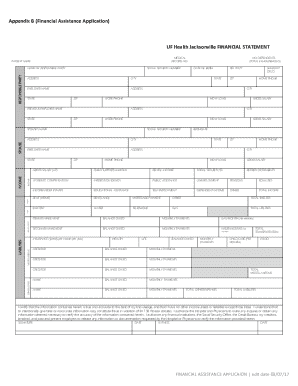
Definition and Meaning of pcscourier
The pcscourier form is used primarily for international shipping and logistics documentation. This form serves as a commercial invoice that details the exportation of goods. It includes crucial sections that capture shipper and consignee information, export references, and a detailed description of the goods being shipped. These descriptions encompass the quantity, weight, and value of the items, ensuring that all parties involved have accurate information.
- Purpose: The primary goal of the pcscourier form is to facilitate the legal and efficient transfer of goods across international borders while providing all necessary details to customs and other officials.
- Sections: The form includes segments for shipper details, consignee information, and the specifics of the items being shipped. Each section is designed to capture important data needed for compliance with international shipping regulations.
- Declaration: The form requires the shipper or exporter to declare the truthfulness of the information, which is essential for ethical and legal accountability.
How to Use the pcscourier Form
To ensure accurate and complete submission of the pcscourier form, follow these detailed steps:
- Gather Information: Compile all necessary details pertaining to the shipment, including the shipper's and consignee's contact and identification information.
- Complete Sections: Fill out each section of the form carefully:
- Shipper Info: Include the name, address, and contact details.
- Consignee Details: Provide the recipient's contact information.
- Describe Goods: Accurately list each item's description, including its quantity, weight, and value.
- Sign and Date: Ensure the shipper signs and dates the form to validate the declaration of truthfulness.
Important Considerations
- Accuracy: Double-check all entries for typographical errors or inaccuracies.
- Compliance: The form must comply with local and international shipping regulations.
- Signature: The signatory must have the authority to confirm the shipment's details.
How to Obtain the pcscourier Form
The pcscourier form can be obtained through various channels, ensuring accessibility for all users:
- Online Download: Many logistics and shipping websites offer downloadable versions of the form, allowing for convenient access from any location.
- Physical Collections: Shipping companies and courier service providers often provide printed copies of the form, which can be collected in person at their offices.
- Integrated Systems: Some shipping software includes pcscourier forms as part of their documentation features, allowing for auto-population of data fields where applicable.
Steps to Access Online
- Visit Shipping Websites: Navigate to the website of your logistics or shipping service.
- Search for Forms: Use the search function to locate the pcscourier form.
- Download: Select the appropriate version for download and save it for use.
Steps to Complete the pcscourier
Completing the pcscourier accurately ensures smooth customs processing and avoids shipment delays:
- Begin with the Shipper Section: Enter the full legal name, business address, and contact number of the shipping entity.
- Consignee Information: Fill in the details of the recipient, including their full address and contact information.
- Goods Description: List each item separately, providing the quantity, weight, unit price, and total value.
- Add Export References: Include any relevant export references or identification numbers.
- Declaration of Truthfulness: Sign and date the form as the shipper to certify the accuracy of the provided information.
Common Mistakes to Avoid
- Incomplete Details: Ensure no sections are left blank, as incomplete forms can lead to processing delays.
- Incorrect Measurements: Double-check all weights and measurements for accuracy.
Why Should You Use the pcscourier
Utilizing the pcscourier offers multiple benefits for international shipments:
- Legal Compliance: It ensures that shipments comply with international trade and customs regulations.
- Efficient Customs Clearance: The form provides customs officials with clear and concise information, facilitating quicker clearance processes.
- Transparent Trade: The form helps maintain transparency between shippers, consignees, and customs authorities by providing full shipment details.
Strategic Advantages
- Time-Saving: By streamlining the documentation process, the pcscourier reduces delays associated with incomplete or inaccurate information.
- Risk Reduction: Accurate forms mitigate the risk of customs disputes and potential fines.
Who Typically Uses the pcscourier
The pcscourier form is predominantly used by businesses involved in international trade:
- Exporters: Companies exporting goods across borders use this form to declare shipments.
- Logistics Providers: Third-party logistics companies fill out the form to move goods on behalf of their clients.
- Customs Brokers: These professionals often manage documentation, including the pcscourier, for their clients during import/export activities.


Applicability Across Industries
- Manufacturing: For shipping finished goods or raw materials internationally.
- Retail: When sending products to overseas customers or branches.
- Technology Firms: Exporting technical equipment or software.
Key Elements of the pcscourier
Understanding the critical components of the pcscourier form ensures correct completion and submission:
- Consignment Data: Essential details about the shipment's sender and recipient.
- Product Descriptions: Specifics about the items being shipped, including any identifying numbers or marks.
- Value Declaration: The stated value of goods, used to calculate duties or taxes.
Additional Elements
- Export References: Identifiers or codes related to export licenses or trade agreements.
- Certification: Signature by an authorized individual attesting to the information's truthfulness.
Examples of Using the pcscourier
Various scenarios illustrate the practical application of the pcscourier form:
- Case Study: A Tech Exporter: An electronics firm in California uses the form to export new gadgets to retail partners in Japan, detailing each gadget's features and market value.
- Scenario: Fashion Industry: A New York-based fashion house ships its latest collection to boutiques in Paris, utilizing the pcscourier to document each garment's style and value.
- Example: Raw Materials: A manufacturing company in Texas ships raw materials for processing abroad, completing the form to cover various materials like metals and plastics.
Real-World Usage
- Customs Processing: Importance of specifying goods' nature and value for duty assessments.
- Legal Documentation: Providing accurate data to avert legal disputes related to goods' misclassification.
By thoroughly understanding these aspects, users can effectively navigate the requirements and pitfalls associated with the pcscourier form, ensuring seamless international shipping operations.