01. Edit your form online
Type text, add images, blackout confidential details, add comments, highlights and more.

Type text, add images, blackout confidential details, add comments, highlights and more.

Draw your signature, type it, upload its image, or use your mobile device as a signature pad.

Send it via email, link, or fax. You can also download it, export it or print it out.
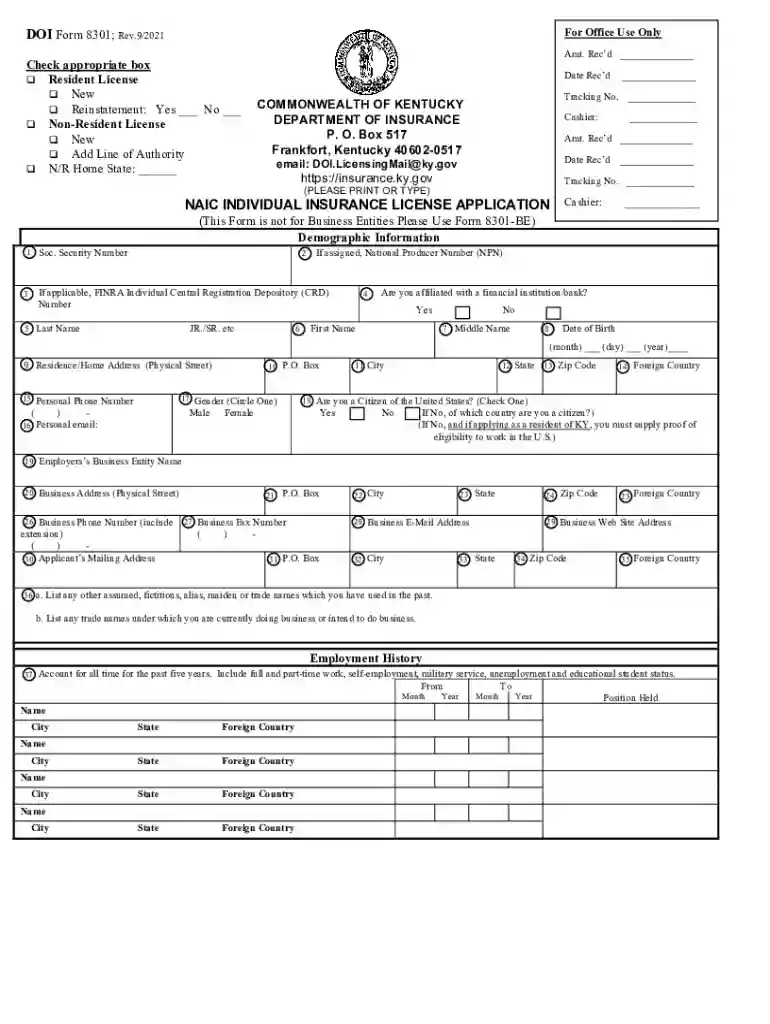
The NAIC Uniform Application, often denoted as DOI Form 8301 for the Department of Insurance in Kentucky, serves as a standardized form for individuals looking to apply for insurance licenses. This form is essential for those seeking to gain authorization to sell or manage insurance products, whether as a resident or non-resident in the state. The NAIC's goal is to streamline the information gathering process by providing a cohesive document that captures the applicant's personal, employment, and legal background.
Understanding these aspects helps applicants prepare the necessary information before starting the process.
Completing the form is legally binding, and applicants must certify the accuracy of the details provided. Misrepresentation or omission of crucial information can lead to penalties or disqualification from obtaining the license.
Filling out this application is a critical step for individuals pursuing a career in insurance. It serves as the primary document that informs licensing decisions, ensuring regulatory compliance and industry standards are met.
Understanding the target users helps aspiring licensees recognize the form's significance in their professional journey.
Kentucky adheres to specific rules and regulations regarding insurance licensing, with DOI Form 8301 representing the state’s adaptation of the NAIC Uniform Application. Each state's Department of Insurance may have unique criteria, making it crucial to check state-specific requirements during the application process.
DocHub’s fillable online form integrates well with Google Workspace, enhancing compatibility with commonly used platforms like Google Drive and Gmail. This ensures convenience in accessing, completing, and submitting the application efficiently.
Utilizing these technologies not only simplifies completion processes but also aligns with modern digital practices, ensuring efficiency and security.
Selecting the appropriate submission method based on personal preference and urgency can impact the processing time and outcome of the application process.
We've got more versions of the Fillable Online NAIC Uniform Application for - Department form. Select the right Fillable Online NAIC Uniform Application for - Department version from the list and start editing it straight away!
At DocHub, your data security is our priority. We follow HIPAA, SOC2, GDPR, and other standards, so you can work on your documents with confidence.