




01. Edit your form online
Type text, add images, blackout confidential details, add comments, highlights and more.

Type text, add images, blackout confidential details, add comments, highlights and more.

Draw your signature, type it, upload its image, or use your mobile device as a signature pad.

Send it via email, link, or fax. You can also download it, export it or print it out.
"Form online" refers to digitized versions of traditional paper forms that can be completed, submitted, and managed through internet platforms. These forms streamline a multitude of processes across different sectors by removing the need for physical paperwork. Online forms can be utilized for various purposes, including applications, surveys, registrations, and official documentation submissions. They often include interactive features such as fillable fields, dropdown menus, and electronic signature options, making them more user-friendly and efficient than their paper counterparts.
To effectively use a form online, individuals should first access the form through a reliable platform, like DocHub, that offers extensive support for various file types. Once accessed, users can fill out the required fields directly via their web browser without needing additional software installations. The process typically involves:
Users are often provided with a preview of their inputted information before final submission, allowing for corrections and adjustments as needed.
Completing a form online involves a series of systematic steps to ensure accuracy and completeness:
Each step in the process should be followed sequentially to minimize errors and ensure the form is processed smoothly.
Forms that are completed online must comply with specific legal standards to be considered valid and enforceable. For instance, forms used for contracts or agreements need adherence to the ESIGN Act, which establishes the legal equivalence of electronic signatures with traditional handwritten ones. Important legal considerations include:
Documents need to be stored and handled in compliance with applicable laws to maintain their legitimacy.
An online form typically contains several key elements designed to facilitate efficient data collection and usability:
These elements are structured to make the form intuitive and straightforward for users to navigate.
Completing certain forms online may necessitate submitting additional documents for verification purposes, such as:
Documents should be uploaded in accepted formats, typically PDF, DOC, or image files like JPEG or PNG, and verified for quality to ensure readability.
Online forms allow for multiple submission methods, enhancing accessibility and convenience:
By supporting diverse submission options, users can choose the method that best suits their needs and capabilities.
Online forms offer several advantages over traditional paper versions, including:
However, certain circumstances might still require paper forms, particularly in environments without reliable internet connectivity or where electronic processes have not yet been adopted.
Online forms are extensively used in various scenarios, such as:
These examples illustrate how online forms facilitate streamlined and efficient processes across different sectors, highlighting their utility and effectiveness.
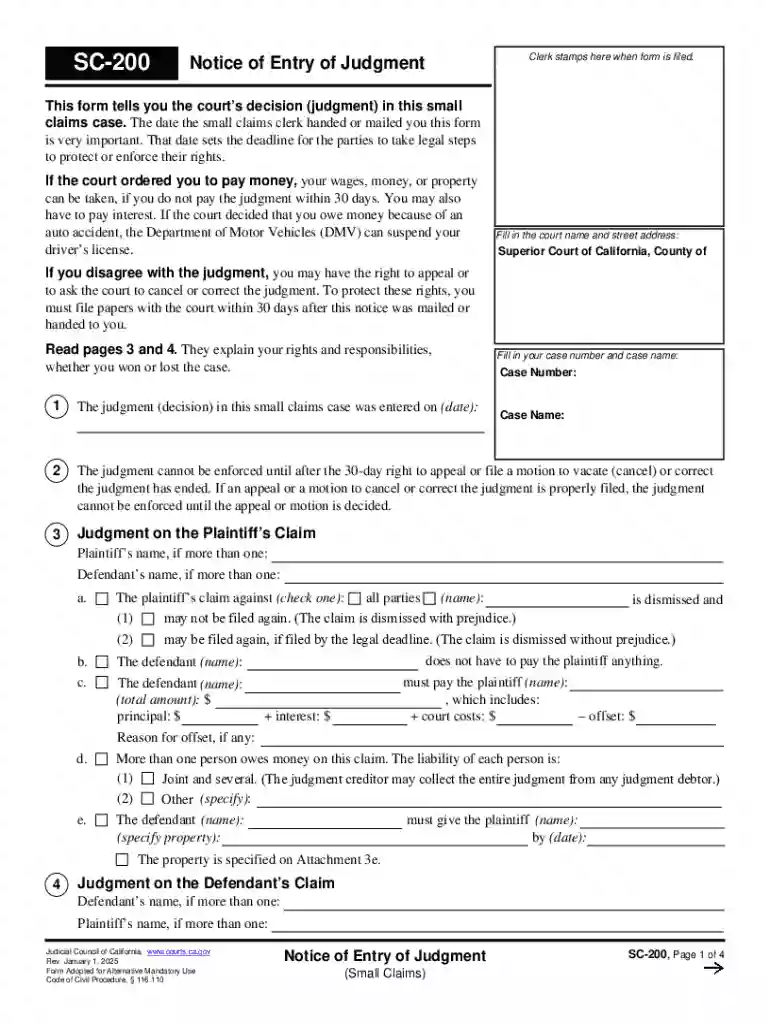
We've got more versions of the California Notice of Entry of Judgment form. Select the right California Notice of Entry of Judgment version from the list and start editing it straight away!
At DocHub, your data security is our priority. We follow HIPAA, SOC2, GDPR, and other standards, so you can work on your documents with confidence.





If notice of entry of judgment has been served upon the losing party, notice of intention to move for a new trial must be filed within 10 days from the receipt
Tells the parties that a judgment has been entered in a case. Service of this notice sets the start date of important deadlines regarding the ability to set-


