






Definition & Meaning
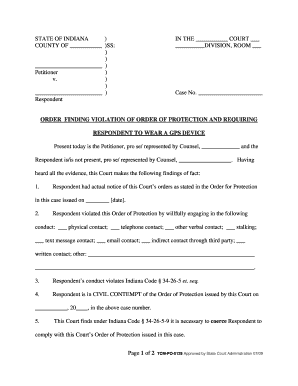
The "Court Case Information PortalSuperior Court of California" serves as a pivotal online resource for accessing a wide range of court case data within the jurisdiction of the Superior Court of California. This portal is specifically structured to provide users, whether they are legal professionals, researchers, or the general public, with detailed information on court proceedings, case statuses, and relevant legal documents. By facilitating easy navigation and information retrieval, the portal helps users manage and track court-related matters effectively.
How to Use the Court Case Information Portal of the Superior Court of California
To make efficient use of the Court Case Information Portal, users must familiarize themselves with its interface and features. Here's a step-by-step guide:
-
Access the Portal: Visit the official website and locate the portal section specifically designed for case information access.
-
Search for Cases: Utilize the search function by entering specific details such as case number, party name, or attorney information to find the relevant case file.
-
View Case Details: Once a case is located, users can click to view comprehensive details, including hearing schedules, filed documents, and court orders.
-
Download Documents: If needed, official documents can often be downloaded directly from the portal for legal or personal use.
-
Stay Updated: Users can opt to receive notifications or alerts about case updates if the portal offers subscription options.
Steps to Complete the Court Case Information Portal of the Superior Court of California
The completion process primarily refers to effectively utilizing the portal to carry out necessary actions:
-
Register an Account: Some functionalities may require registration, enabling personalized features and saving search queries.
-
Input Accurate Information: Ensure that the details used for searching are correct to avoid retrieving incorrect data.
-
Follow Legal Guidelines: When accessing case information, adhere to any applicable legal guidelines or restrictions.
-
Utilize Full Features: Explore all available tools and services, including calendar checks, document requests, or case monitoring.
Who Typically Uses the Court Case Information Portal of the Superior Court of California
The portal caters to several groups:
- Legal Professionals: Attorneys and paralegals utilize it for case management and preparation.
- Research Entities: Scholars and researchers seek information for legal studies and case analysis.
- General Public: Individuals involved in legal proceedings or those seeking information on specific cases.
- Media Personnel: Journalists requiring updates on high-profile cases for reporting purposes.


Important Terms Related to the Court Case Information Portal of the Superior Court of California
Understanding certain legal terminologies can enhance users' experience:
- Docket Number: A unique number assigned to cases for identification.
- Case Status: The current stage or condition of a case (e.g., active, closed).
- Filing Party: The individual or entity that initiated the legal action.
- Hearing Date: Scheduled court dates for case-related hearings or appeals.
Legal Use of the Court Case Information Portal
Users must comply with specific legal requirements to ensure ethical use of the portal:
- Data Protection: Handle any personal or sensitive information with confidentiality.
- Authorized Access: Only access data or portions of the portal you are permitted to see.
- Non-Commercial Use: Information should not be used for unauthorized commercial purposes unless explicitly stated.
State-Specific Rules for the Court Case Information Portal
California law governs the functioning of the portal, and users should be mindful of:
- Access Restrictions: Certain information might be restricted based on privacy laws or ongoing investigations.
- Legal Updates: Regularly check for updates on rules that may affect case information accessibility.
- Document Filing: Follow state-specific procedures for electronic document submissions through the portal.
Examples of Using the Court Case Information Portal
Real-world applications of the portal are numerous:
- Case Tracking: A lawyer tracks progress and schedules upcoming motions for an ongoing lawsuit.
- Document Retrieval: A paralegal obtains case documents needed for a trial.
- Public Inquiry: The general public reviews case history to understand legal precedents.
By leveraging these functionalities and adhering to guidelines, users can make informed decisions and remain up-to-date with legal proceedings in the Superior Court of California.