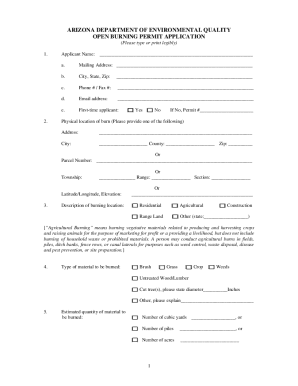
Definition and Meaning of Submittal Cover Page
A submittal cover page is a critical document used in construction and engineering projects to accompany submittals, providing essential information and context. It serves as the initial page that presents an organized summary of the contents and purpose of the accompanying documents. Typically, it includes details such as the project name, contractor information, document titles, dates, and contact information. This ensures that submittals are correctly identified, reviewed, and approved in a timely manner.
Key Components
A standard submittal cover page usually contains:
- Project Information: Name and location of the project.
- Contractor Details: Name, address, and contact information.
- Submittal Date: The date the documents are being submitted.
- Document Titles and Descriptions: A list of included documents and a brief description of their content.
- Reviewer Information: Who is expected to review the submittal, including their contact details.
How to Use the Submittal Cover Page
The process of using a submittal cover page efficiently involves several steps to ensure accuracy and completeness.
Step-by-Step Process
- Gather Information: Collect all necessary details about the project, contractor, and documents.
- Complete the Header: Fill out the project and contractor information at the top of the cover page.
- List Documents: Include a comprehensive list of all documents attached with descriptions.
- Specify Reviewers: Clearly state who needs to review the documents and the order of review if applicable.
- Finalize and Review: Double-check all information for accuracy; ensure there are no missing documents.
- Submit: Attach the cover page to the packet and submit as per the specified submission method.
Steps to Complete the Submittal Cover Page
Completing a submittal cover page can seem daunting but following a structured approach can simplify the task.
Detailed Steps
- Project and Contractor Details: Ensure that the project name, location, and the main contractor’s name and contact information are filled out first.
- Document Enumeration: Accurately list all accompanying documents, using proper titles and including necessary reference numbers or codes.
- Review Schedule and Roles: Identify each reviewer required for the process, along with their respective roles and deadlines for the review, if applicable.
- Ensure Legal Compliance: Depending on the project, make sure that all legal aspects such as permits and compliance certificates are included or referenced.
- Final Checks: Review the cover page for completeness and ensure that all fields are filled accurately before submission.
- Submission: Use the preferred method of submission, whether it be online, via mail, or in-person delivery.
Key Elements of the Submittal Cover Page
Understanding the essential elements of a submittal cover page helps in crafting a comprehensive submission.
Major Components
- Header Section: Contains the project title, location, contractor information.
- Document List: An itemized format of all included documents for easy reference.
- Compliance and Regulation: Verification of adherence to relevant standards and guidelines.
- Signature Field: Spaces for signatures of the submitting party and the reviewing authority.
Examples
- Two-Stage Upflow Gas Furnace Projects: Include model numbers, performance data, and regulatory compliance.
- Office Building Architectural Plans: Encompass blueprints, material safety data, and environmental impact assessments.
Who Typically Uses the Submittal Cover Page
The submittal cover page is commonly used by various professionals within the construction, engineering, and design sectors.


Users Include
- General Contractors: To submit project specifications for approval.
- Architects: For sending architectural drawings and blueprints.
- Engineers: When presenting technical data and compliance documents.
- Subcontractors: For providing details on specific segments of the project.
Legal Use of the Submittal Cover Page
The submittal cover page plays a crucial role in maintaining the legal integrity of the submission process.
Important Legal Considerations
- Verification: Acts as a record for what documents were submitted and when.
- Compliance: Ensures that all necessary regulatory approvals are attached prior to project commencement.
- Audit Trail: Provides a documented history of communications and revisions amongst stakeholders.
State-Specific Rules for the Submittal Cover Page
Depending on the state, there may be specific regulations and requirements that govern the submittal process.
Notable Variations
- California: Requires specific environmental compliance documents.
- New York: Enforces additional safety protocol documentation.
- Texas: May include emphasis on energy efficiency compliance for HVAC systems.
Software Compatibility and Form Submission
The digital age has made it possible for submittal cover pages to be completed and submitted electronically through various software platforms.
Compatible Tools
- DocHub: Supports the import and export of documents directly from cloud storage services.
- PDF Editors: Useful for annotating and signing digitally.
- Project Management Software: Platforms like Procore can integrate submittal processes.
By following these detailed guidelines and utilizing the appropriate tools, the submittal cover page can become an integral part of a streamlined documentation workflow ensuring accuracy, compliance, and efficient project management.