
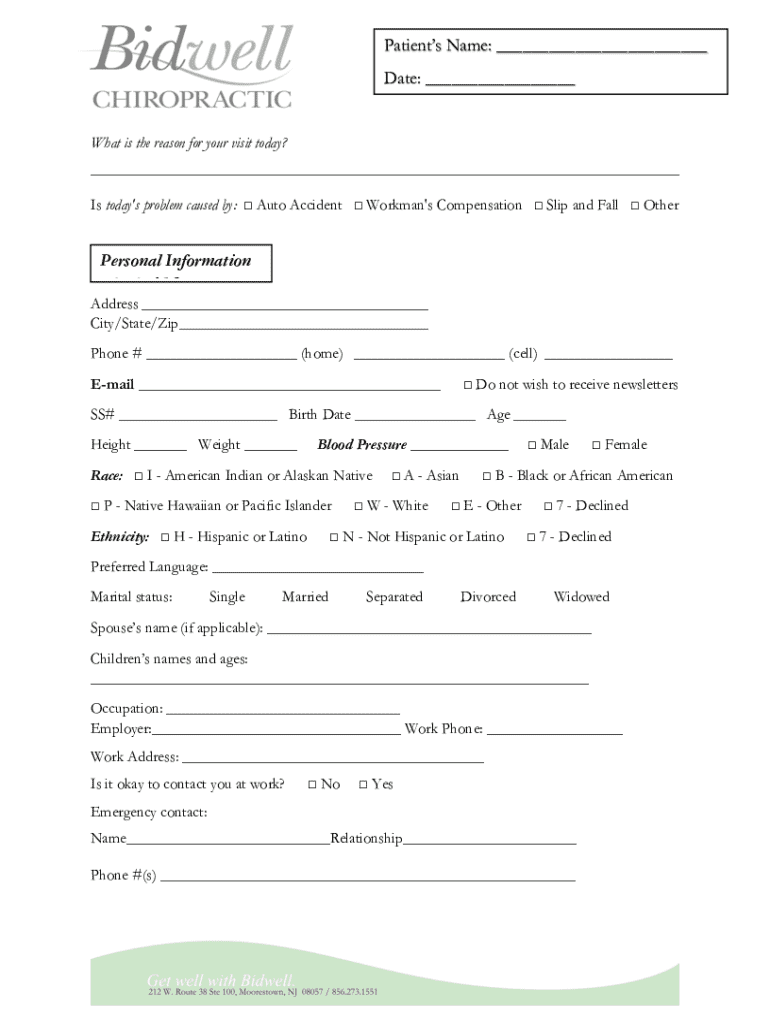







Definition and Meaning of Form Online
The term "form online" typically refers to digital forms that can be accessed, completed, and submitted via the internet. These forms are designed to replace traditional paper-based versions and provide an efficient and streamlined process for collecting data or completing transactions. Digital forms are widely used across various domains, including businesses, government agencies, healthcare facilities, and educational institutions, to enhance accessibility and convenience for users.
Features of Online Forms:
- Ease of Access: Available 24/7 from any device with internet connectivity.
- User-Friendly Interfaces: Designed for intuitive navigation with clear instructions.
- Real-Time Submission: Eliminates physical submission delays, instantly sending data to the relevant parties.
- Security Measures: Includes encryption and authentication protocols to protect personal information.
Steps to Complete the Form Online
Online forms generally follow a straightforward process that ensures users can complete them efficiently. For maximizing accuracy and speed, following a step-by-step approach is beneficial.
- Access the Form: Locate the specific online form application through relevant websites or platforms like DocHub.
- Read Instructions Carefully: Ensure you understand the requirements and fields before beginning.
- Fill in Personal Information: Complete sections requiring details such as name, address, and contact information.
- Add Specific Details: Provide additional information requested, which may vary depending on the form type.
- Review and Verify: Check for missing or incorrect information before proceeding.
- Submit the Form: Use the online submission feature to send the form directly to the intended recipient or system.
Tips for Completing Online Forms:
- Check for Required Fields: These are typically marked with an asterisk (*) to prevent submission errors.
- Save Progress: Some platforms allow you to save your work and return later.
- Capture Confirmation: Retain any confirmation numbers or emails as proof of submission.
Why You Should Use Forms Online
Choosing digital forms offers numerous advantages over traditional paper transactions, particularly in the context of efficiency and environmental impact.
Benefits of Online Forms:
- Time-Saving: Reduces time needed for processing and eliminates paper handling.
- Cost-Effective: Decreases expenses associated with printing and postal services.
- Environmental Impact: Minimizes paper usage, contributing to sustainability efforts.
- Enhanced Accuracy: Automated checks reduce human errors, improving data quality.
Online forms are particularly beneficial for businesses and organizations looking to streamline operations, as well as individuals seeking seamless and efficient ways to manage documentation.
Who Typically Uses Forms Online
Online forms cater to diverse user groups across various sectors, each benefiting from the accessibility and efficiency offered by digital form solutions.
Common Users of Online Forms:
- Businesses: For employee onboarding, client agreements, and data collection.
- Educational Institutions: Managing applications, enrollments, and student feedback.
- Healthcare Services: Collecting patient information, insurance claims, and consent forms.
- Government Agencies: Facilitating tax filings, license applications, and public feedback.
By utilizing online forms, these entities can improve their workflows, enhance data management, and ensure timely communication with users and stakeholders.


Key Elements of the Form Online
Understanding the elements of online forms helps users fill them out correctly and takes advantage of all available features.
Typical Elements:
- Interactive Fields: Text boxes, dropdown menus, and checkboxes for user input.
- Tooltips: Small help icons providing additional guidance or clarifications.
- Security Features: Password protection, encryption, and secure submissions to safeguard sensitive information.
- Validation Features: Immediate feedback for entries outside specified parameters to ensure data integrity.
These elements are designed to facilitate user interaction, ensure compliance with data collection standards, and improve the overall user experience.
Legal Use of Forms Online
The legality of using electronic forms hinges on compliance with regulations and the acknowledgment of electronic signatures as valid.
Legal Considerations:
- Electronic Signatures: Recognized under the ESIGN Act as equivalent to traditional signatures for documents such as contracts and legal agreements.
- Data Protection Laws: Adherence to standards like GDPR and HIPAA is crucial for protecting personal information.
- Archiving: Electronic forms must be stored securely to ensure accessibility for audits or legal inquiries.
Ensuring legal compliance when using online forms is vital for individuals and organizations to uphold integrity and trust in digital transactions.
Software Compatibility for Filling Forms Online
Online forms may interact with various software applications, which can influence user experience and functionality.
Compatible Software:
- Document Editors: Software like PDF readers and online editors such as DocHub allows users to interact with and submit forms.
- Integration Platforms: Compatibility with applications like QuickBooks or CRM systems streamlines data flow and enhances operational efficiency.
- Cloud-Based Services: Integration with services like Google Drive ensures easy file access and sharing capabilities.
By leveraging these compatible technologies, users can maximize the benefits of using forms online in diverse digital ecosystems.
State-Specific Rules for Forms Online
Certain online forms, especially those related to taxation and legal processes, may have varying requirements across different U.S. states.
State Variations:
- Tax Forms: Differing state tax laws necessitate specific forms or filings unique to each jurisdiction.
- Licensing Applications: Regulations on professional or business licenses can vary significantly by state.
- Legal Documentation: Compliance requirements for contracts and agreements may have state-specific stipulations.
Awareness of these state-specific rules helps prevent compliance issues when completing and submitting forms, ensuring adherence to all applicable legal standards.




