






Definition and Meaning of STATE OF WYOMING - eforms
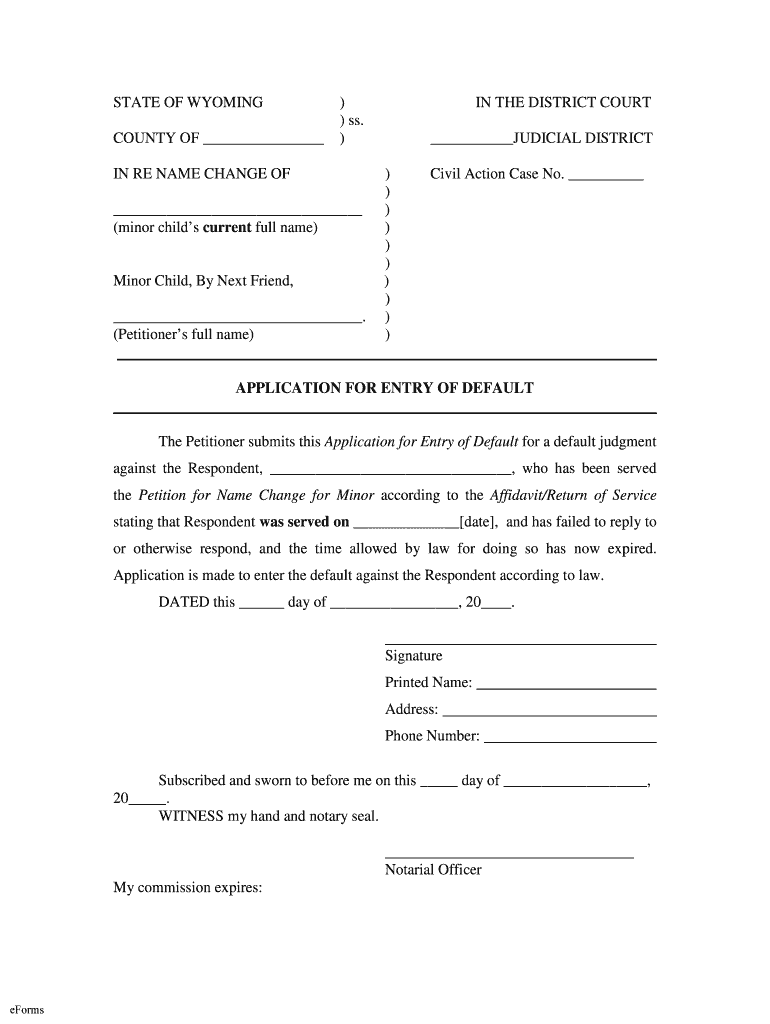
STATE OF WYOMING - eforms refer to digital documents specific to legal, administrative, or other formal processes within the state of Wyoming. These electronic forms facilitate various applications, registrations, and legal procedures by offering a convenient way for individuals, businesses, and government entities to manage essential documentation online. The forms are typically accessible through official state websites or partnered platforms like DocHub, which provide tools for editing, signing, and submitting forms.
The eforms encompass a variety of applications, including tax forms, legal name changes, business filings, and more. They are designed to integrate with digital workflows, offering a streamlined method to complete necessary tasks without the inefficiencies associated with traditional paper forms.
How to Use the STATE OF WYOMING - eforms
-
Access the Form: Begin by locating the specific form you need on the Wyoming state website or a partner platform like DocHub. You can search for forms by name or category to find the appropriate document for your needs.
-
Download or Open Online: Depending on the platform, you may need to download the form to your device or open it directly in an online editor. DocHub, for example, allows you to edit forms in your browser.
-
Review Instructions: Carefully read any instructions or guidelines provided with the form. This will ensure you understand the requirements and process for completion.
-
Fill Out the Form: Use the digital tools available, such as text boxes, dropdowns, and checkboxes, to enter your information accurately. Make sure to complete all required fields to avoid delays.
-
Attach Supporting Documents: If necessary, upload any additional documents that may be required to accompany the form. This could include identification, financial statements, or other relevant paperwork.
-
Review and Edit: Double-check all entries for accuracy and completeness. Utilize features like annotation tools for comments or highlights if collaboration with other parties is needed.
-
Submit: Send the completed form through the specified submission method, whether it be online, via mail, or in person. Platforms like DocHub often provide options for electronic submission directly from the editor.
Key Elements of the STATE OF WYOMING - eforms
-
Form Fields: These include sections for entering personal or business information, such as names, addresses, and identification numbers. Eforms cater to both mandatory and optional fields, guiding users for compliance.
-
Instructions and Guidelines: Most eforms come with embedded instructions that guide users on how to properly complete the form, ensuring that necessary legal and procedural standards are met.
-
Signatures: Eforms support various methods of electronic signatures, allowing you to draw, type, or upload a scanned signature to authenticate the document legally.
-
Security Features: To protect sensitive data, eforms often include encryption and password protection, particularly when dealing with personal information or financial data.
Steps to Complete the STATE OF WYOMING - eforms
-
Identify Required Forms: Determine which forms are necessary for your particular situation or transaction.
-
Gather Information: Collect all required data and documents beforehand to make the completion process efficient.
-
Fill Out in Stages: Break down the form into smaller sections to handle complex forms with multiple pages or categories sequentially.
-
Validate Information: Use validation tools available on platforms like DocHub to check for errors or missing fields before finalizing the form.
-
Collaborate if Required: If multiple parties need to provide input, ensure each section is completed and signed by the appropriate stakeholders.
-
Securely Send for Approval: Transmit the form using a secure method, keeping a record of the submission for your records.
Why You Should Use STATE OF WYOMING - eforms
-
Convenience: Eforms eliminate the need for physical paperwork, allowing you to complete and submit forms from virtually anywhere with internet access.
-
Efficiency: Automated features and digital tools speed up the form-filling process, reducing errors and saving time compared to manual methods.
-
Traceability: Digital forms often include built-in tracking, enabling you to follow the status of your submission and ensure timely processing.
-
Environmental Benefits: By using eforms, you contribute to reducing paper waste and promoting sustainable practices.
Penalties for Non-Compliance with STATE OF WYOMING - eforms
Failure to comply with the requirements of STATE OF WYOMING - eforms can result in various penalties depending on the form's purpose. For instance:
-
Legal Consequences: Non-compliance with legal forms, such as failing to submit a required court document, can lead to legal penalties or loss of rights.
-
Financial Penalties: In tax filings, incorrect or late submissions may result in fines, interest charges, or other monetary penalties.
-
Delays in Processing: Incomplete or improperly filled forms can delay the processing of applications, leading to potential hold-ups in receiving necessary approvals or services.
Software Compatibility for STATE OF WYOMING - eforms
Platforms like DocHub ensure that STATE OF WYOMING - eforms are compatible with various software, enhancing usability and integration with existing digital infrastructure:
-
PDF Editors: The forms can be opened and edited in most PDF readers and editors, such as Adobe Acrobat, providing flexibility in how you complete and store your documents.
-
Cloud Services: Compatibility with cloud storage solutions like Google Drive and Dropbox allows for easy access and sharing of documents with other stakeholders.
-
Mobile and Desktop Platforms: Eforms are designed to be accessible on both mobile devices and desktop computers, ensuring you can manage forms on-the-go or at your office.
Important Terms Related to STATE OF WYOMING - eforms
-
Authentication: The process of verifying the identity of an individual or entity submitting a form, typically through passwords or digital signatures.
-
Encryption: Security measures in place to protect sensitive information shared through eforms during its transmission and storage.
-
Mandatory Fields: Sections on the form that must be completed before submission. Failure to fill these fields correctly often results in document rejection or processing delays.
-
Submission Deadline: The final date by which the form must be submitted to avoid penalties or ensure timely processing.