Cigna bDentalb Specialty Referral bFormb - Endo Group Houston 2026

Get Form
Cigna bDentalb Specialty Referral bFormb - Endo Group Houston Preview on Page 1

Here's how it works

01. Edit your form online
Type text, add images, blackout confidential details, add comments, highlights and more.

02. Sign it in a few clicks
Draw your signature, type it, upload its image, or use your mobile device as a signature pad.

03. Share your form with others
Send it via email, link, or fax. You can also download it, export it or print it out.

Definition & Meaning

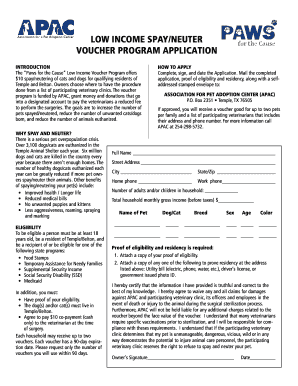
The Cigna Dental Specialty Referral Form - Endo Group Houston is a document primarily used to facilitate the referral process between general dentists and specialists within the Cigna dental network. This form ensures that all necessary patient information, referral type, and the reason for referral are communicated effectively to the specialist. By coordinating these details, the form helps streamline patient care and manage referrals efficiently within the Endo Group network in Houston.

How to Use the Form

Using the Cigna Dental Specialty Referral Form requires careful attention to detail. Here are the steps involved in its proper use:

  1. Complete Patient Information: Begin by filling out the patient's personal information, including full name, contact details, and Cigna member ID.

  2. Specify Referral Type: Identify the type of dental specialty required, such as endodontics, and note the specific reasons for referral. This helps the receiving specialist understand the scope of the patient's needs.

  3. Detail the Referring Doctor's Information: Include the referring dentist's name, practice address, and contact information.

  4. Indicate Specialist Details: Provide the name and contact details of the specialist to whom the patient is being referred.

  5. Submit the Form: Ensure that the completed form is submitted through the recommended method, whether online or by mail, to facilitate timely coordination of care.

How to Obtain the Form

Acquiring the Cigna Dental Specialty Referral Form can be done through several methods:

  • Online Access: Log in to the Cigna provider portal to download the form directly to your device.
  • Request from Cigna: Contact Cigna customer service to request a physical copy of the form by mail.
  • Provider's Office: Many dental offices equipped with Cigna services will have copies of this form readily available.

Steps to Complete the Form

To ensure the form is completed accurately, follow these steps systematically:

  1. Patient Demographics: Fill in the required patient demographics, ensuring all information is accurate and up-to-date.

  2. Assessment of Needs: Use the medical assessment from the recent dental evaluation to complete the referral purpose section.

  3. Professional Credentialing: Verify and input accurate details of the referring professional's credentials and licensing.

  4. Signing and Authorization: Obtain signatures from both the patient and the authorized dental provider to validate consent and referral intent.

  5. Review and Submit: Double-check the form for any missing information before submission to prevent delays in patient care.

Key Elements of the Form

The structure of the Cigna Dental Specialty Referral Form is designed to ensure clarity and efficiency. Key elements include:

  • Patient Information: Essential identifiers like demographics and insurance details.
  • Referral Type and Reason: Specific specialty needed and justification for referral.
  • Contact Information: Details of both the referring and receiving dental professionals.
  • Authorization Section: Space for necessary consents and authorizations to proceed with the referral.

Who Typically Uses the Form

This form is predominantly used by:

  • General Dentists: Initiating the referral process to dental specialists.
  • Dental Specialists: Receiving patient referrals and understanding preliminary evaluations.
  • Administrative Staff: Handling patient records and coordinating inter-office communications.
decoration image ratings of Dochub

Important Terms Related to the Form

Understanding the terminology used within the Cigna Dental Specialty Referral Form is crucial. Key terms include:

  • Patient Charge Schedule: Refers to the schedule dictating potential costs associated with treatments.
  • Referral Type: Describes the specific dental specialty service needed.
  • Pre-authorization: Indicates the requirement of insurance approval before certain treatments can proceed.

Form Submission Methods

The Cigna Dental Specialty Referral Form can be submitted through various channels, depending on the preference of the dental office and the patient's ease:

  1. Online Submission: Many prefer submitting the form through Cigna's online portal, which offers a fast and secure method.
  2. Mail Submission: For those who prefer traditional methods, mailing a completed form is an option, though it may incur delays.
  3. Fax or In-Person Delivery: In some cases, faxing the form or delivering it directly to a specialist's office may be utilized for urgent referrals.

State-Specific Rules for the Form

While the form is standardized, state-specific variations can influence referral practices:

  • Insurance Regulations: Texas laws may dictate specific insurance protocols that impact the referral process.
  • Network Limitations: Availability of specialists within the Cigna network in Houston may affect accessible referral options.
be ready to get more

Complete this form in 5 minutes or less

Get form

Got questions?

We have answers to the most popular questions from our customers. If you can't find an answer to your question, please contact us.
Contact us
Heres how it typically works: Consult Your Doctor. Start by discussing your treatment plan and any specific medications your provider recommends. Contact Your Insurance Provider. Call your insurance company or log into their online portal to check if prior authorization is required. Submit the Request. Await Approval.
If you are unable to use electronic prior authorization, you can call us at 800.88Cigna (882.4462) to submit a prior authorization request. For Inpatient/partial hospitalization programs, call 800.926.2273. Submit the appropriate form for outpatient care precertifications. Visit the form center.
Moving forward, please visit CoverMyMeds at .covermymeds.com/main/prior-authorization-forms/cigna/ or via SureScripts in your EHR to learn more and submit all new PA requests electronically. If you are unable to use electronic prior authorization, please call us at 1.800. 882.4462 (1.800. 88.
You can submit a request on your own. Find the appropriate prescription drug or medical procedure authorization form for your situation.

Security and compliance

At DocHub, your data security is our priority. We follow HIPAA, SOC2, GDPR, and other standards, so you can work on your documents with confidence.
Learn more
ccpa2
pci-dss
gdpr-compliance
hipaa
soc-compliance