






Definition and Purpose of Indiana Pro Se Motion Forms
The Indiana pro se motion forms are legal documents designed for individuals who choose to represent themselves in court, without an attorney. These forms are particularly useful in civil cases where the plaintiff or defendant needs to file motions with the court. The ability to fill out and download these forms allows users to prepare and submit necessary legal documents efficiently and without direct legal counsel. Pro se motion forms help ensure that self-represented litigants address procedural requirements and effectively communicate their requests to the court.
How to Use Indiana Pro Se Motion Forms
To effectively utilize Indiana pro se motion forms, follow these steps:
- Identify the specific motion form needed for your legal situation. Common types include motions to compel, motions for continuance, and motions for summary judgment.
- Access the fillable and downloadable forms from a reliable online legal document platform, such as DocHub.
- Use the platform's editing tools to enter your personal details, case information, and the specific request you are making to the court.
- Review the completed form for accuracy and completeness, ensuring all sections are filled out correctly.
- Save a digital copy of the form and print a hard copy if required by the court for submission.
How to Obtain Indiana Pro Se Motion Forms
To obtain the Indiana pro se motion forms:
- Visit trusted online legal document providers or the Indiana Court's official website.
- Use the search function to locate the specific motion form you need.
- Choose the option to download the form as a fillable PDF or other compatible format.
- Ensure the form is the most current version, as court requirements can change over time.
Steps to Complete Indiana Pro Se Motion Forms
Completing Indiana pro se motion forms involves several critical steps:
- Read Instructions Carefully: Each form includes detailed instructions outlining how to complete it. Understanding these guidelines ensures compliance with court procedures.
- Fill Out Personal Information: Include your full name, address, contact information, and the case number associated with your legal matter.
- Detail the Motion Request: Clearly describe the motion you are filing, the reasons for the request, and any legal justifications or pertinent facts supporting your position.
- Sign the Form: Provide your signature and date the document, confirming the information is true to the best of your knowledge.
- Attach Supporting Documents: Include any attachments or exhibits that support your motion.
Why Use Indiana Pro Se Motion Forms
Using Indiana pro se motion forms offers several benefits:
- Cost Savings: Representing yourself can significantly reduce legal expenses, as these forms eliminate the need for an attorney to draft motion documents.
- Convenience: Accessing fillable and downloadable forms online saves time and allows you to work at your own pace.
- Empowerment: Pro se litigants gain a deeper understanding of legal proceedings and the confidence to manage their cases.
Who Typically Uses Indiana Pro Se Motion Forms
The primary users of Indiana pro se motion forms are individuals who opt to represent themselves in legal proceedings. This group includes:
- Individuals involved in family law cases, such as divorce or child custody.
- Litigants in small claims court where hiring an attorney might not be cost-effective.
- People seeking modifications to existing court orders who prefer independent management of their case.
Key Elements of Indiana Pro Se Motion Forms
Key elements generally include:
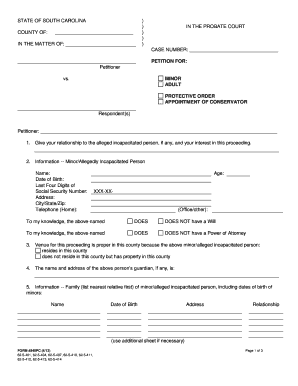
- Caption: Displays court information, case number, and parties involved.
- Motion Title: Specifies the type of motion being filed.
- Statement of Relief Sought: A detailed request for what the filer wants the court to grant or order.
- Legal Grounds: Basis for the motion, referencing applicable laws or past rulings.
State-Specific Rules for Indiana Pro Se Motion Forms
Indiana has specific rules guiding the use of pro se motion forms:
- Local Court Rules: Each court may have unique filing requirements, including deadlines and form submissions.
- Filing Methods: Motions can often be filed electronically or via mail, but confirm with the local court for accepted practices.
- Timing Requirements: Adhere to specific deadlines for filing motions to avoid delays in court proceedings.