






Definition & Meaning
The term "form online" refers to digital versions of traditional paper forms that individuals or businesses can fill out and submit over the internet. In the context of DocHub, "form online" embodies a streamlined process for creating, managing, and completing various forms electronically. These forms facilitate a wide range of activities, from tax filings and legal agreements to applications and surveys, enhancing convenience and accessibility by eliminating physical document constraints.
How to Use the Form Online
Using a form online typically involves a few simple steps:
- Access the Form: Begin by navigating to the platform hosting the form, in this case, DocHub. You can import the form from your computer or connected cloud storage service.
- Complete the Form: Use DocHub’s suite of editing tools to fill out the form fields. You can add text, checkboxes, and dropdowns as needed.
- Review and Save: After filling out the form, review it for accuracy. Save your progress at any time to ensure no data is lost.
- Submit the Form: Once complete, submit the form as required. You can share it directly from the platform or download a copy for your records.
Practical Examples
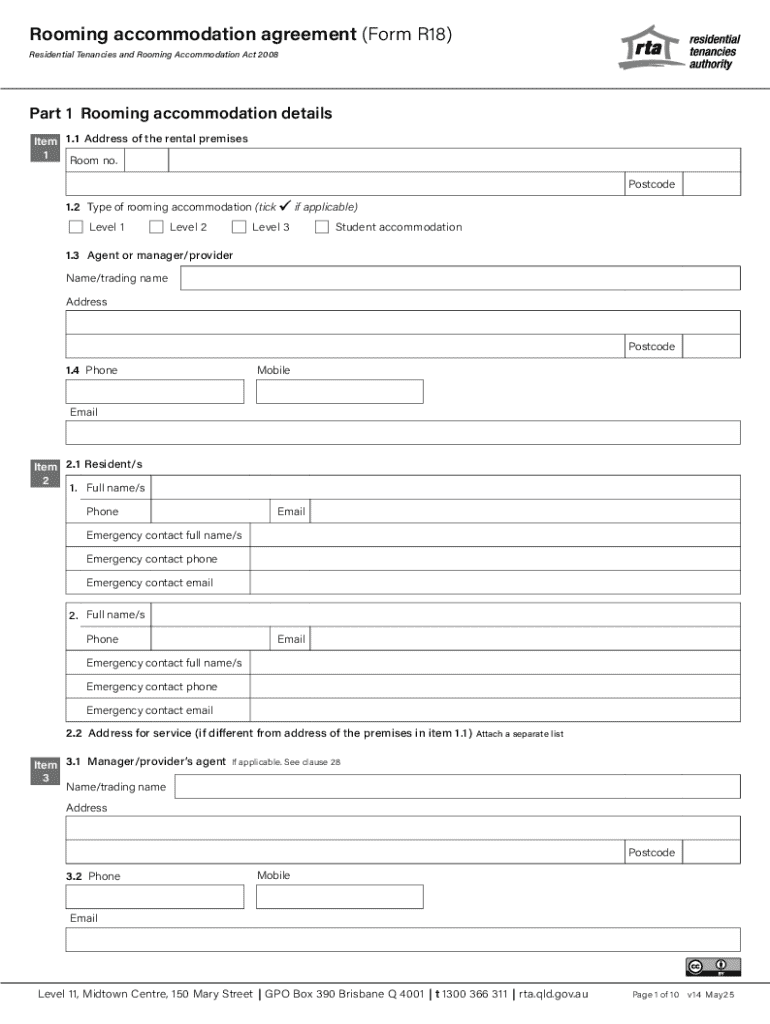
- Completing a Rooming Accommodation Agreement (Form R18) online allows tenants and landlords to finalize rental terms without mailing paperwork back and forth.
- Converting IRS forms to a digital format speeds up the tax filing process.
Steps to Complete the Form Online
Completing a form online through DocHub involves several clear steps:
- Choose a Form: Select the form you need from the DocHub library or upload your own.
- Use Editing Tools:
- Add text boxes for required information.
- Insert dropdown menus where multiple selections are available.
- Place checkboxes next to yes/no questions or statements of agreement.
- Assign Signatures: Utilize DocHub's electronic signature feature to sign the document yourself or request signatures from other parties.
- Set Permissions and Share: Define viewing, editing, or signing permissions for collaborators and share the form via email or direct link.
- Submit or File: Once all required elements are complete, submit the form electronically or print a copy for physical submission if necessary.
Why Should You Form Online
Filling forms online offers numerous advantages:
- Convenience: Access forms from any device with internet connectivity, reducing the need for physical storage and printing.
- Time Efficiency: Save time with auto-fill features and pre-saved templates.
- Reduced Errors: Digital forms minimize manual entry errors and can include validation to ensure all required fields are filled.
- Environmentally Friendly: Reduces paper usage and waste, promoting eco-friendly practices.
Who Typically Uses the Form Online
Forms online are used by a wide spectrum of individuals and organizations:
- Individuals: Remote employees, freelancers, students, and anyone needing to submit applications or agreements.
- Businesses: Enterprises requiring forms for employee onboarding, customer feedback, or contract agreements.
- Legal and Financial Professionals: Lawyers and accountants benefit from the ability to process legal documents and tax forms promptly.


Important Terms Related to Form Online
Understanding key terminology enhances the form-filling process:
- Fillable Fields: Interactive areas within a form designed for input, such as text boxes and checkboxes.
- Electronic Signature (E-Signature): A legally binding digital version of a handwritten signature.
- OAuth 2.0: An authorization framework that allows secure account access without sharing passwords.
- Synchronization: Real-time updating of the document for all users to ensure changes are immediately reflected.
Legal Use of the Form Online
Filling out forms online is legally recognized and can offer binding agreements:
- ESIGN Act Compliance: Ensures that electronic signatures have the same legal status as handwritten ones.
- Document Security: Data protection through encryption and authentication, safeguarding sensitive information.
- Audit Trails: Track the entire history of a document, including edits and signatures, to provide proof of compliance.
Key Elements of the Form Online
To fully utilize online forms, attention to key elements is crucial:
- Editable Fields: Ensure all necessary fields are editable and properly formatted.
- Clear Instructions: Provide or follow instructions for completing each section thoroughly.
- Recipient Assignment: Assign specific fields to designated signers or contributors.
- Required Fields: Mark fields as mandatory to ensure critical data is captured.
Form Submission Methods (Online / Mail / In-Person)
Various submission methods cater to different needs:
- Online: The most time-efficient and secure option, allowing for direct submission through platforms like DocHub.
- Mail: Useful for documents requiring a physical copy but slower and less secure.
- In-Person: Necessary for forms needing an immediate personal handover, such as official identification documents.