




01. Edit your form online
Type text, add images, blackout confidential details, add comments, highlights and more.

Type text, add images, blackout confidential details, add comments, highlights and more.

Draw your signature, type it, upload its image, or use your mobile device as a signature pad.

Send it via email, link, or fax. You can also download it, export it or print it out.
Online forms are digital documents designed to collect and manage information efficiently over the internet. These forms are typically used across a variety of sectors, including business, education, and government, to streamline data entry, improve accuracy, and enhance user accessibility. By digitizing the process, online forms eliminate the need for physical paperwork, reducing costs and environmental impact. They are designed to support a diverse array of functions—from simple contact information collection to more complex data gathering tasks such as surveys and applications. Modern online forms offer capabilities such as auto-fill, validation checks, and conditional logic to guide users and ensure data integrity.
Using online forms effectively requires understanding their features and capabilities. First, identify the purpose of the form and the type of information needed. For straightforward data collection, use basic fields such as text boxes, dropdowns, and checkboxes. When the form requires conditional inputs, employ logic-based fields that show or hide questions based on previous responses. Familiarizing yourself with the platform’s tools is crucial for customization, allowing you to brand the form appropriately by adjusting fonts, colors, and adding a company logo. Finally, test the form across various devices to confirm that the user experience is consistent and intuitive.
Accessing online forms can be done through several channels, catering to different needs. Many websites host forms directly, allowing users to download or complete them in-browser. In business environments, online forms can be shared via email or cloud-based services like Google Drive or Dropbox, ensuring easy access for collaborators. Some organizations provide specific portals for secure form access, especially for sensitive data. Moreover, templates for commonly used forms, such as tax documents or HR onboarding paperwork, can be found on software platforms like DocHub, which offers integrated solutions for editing and storing forms.
Using online forms brings numerous advantages, streamlining processes and enhancing user engagement. Firstly, online forms are accessible from any device with internet connectivity, providing convenience for users across all locations. They also facilitate quicker data collection and processing, removing the typical delays encountered with postal correspondence. Automation features, such as email notifications and real-time data analysis, allow organizations to act swiftly on the information gathered. Additionally, online forms often include security measures to protect sensitive information, such as data encryption and authentication protocols.
Online forms are utilized by a broad spectrum of users across various industries. Businesses use them for tasks such as lead generation, surveys, and application processes. Educational institutions employ them for student registrations, feedback, and examinations. Government agencies leverage online forms for official applications, tax filings, and census data collection. They are also popular among non-profits for volunteer registration and fundraising. Individuals may use online forms for personal objectives, such as event planning and communications with service providers.
When using online forms, compliance with legal standards is essential, particularly concerning data protection and privacy regulations such as the General Data Protection Regulation (GDPR) or California Consumer Privacy Act (CCPA). Organizations must obtain explicit consent for data collection and provide transparency about how the data will be used, stored, and shared. It is also important to implement secure data processing agreements for any third-party platforms involved. Electronic signatures collected via online forms must comply with the E-SIGN Act in the United States, ensuring they are legally binding.
A well-constructed online form should be intuitive, concise, and accessible. Important elements include clear and concise instructions that guide users through the completion process, logical flow of questions that minimizes confusion, and the use of simple and straightforward language. The form should also include necessary visual cues, such as asterisks for required fields, to guide users. User-friendly navigation and a mobile-responsive design are crucial for accessibility. Additionally, including a progress bar can help users track their completion status, preventing form abandonment.
Online forms serve varied purposes across different domains:
Online forms must be compatible with various software applications to ensure smooth integration into existing workflows. Platforms like DocHub allow users to import and export forms to and from software such as Google Workspace, Microsoft Office, and Adobe Acrobat. Compatibility with these systems means you can seamlessly edit, share, and store forms without needing specialized software. Additionally, forms should be designed to work across all browsers and devices, providing users with consistent experiences irrespective of their technological preferences.
Digital forms offer distinct advantages over their paper counterparts. They can be completed and submitted instantly, which increases efficiency and reduces processing time. Digital forms also benefit from enhanced data accuracy through built-in validation and can be augmented with interactive elements such as dropdown menus and date pickers. Additionally, the distribution of digital forms is far broader since they can be shared globally without the restrictions that paper entails. Unlike paper forms, digital forms have no limitations on data storage, are easier to organize, and facilitate instant access and retrieval.
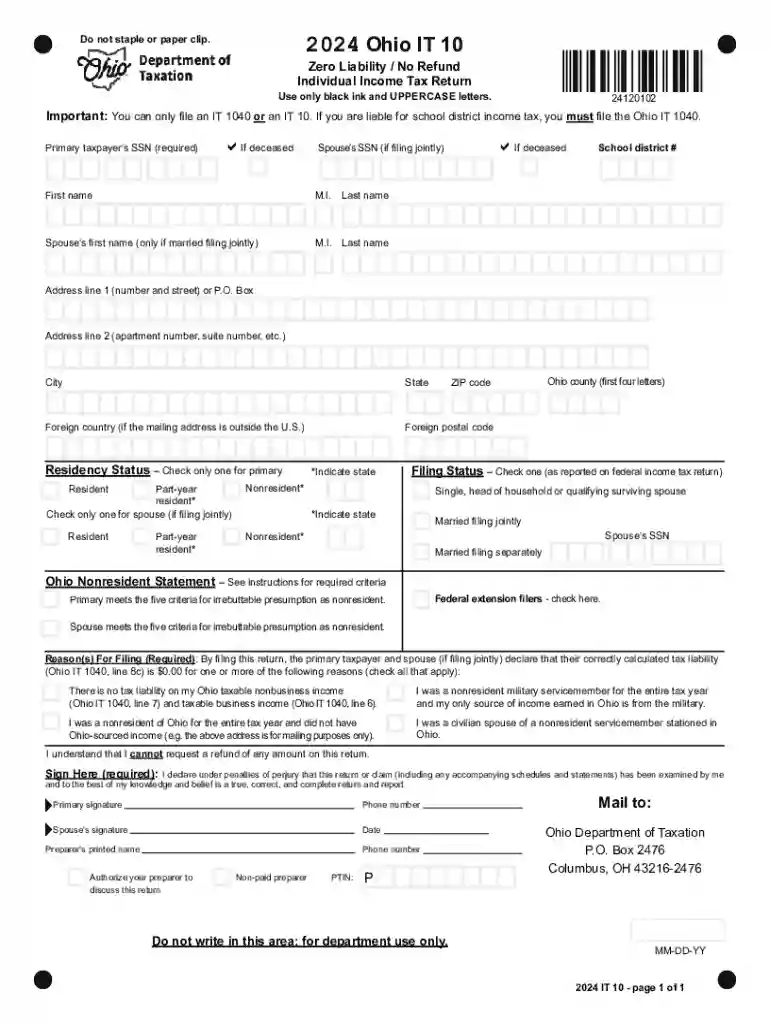
We've got more versions of the Ohio IT 10 Individual Income Tax Return 2024 form. Select the right Ohio IT 10 Individual Income Tax Return 2024 version from the list and start editing it straight away!
At DocHub, your data security is our priority. We follow HIPAA, SOC2, GDPR, and other standards, so you can work on your documents with confidence.


