Definition and Purpose of Form IT 10, Zero
Form IT 10, Zero, is a tax document issued by the Ohio Department of Taxation. It is specifically designed for individuals and entities that have zero tax liability or are not expecting any refunds for a given tax period. This form facilitates the official declaration of a zero tax obligation, streamlining the administrative process for both taxpayers and the state tax department. Understanding this form's function is crucial for residents and businesses in Ohio who need to file state tax returns but do not owe taxes or expect refunds.
Examples and Scenarios
- Individual Taxpayers: Those without taxable income for the year may use this form to effectively report their status to the Ohio tax authorities.
- Businesses: Companies that operated at a loss or broke even could also file this form to denote zero tax liability.
- Retirees: Individuals living off non-taxable retirement benefits may find this form applicable.
How to Obtain Form IT 10, Zero
The Ohio Department of Taxation makes Form IT 10, Zero readily accessible through their official website. Taxpayers can download the form as a PDF, allowing for convenient distribution and use. This ease of access ensures that individuals and businesses can file their taxes promptly and accurately each year.
Detailed Steps
- Visit the Ohio Tax Department Website: Navigate to the official website and search for Form IT 10, Zero.
- Download the Form: Once located, click on the form link to download it directly to your computer or other devices.
- Print or Save: You can choose to either print a physical copy or save it for digital submission.
Steps to Complete Form IT 10, Zero
Completing Form IT 10, Zero requires precise information to ensure accurate filing. The key is to provide detailed yet straightforward data reflecting your tax situation for the respective year.
Comprehensive Guide
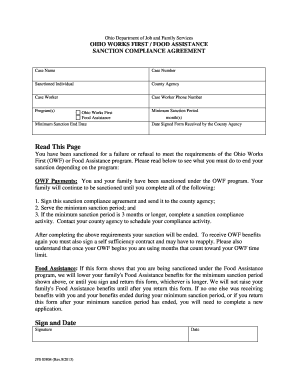
- Fill Out Personal Information: Include your full name, address, and Social Security number for identification.
- Zero Tax Liability Declaration: Clearly indicate that your tax liability is zero for the applicable tax year.
- Sign and Date: Ensure the form is signed to validate its accuracy and completeness.
Legal Use and Compliance
Filing Form IT 10, Zero is not only a matter of administrative necessity but also a legal requirement for those claiming zero tax liability in Ohio. Compliance with state tax regulations is essential to avoid potential penalties or legal ramifications.
Penalties for Non-Compliance
- Late Filing: Failure to submit the form by the tax deadline could result in fines.
- False Reporting: Intentionally misreporting zero liability may lead to audits or legal action.
Key Elements Required on Form IT 10, Zero
To ensure the form is correctly processed, specific elements and data entries are necessary. The accuracy of these elements directly impacts the efficiency and correctness of your tax filings.
Essential Components
- Accurate Personal Data: Full identification details must be accurate and clear.
- Zero Declaration Confirmation: An explicit statement that you have no taxable income or refunds owed.
- Verification Signature: Provides legality and authenticity to the submission.
Important Filing Deadlines
Filing Form IT 10, Zero must adhere to the deadlines set forth by the Ohio Department of Taxation. These timelines coincide with general state tax filing deadlines to ensure consistency across all taxpayer categories.
Filing Schedule
- Annual Filing Deadline: Aligns with the due date for state tax returns, typically April 15.
- Extensions: If necessary, ensure any extension requests are made well in advance of the deadline.
Required Documents for Successful Submission
Even though Form IT 10, Zero asserts zero liability, it may still necessitate supplementary documents to verify this claim. Having these documents ready ensures a smooth filing process.
Supplementary Documents
- Income Statements: Even if no tax is due, proving income levels helps validate the zero liability claim.
- Expense Reports: For businesses, documentation of expenses can illustrate operational losses.
Form Submission Methods
Ohio provides multiple channels for submitting Form IT 10, Zero, catering to different preferences and technological capabilities.
Available Options
- Online Submission: Offers a fast, efficient, and environmentally friendly method.
- Mail Delivery: Despite the digital alternatives, traditional mailing options remain available for those preferring paper submissions.
Digital vs. Paper Versions
Taxpayers can choose between digital completion methods and traditional paper forms. Each comes with its advantages, influenced by personal comfort with technology and filing preferences.
Comparison
- Digital Forms: Allow for quicker completion and immediate submission.
- Paper Forms: Suitable for those who prefer maintaining physical records or have limited internet access.
Selecting the appropriate medium ensures compliance, ease of filing, and personal convenience as you manage your tax responsibilities.