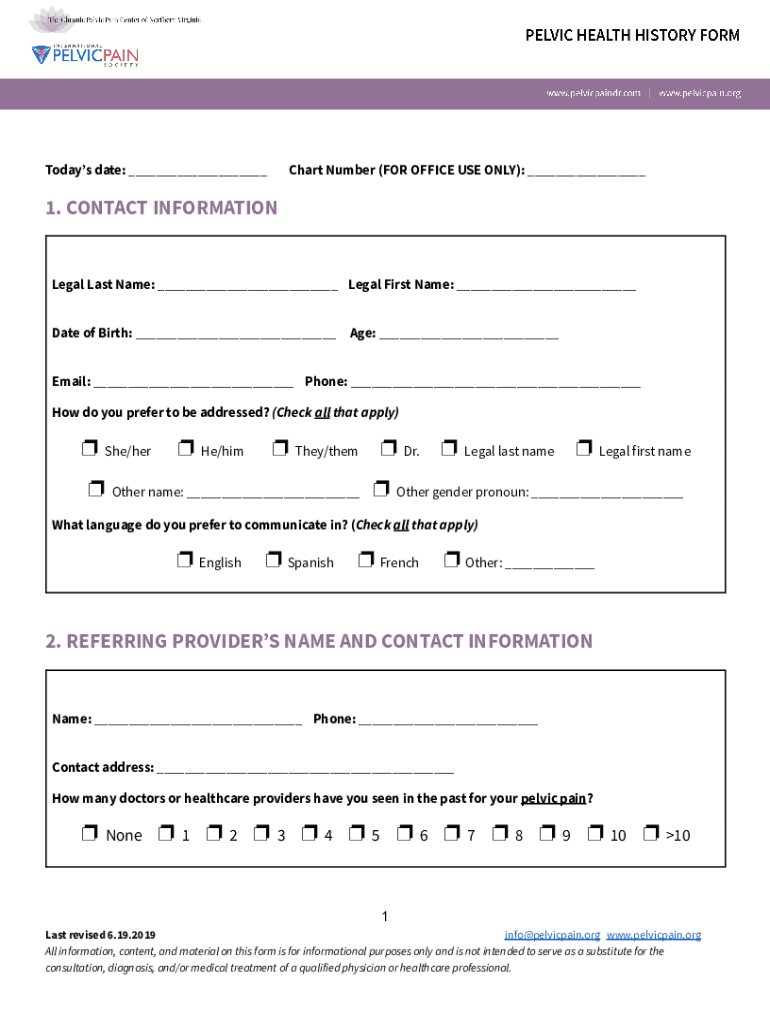







Definition and Meaning of the Pelvic Health History Form
The Pelvic Health History Form is a detailed patient intake document used primarily in healthcare settings to collect necessary information from individuals experiencing pelvic pain or related issues. This form serves as a foundational tool for healthcare providers to gain a comprehensive understanding of a patient's health history, including personal, medical, and psychosocial information. By gathering this data, providers can make informed decisions about diagnosis and treatment plans tailored to the patient's unique condition.
How to Use the Pelvic Health History Form
To effectively utilize the Pelvic Health History Form, it is essential to follow a structured approach that facilitates the comprehensive collection of vital information. Patients should carefully fill out each section of the form, ensuring accuracy and completeness. The form typically includes areas such as personal contact details, medical history, pain descriptions, and other health indicators, allowing healthcare providers to assess and treat the condition holistically. This structured data collection process supports the seamless integration of the patient's health history into the overall care plan.
Steps to Complete the Pelvic Health History Form
Completing the Pelvic Health History Form involves several specific steps to ensure all necessary information is accurately captured:
- Personal Information: Enter your full name, date of birth, and contact details.
- Medical and Surgical History: Provide details of any past surgeries, chronic conditions, and current medical treatments.
- Pain Description: Describe the nature and intensity of any pelvic pain, including duration and triggers.
- Menstrual and Sexual Health: Include details about menstrual cycles, sexual health, and any related symptoms.
- Allergies and Medications: List all known allergies and current medications to prevent adverse reactions.
Each of these steps ensures that the healthcare provider receives a detailed overview of the patient's health status, facilitating a more targeted and effective treatment approach.
Key Elements of the Pelvic Health History Form
The Pelvic Health History Form comprises numerous sections that collectively provide a holistic view of the patient's health. These key elements include:
- Contact Information: Ensures clear communication between the provider and patient.
- Medical History: Details past and existing medical conditions for comprehensive care.
- Psychosocial Information: Offers context about the patient's lifestyle and mental health.
- Family History: Highlights any hereditary conditions that may influence pelvic health.
By addressing these elements, the form aids healthcare providers in formulating a tailored treatment strategy that accounts for a wide range of health factors.
Importance of the Pelvic Health History Form
The Pelvic Health History Form is crucial for several reasons. It systematically captures essential health data, enabling healthcare practitioners to diagnose accurately and develop effective treatment plans. Moreover, it provides a comprehensive baseline that can be referred to in future consultations or treatments. This detailed history is vital for effective long-term management of chronic pelvic conditions, facilitating continuity and quality of care for each patient.
Who Typically Uses the Pelvic Health History Form
This form is primarily used by healthcare providers, such as gynecologists, urologists, and general practitioners, who specialize in diagnosing and treating pelvic health issues. Patients experiencing pelvic pain, menstrual difficulties, or urinary concerns are the primary users who complete the form before consultations or treatments. By engaging both patients and providers, the form bridges communication, ensuring shared understanding and informed healthcare decisions.


Legal Use of the Pelvic Health History Form
The form complies with privacy laws and regulations, particularly concerning patient confidentiality as per HIPAA guidelines. Data collected through the Pelvic Health History Form is used solely for medical purposes, guaranteeing patient privacy and security. Healthcare facilities must handle this information with strict confidentiality, sharing it only with authorized medical personnel involved in the patient's care.
Digital vs. Paper Versions of the Form
While traditional paper forms are still prevalent, digital versions offer significant advantages, including ease of use and enhanced accessibility. Digital forms can be completed online, allowing for seamless integration with electronic health records (EHR) systems. This not only reduces the risk of data entry errors but also provides quicker access for healthcare providers. Furthermore, electronic forms can be filled out remotely, offering convenience for patients and efficiency for medical practices.