




01. Edit your form online
Type text, add images, blackout confidential details, add comments, highlights and more.

Type text, add images, blackout confidential details, add comments, highlights and more.

Draw your signature, type it, upload its image, or use your mobile device as a signature pad.

Send it via email, link, or fax. You can also download it, export it or print it out.
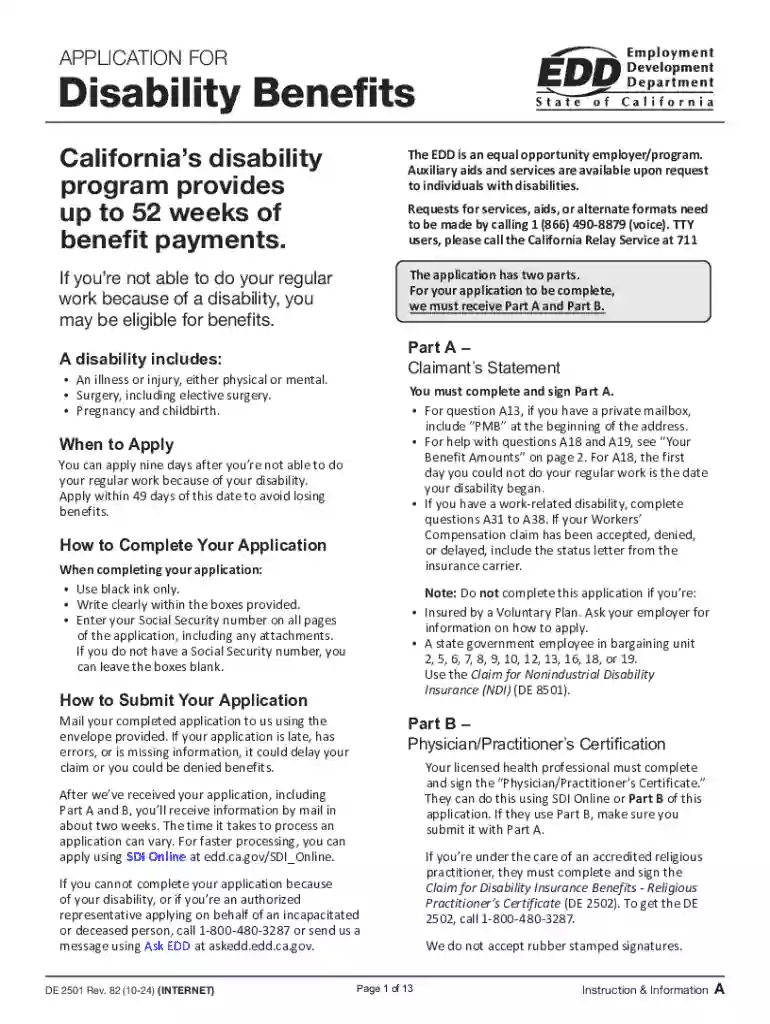
Completing an online form involves a sequence of organized steps to ensure accuracy and efficiency. Generally, the process begins with identifying the specific form you need to fill out. In many cases, the form can be found on official websites, such as those of governmental agencies or organizations. For instance, IRS tax forms or application forms for services like California's Disability Benefits are available online for easy access.
Locate the form: Start by navigating to the organization’s website that issues the form. Use their search function or menu to find the specific form you need.
Download or open the form: Depending on the system, you can either download the form to your device for offline completion or fill it out directly on the website.
Fill in required information: Carefully provide all necessary details in each section of the form. These usually include personal information, relevant dates, and any specific data the form requests.
Review your information: Before submitting, check for errors or omissions. Ensuring all required fields are filled out will prevent delays in processing.
Submit the form: Finalize the process by following the specific instructions for submission, which may include uploading the form back to the website or emailing it. Confirmation of receipt is often provided, which should be saved for your records.
Filling out forms online can present challenges, including technical glitches or unclear instructions. Here are some solutions:
Technical issues: If the form is not loading or saving correctly, try using a different web browser or check your internet connection.
Data discrepancies: Ensure all the information matches any required documentation you need to attach or reference.
Submission errors: Double-check that you have followed all required steps and instructions as outlined by the form's provider.
Filling out forms online offers numerous advantages over traditional paper-based methods. Online forms streamline processes, reduce paperwork clutter, and are environmentally friendly due to less paper usage. Moreover, they improve accessibility, enabling individuals to fill them out from anywhere with an internet connection.
Time-saving: Online forms often include autofill features, drop-down menus, and other time-saving tools that reduce the time spent on data entry.
Error reduction: Digital forms frequently include validation checks that alert users to missing or incorrectly filled fields before submission.
Instant submission: Online forms can be submitted immediately upon completion, without the delay of physical mailing.
Automated tracking and confirmation: Many systems send automatic confirmations and updates on the processing status, keeping users informed.
Ensuring the legal use of forms completed online is crucial. Forms that have legal ramifications, such as contracts or government applications, must adhere to specific regulations and standards to maintain their validity.
Electronic Signatures: When required, forms may need to be signed electronically. Platforms like DocHub support legally binding electronic signatures compliant with the ESIGN Act.
Compliance with laws: Forms related to federal or state entities must comply with specific legal requirements pertinent to the jurisdiction or agency.
Data protection: Personal and sensitive information entered in online forms must be protected by encryption and secure access protocols.
Business registrations: Forms for registering a business entity, such as an LLC or a corporation, can be filed online, speeding up the process and ensuring timely compliance with state regulations.
Tax filings: IRS forms for income tax, like the W-9, can be completed and submitted online, simplifying the process for taxpayers and ensuring compliance with tax laws.
Understanding the key elements of an online form can help users complete them accurately. These elements vary depending on the form type but often include:
Personal Information Fields: Sections for entering names, addresses, contact details, and identification numbers.
Response Options: Checkboxes, radio buttons, or dropdown menus allowing users to select pre-approved responses.
Open Text Fields: Areas for additional information or explanations beyond standard responses, enabling detailed input.
Digital Signature Section: Allows for the integration of electronic signatures to authenticate the form.
Make sure every required field is completed as per the instructions. Often, forms have color-coded fields or asterisks to denote mandatory entries, helping users understand which sections must not be skipped.
When filling out forms online, compatibility with existing software or platforms can significantly impact ease of use. For example, DocHub is compatible with a variety of file formats including PDF, DOC, and XLS, allowing users to take files from programs like Microsoft Word or Excel for seamless form processes.
Integration with Google Workspace: For example, you can open, edit, and save documents in Google Drive and Gmail using tools like DocHub, which eliminate the need for downloading and re-uploading files.
Collaboration Tools: Certain platforms offer shared access or edit capabilities, allowing multiple users to interact with the form simultaneously, which is beneficial for team-oriented projects or applications.
Online forms serve a variety of purposes across different fields. Examples include:
Job Application Forms: Used by companies for prospective employees to apply for positions electronically.
Health Declaration Forms: Collected by healthcare providers to gather necessary pre-appointment information or to comply with regulations.
Customer Feedback Forms: Utilized by businesses to collect customer opinions and improve service offerings.
Educational Enrollment: Schools and universities use online forms for admissions, allowing students to submit required documentation easily.
COVID-19 Screening: Many organizations require employees and visitors to fill out health screening forms digitally before entering facilities.
Pay attention to deadlines and important dates associated with forms, particularly those with legal or financial implications. For example, tax forms like the 1040 must be filed by the IRS deadline to avoid penalties.
Scheduled reminders: Setting reminders or calendar alerts can help users remember submission dates, ensuring compliance and avoiding late fees.
Automatic notifications: Some online form systems offer email notifications to alert users of upcoming deadlines.
Completing forms online often necessitates the submission of supporting documents. It's crucial to understand what is needed to seamlessly complete the form.
Identification proof: Common requirements include government-issued IDs, social security numbers, or birth certificates.
Financial documents: Forms related to taxes or loans might require income statements, bank records, or financial declarations.
Proof of eligibility: For applications like disability benefits, medical certifications or reports from licensed health professionals may be required.
Keep digital copies of all relevant documents readily available to attach to your online form, ensuring a smooth process without missing any essential information.
We've got more versions of the California Disability Benefits Application form. Select the right California Disability Benefits Application version from the list and start editing it straight away!
At DocHub, your data security is our priority. We follow HIPAA, SOC2, GDPR, and other standards, so you can work on your documents with confidence.


