Definition & Meaning
The concept of "form online" refers to digital versions of documents or applications that can be accessed, completed, and submitted via the internet. These forms eliminate the need for physical paperwork and allow users to input data directly into interactive fields, providing a streamlined process for data collection and submission. Online forms are crucial for various sectors such as finance, healthcare, and education, offering a digital solution for previously paper-based processes.
Examples of Online Forms
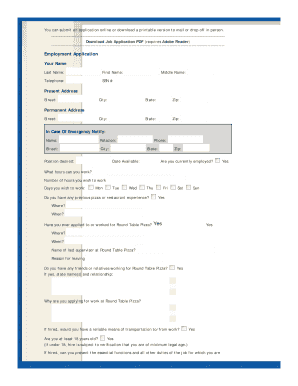
- Application Forms: Used for job applications, college admissions, and membership registrations.
- Survey Forms: Deployed for market research, customer feedback, and data gathering.
- Order Forms: Utilized by e-commerce sites for product ordering and transaction processing.
- Registration Forms: Commonly used for event sign-ups and program enrollments.
How to Use the Form Online
Using an online form involves several steps that ensure accurate data entry and submission. The process typically involves accessing the form through a web browser, filling in the required fields, reviewing the information for accuracy, and submitting it electronically.
Step-by-Step Instructions
- Accessing the Form: Navigate to the website hosting the online form.
- Entering Information: Carefully fill out all required fields, such as name, address, and specific data requests.
- Reviewing Details: Double-check all entered information for errors or omissions.
- Submitting the Form: Click the submit button to send your information. Confirmation or acknowledgment will usually follow.
Common Features
- Auto-Save: Forms often save your data automatically to prevent loss from accidental closure.
- Progress Indicators: For multi-page forms, progress bars show your completion status.
- Validation Checks: Ensure data meets specific criteria before allowing submission.
How to Obtain the Form Online
Obtaining an online form is a straightforward process that begins with locating the specific form on the relevant website. Most organizations provide easy access to their forms via downloadable links or web-accessible portals.
Access Methods
- Official Website Downloads: Most forms can be accessed directly from the issuing entity’s website.
- Cloud Storage Links: Some forms may be distributed via services like Google Drive or Dropbox.
- Email Attachments: For registered users or specific requests, forms might be sent via email.
Steps to Complete the Form Online
Completing an online form requires attention to detail and accuracy for successful submission. This process guarantees that all necessary data is captured, thereby facilitating efficient handling by the receiving entity.
Detailed Procedure
- Initiate the Form: Open the form in a compatible web browser.
- Enter Data: Use your keyboard or device to enter the required information in each field.
- Optional Attachments: Attach any required documents such as identification or supporting files.
- Cross-Verification: Confirm all sections are complete and accurate.
- Final Submission: Press the submit button and wait for a confirmation message.
Key Elements of the Form Online
Several critical components are inherently part of online forms, and recognizing these elements can enhance the user experience and ensure efficient information processing.
Essential Elements
- Interactive Fields: Includes text boxes, dropdown menus, and radio buttons.
- Instructions and Tips: Guidance notes clarify what information is needed and how to enter it.
- Error Messages: Highlight issues such as incomplete fields or incorrect data types.
Legal Use of the Form Online
Online forms must comply with legal standards to ensure the security and integrity of sensitive information. This aspect is vital for maintaining compliance with regulations such as the ESIGN Act, which governs electronic records and signatures.
Legal Compliance Measures
- Data Protection: Forms should employ SSL encryption to safeguard information.
- User Consent: Typically collected through digital signatures or acknowledgment checkboxes.
- Audit Trails: Maintain records of form submissions for accountability and verification.
State-Specific Rules for the Form Online
Forms may vary in terms of requirements and legal stipulations depending on the state. This variation can affect aspects such as submission deadlines, required documents, and procedural steps.
Considerations by State
- Specific Documentation: Certain states may require additional paperwork or verification.
- Deadline Variations: Some states may have different timelines for submission.
- Format Preferences: Acceptable form formats can differ, with some states favoring specific versions.
Required Documents
The completion of online forms often necessitates supplementary documents to provide context or verification for the information submitted.
Commonly Required Attachments
- Identification Documents: Copies of ID, passports, or driver's licenses.
- Proof of Residence: Utility bills, lease agreements, or recent mail.
- Financial Statements: Bank statements or tax forms can be needed for financial-related applications.