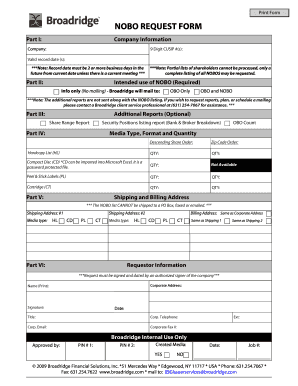
01. Edit your form online
Type text, add images, blackout confidential details, add comments, highlights and more.

Type text, add images, blackout confidential details, add comments, highlights and more.

Draw your signature, type it, upload its image, or use your mobile device as a signature pad.

Send it via email, link, or fax. You can also download it, export it or print it out.
The WordMint Crossword Puzzle Maker is an online tool designed for creating personalized crossword puzzles. It allows users to develop educational and engaging puzzles by customizing questions and answers according to specific themes or subjects. This tool caters to educators, students, and individuals interested in crafting themed crossword puzzles that aim to build vocabulary and promote problem-solving skills.
Using the WordMint Crossword Puzzle Maker involves several straightforward steps, beginning with selecting the puzzle theme. Users then input their chosen words and associated clues into the platform. The system automatically generates a grid, arranging the words in an optimized puzzle format. After reviewing the arrangement and ensuring accuracy, users can proceed to save, print, or share their puzzles.
A variety of terms are essential to understand when using the WordMint Crossword Puzzle Maker. These include "across" and "down," which indicate the direction of word placement within the puzzle grid. Additionally, "clue" refers to the hint provided for each word, while "theme" pertains to the underlying subject or topic of the puzzle. Familiarity with these terms helps users create effective and coherent crossword puzzles.
The primary components of the WordMint Crossword Puzzle Maker include its user interface, puzzle customization options, and educational tools. The interface is designed to be user-friendly, enabling users to easily navigate through puzzle creation steps. The customization feature allows for the personalization of puzzles to align with specific educational outcomes or entertainment needs, fostering creativity and enjoyment.
Typical users of the WordMint Crossword Puzzle Maker include educators, parents, students, and puzzle enthusiasts. Teachers often use it to create educational puzzles for classroom activities, while parents may leverage it for engaging their children in learning outside of school. Students can use the tool for project-based learning or to challenge peers, and puzzle aficionados can create personalized games for enjoyment.


Real-world scenarios showcased by the WordMint Crossword Puzzle Maker include educational settings where teachers design puzzles to reinforce vocabulary in subjects such as science or history. Additionally, family game nights can feature personalized crossword puzzles as a fun activity, while students might use the tool to create puzzle assignments based on specific research topics.
While WordMint is a popular tool for creating crosswords, there are several alternatives and versions available that cater to varied needs. These include online platforms like Crossword Labs and Puzzlemaker, which offer similar functionality and customization features but with slight variations in interface and usability.
The WordMint Crossword Puzzle Maker is compatible with multiple devices and operating systems, making it accessible via web browsers on both computers and mobile devices. This flexibility allows users to create and edit puzzles from virtually any location, enhancing convenience and productivity.
At DocHub, your data security is our priority. We follow HIPAA, SOC2, GDPR, and other standards, so you can work on your documents with confidence.