




01. Edit your m1 2019 online
Type text, add images, blackout confidential details, add comments, highlights and more.

Type text, add images, blackout confidential details, add comments, highlights and more.

Draw your signature, type it, upload its image, or use your mobile device as a signature pad.

Send 2019 mn via email, link, or fax. You can also download it, export it or print it out.
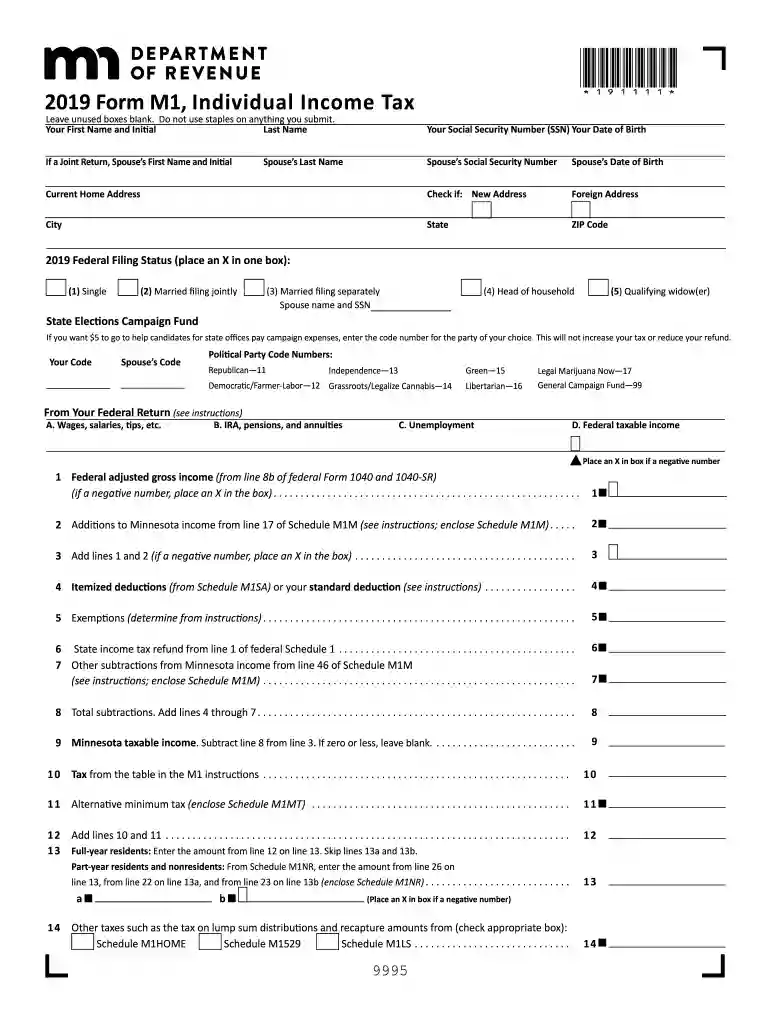
Form M1 is the Individual Income Tax form used by residents of Minnesota to file their state income tax returns. It captures essential taxpayer information such as personal details, federal filing status, income, deductions, and credits. The form serves as the primary means for taxpayers in Minnesota to calculate their state income tax liability, report income, and apply for applicable tax credits.
Form M1 can be acquired through several channels to ensure ease of access for Minnesota residents.
Filing Form M1 involves several critical steps to ensure accuracy and compliance.
Understanding key terminology can aid in accurate completion and compliance.
Minnesota imposes specific rules that differ from federal tax guidelines, which are crucial for taxpayers to understand.
Adhering to the correct timeline is essential to avoid penalties.
Flexibility in submission methods helps cater to different taxpayers' needs.
The Minnesota Department of Revenue is responsible for issuing Form M1. It ensures the form is updated annually to reflect any legal changes and provides resources for taxpayers requiring assistance.
Failure to comply with filing requirements can result in penalties, which taxpayers should strive to avoid.
Understanding and implementing the guidelines for Form M1, from acquiring the form to submitting a complete and accurate return, ensures compliance and minimizes potential issues for Minnesota taxpayers.
We've got more versions of the m1 2019 form. Select the right m1 2019 version from the list and start editing it straight away!
| Versions | Form popularity | Fillable & printable |
|---|---|---|
| 2025 | 4.1 Satisfied (57 Votes) | |
| 2024 | 4.3 Satisfied (40 Votes) | |
| 2023 | 4.4 Satisfied (51 Votes) | |
| 2022 | 4.5 Satisfied (67 Votes) | |
| 2021 | 4.8 Satisfied (90 Votes) | |
| 2020 | 4.4 Satisfied (159 Votes) | |
| 2019 | 4.3 Satisfied (92 Votes) | |
| 2018 | 4.3 Satisfied (99 Votes) | |
| 2017 | 4.2 Satisfied (77 Votes) | |
| 2016 | 4.4 Satisfied (127 Votes) | |
| 2015 | 4.3 Satisfied (48 Votes) | |
| 2013 | 4 Satisfied (21 Votes) | |
| 2012 | 4.2 Satisfied (41 Votes) | |
| 2011 | 4.4 Satisfied (60 Votes) | |
| 2010 | 4.1 Satisfied (54 Votes) |
At DocHub, your data security is our priority. We follow HIPAA, SOC2, GDPR, and other standards, so you can work on your documents with confidence.
In Fall 2020, Apple released a new Apple Chip called M1 (previous Apple hardware ran an Intel chip). Finding the chip: Apple M1 chip or Intel chip? 1. At theRead more
M1 consists of (1) currency outside the U.S. Treasury, Federal Reserve Banks, and the vaults of depository institutions; (2) demand deposits at commercial banksRead more


