




01. Edit your 2010 mn online
Type text, add images, blackout confidential details, add comments, highlights and more.

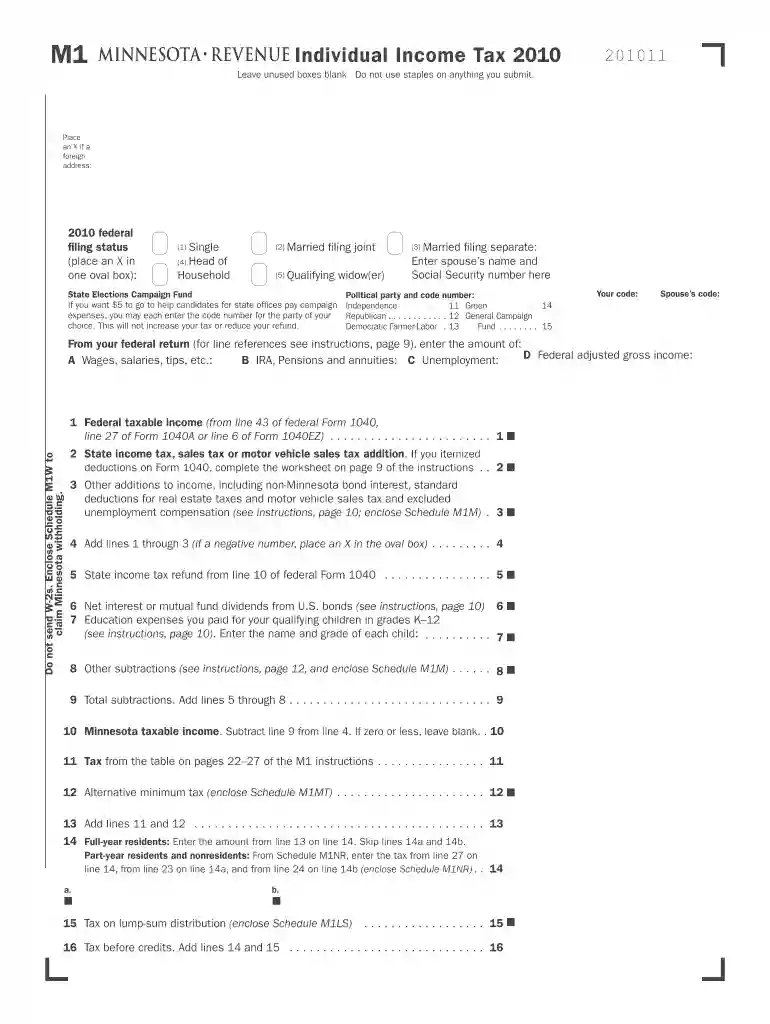
Type text, add images, blackout confidential details, add comments, highlights and more.

Draw your signature, type it, upload its image, or use your mobile device as a signature pad.

Send it via email, link, or fax. You can also download it, export it or print it out.
The "2008 M1, Individual Income Tax Return" is a form used by residents of Minnesota to report their income and calculate tax liabilities for the 2008 tax year. This document is critical for taxpayers to ensure they comply with state tax obligations. It outlines taxable income, deductions, and any applicable credits, offering a comprehensive overview of an individual's financial activities within a given year.
The form serves as the primary tool for Minnesota residents to calculate state income tax for the year 2008. By detailing income sources, exemptions, and credits, it allows taxpayers to determine whether they owe additional taxes or are entitled to a refund from the state.
Using the "2008 M1, Individual Income Tax Return" involves accurately filling out sections related to personal information, income, and eligible deductions. The process includes:
Gather Necessary Information
Complete Personal Information
Report Income
Calculate Deductions and Credits
Determine Tax Liability or Refund
Completing this form requires careful attention to detail:
Personal Information
Filing Status
Income Details
Deductions
Credits
Tax Calculation
Submit the Form
To fill out the 2008 M1 form accurately, several documents are needed:
The 2008 M1 form is legally required for all Minnesota residents who meet the income threshold for tax filing. Failing to file or inaccurately reporting information may result in penalties or audits by the state’s tax authorities.
Minnesota has specific tax laws affecting the M1 form:
The deadline for submitting the 2008 M1 form was April 15, 2009. Requests for extensions must also adhere to state guidelines, although they do not extend the time for payment of any taxes due.
Failure to file or pay the correct tax liabilities on time can lead to:
Consider a taxpayer who:
These scenarios illustrate how varied incomes and deductions influence the completion of the 2008 M1 tax form. Proper documentation and adherence to guidelines are essential for accurate filing.
We've got more versions of the 2010 mn form. Select the right 2010 mn version from the list and start editing it straight away!
| Versions | Form popularity | Fillable & printable |
|---|---|---|
| 2025 | 4.1 Satisfied (57 Votes) | |
| 2024 | 4.3 Satisfied (40 Votes) | |
| 2023 | 4.4 Satisfied (51 Votes) | |
| 2022 | 4.5 Satisfied (67 Votes) | |
| 2021 | 4.8 Satisfied (90 Votes) | |
| 2020 | 4.4 Satisfied (159 Votes) | |
| 2019 | 4.3 Satisfied (92 Votes) | |
| 2018 | 4.3 Satisfied (99 Votes) | |
| 2017 | 4.2 Satisfied (77 Votes) | |
| 2016 | 4.4 Satisfied (127 Votes) | |
| 2015 | 4.3 Satisfied (48 Votes) | |
| 2013 | 4 Satisfied (21 Votes) | |
| 2012 | 4.2 Satisfied (41 Votes) | |
| 2011 | 4.4 Satisfied (60 Votes) | |
| 2010 | 4.1 Satisfied (54 Votes) |
At DocHub, your data security is our priority. We follow HIPAA, SOC2, GDPR, and other standards, so you can work on your documents with confidence.


