




01. Edit your form online
Type text, add images, blackout confidential details, add comments, highlights and more.

Type text, add images, blackout confidential details, add comments, highlights and more.

Draw your signature, type it, upload its image, or use your mobile device as a signature pad.

Send it via email, link, or fax. You can also download it, export it or print it out.
Forms in the digital space refer to any document or application that can be completed and submitted via electronic devices. This process involves filling out fields that may include text, numbers, dates, and signatures, to gather specific information or to fulfill legal and operational requirements. The term "form online" typically encompasses forms such as tax documents, applications, surveys, and agreements. These forms are designed to streamline data collection processes, reduce processing time, and improve accessibility.
To acquire a form online, users must first identify the type of form they need, such as tax forms, application forms, or feedback surveys. Once identified, users can locate these forms on the issuing authority's official website, like IRS.gov for tax-related forms, or through industry-specific platforms. Many websites enable direct download options for forms in formats compatible with various document editing tools, such as PDF or DOCX. Alternatively, users can complete these forms directly within web browsers if provided by the issuing entity.
Access the Form: Navigate to the relevant website or platform where the form is available.
Download or Open: Depending on its format, download the form for offline completion or open it directly for online editing.
Input Information: Fill in the required fields with accurate details. Forms may include text boxes, dropdown menus, and checkboxes.
Review and Verify: Ensure that all the information is correct and complete before proceeding.
Sign Electronically: Use a digital signature tool if required, which may involve typing your name, signing with a stylus, or uploading an image of your signature.
Submit or Save: Directly submit the form online if the option is available. Otherwise, save the completed form for submission via email or secure upload channels.
Using forms online presents several advantages, including enhanced efficiency and convenience. Digital forms eliminate the need for physical paper, which aids in environmental conservation. They also reduce time spent on mailing or traveling to submit documents. Online forms facilitate faster processing times as digital entries can be integrated into automated systems for quick review and approval. Furthermore, these forms are accessible from any device with internet connectivity, enabling users to manage their tasks from anywhere.
A wide range of individuals and organizations utilize forms online. Businesses, regardless of size, frequently use them for operational tasks such as employee onboarding, compliance checks, and feedback collection. Government agencies leverage online forms to streamline public services, including tax filings and voter registrations. Similarly, educational institutions use digital forms for admissions, surveys, and faculty evaluations. Individuals including students, professionals, and retirees use these forms to manage personal finances, legal matters, and more efficiently.
Key components of an online form include a clear title that indicates its purpose (e.g., "Job Application" or "Tax Return"), instructions or guidelines for completion, and interactive fields for data input. These fields might include text boxes for names, addresses, and descriptions; dropdowns for selections from a list; radio buttons for yes/no questions; and signature fields for legal acknowledgment. The design also often features a submit button, security protocols to protect user data, and possibly a progress tracker to guide users through multi-page forms.
Forms filled and submitted online are legally recognized, provided they are compliant with the guidelines set by relevant legal authorities. For instance, electronic tax forms comply with IRS regulations when filed through approved channels. Online signature tools are legally binding when adhering to the ESIGN Act in the United States, which validates electronic signatures for most business and personal transactions. To ensure compliance, it is essential to employ secure, recognized platforms for creating, sharing, and storing these forms.
Various states may have different regulations pertaining to the use of online forms. These differences can include methods of submission, acceptance of digital signatures, and specific information required based on state laws. For example, state tax documents must be completed according to unique state tax codes, which can affect how forms are filled out and filed online. Businesses operating in multiple states must stay informed about these variances to ensure compliance with local laws and smooth operations.
Real-world scenarios demonstrate extensive use of online forms. Taxpayers file their annual taxes using online IRS forms, benefiting from calculators that assist in accurately reporting income. Employers use forms like W-4 online to manage employee withholding allowances. Educational institutions employ digital enrollment forms to streamline admissions processes. E-commerce companies utilize feedback forms to gather customer insights and improve services. Research organizations deploy online surveys to collect data efficiently from diverse populations worldwide.
Forms online are often designed for compatibility with popular document management systems and software like TurboTax for tax forms or HR software for business-related documents. These integrations allow users to input data directly into the software, which automatically fills out required fields within the form, saving time and reducing errors. Cross-platform compatibility ensures that forms can be completed on both Mac and Windows systems, as well as on mobile devices, ensuring flexible access for all users.
Forms distributed online originate from a range of entities, each tasked with fulfilling specific administrative or operational functions. Government agencies issue forms for public administration purposes, such as the IRS for tax-related documents or the Department of Motor Vehicles for driver's license renewals. Private businesses distribute forms for client agreements, order confirmations, or employee records. Educational institutions generate forms for admissions, scholarships, and course selections. Understanding the issuing authority is vital for accessing and submitting forms correctly.
Failure to properly complete or submit required forms online may lead to significant penalties. For instance, incomplete or late tax filings via online forms can incur financial fines and potential legal actions. Similarly, not adhering to business compliance forms can result in operational disruptions or loss of certification. To avoid these penalties, it is critical to understand submission requirements, deadlines, and to verify completion and accuracy thoroughly. Ensuring form compliance safeguards individuals and businesses from unintended legal consequences.
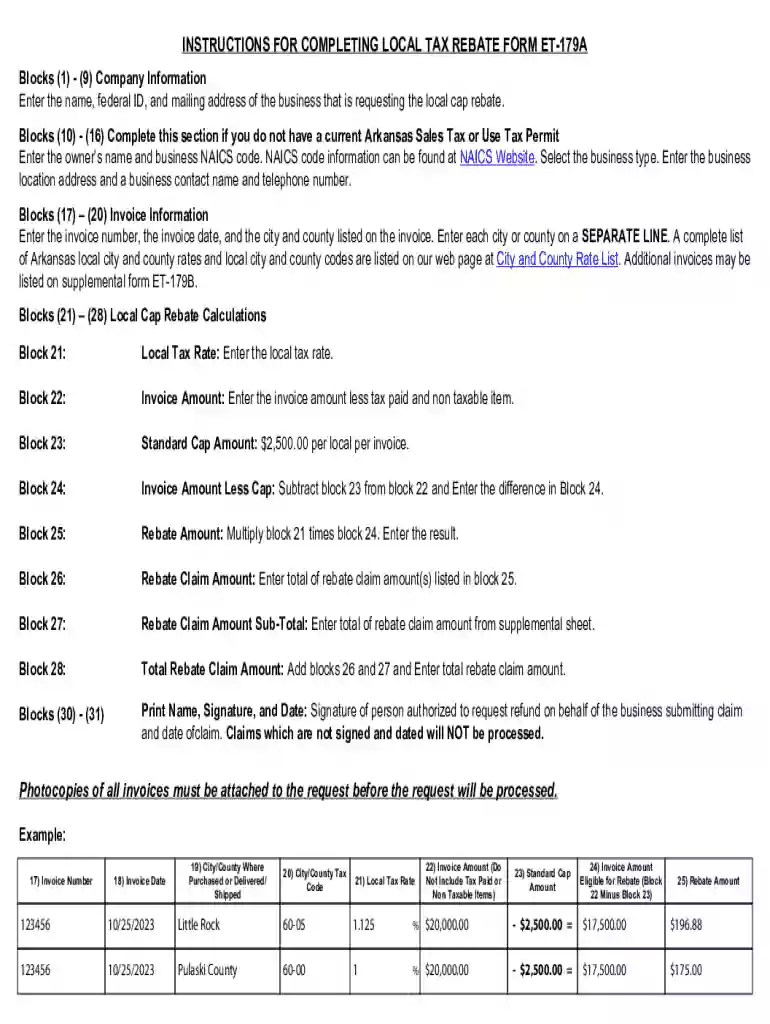
We've got more versions of the Arkansas Local Tax Rebate Form ET-179A form. Select the right Arkansas Local Tax Rebate Form ET-179A version from the list and start editing it straight away!
At DocHub, your data security is our priority. We follow HIPAA, SOC2, GDPR, and other standards, so you can work on your documents with confidence.

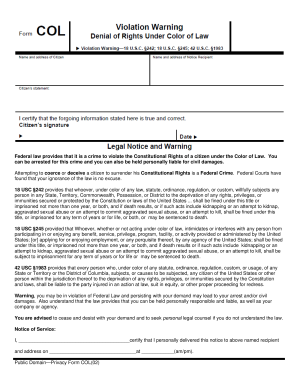


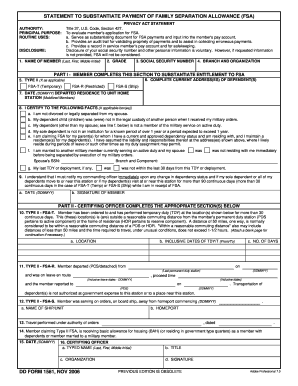

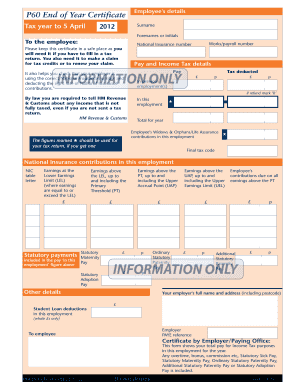

Local Tax Rebate Claim Form | ET- 179A, 04/17/2024 ; Local Tax Rebate Supplemental Form, 04/17/2024 ; Manufacturer of Electricity Utility Reduced Rate ApplicationRead more
a. In order to request a refund of the local sales and use tax for qualifying purchases, the purchaser should complete the Claim for Local Cap Rebate Form


