Definition & Meaning
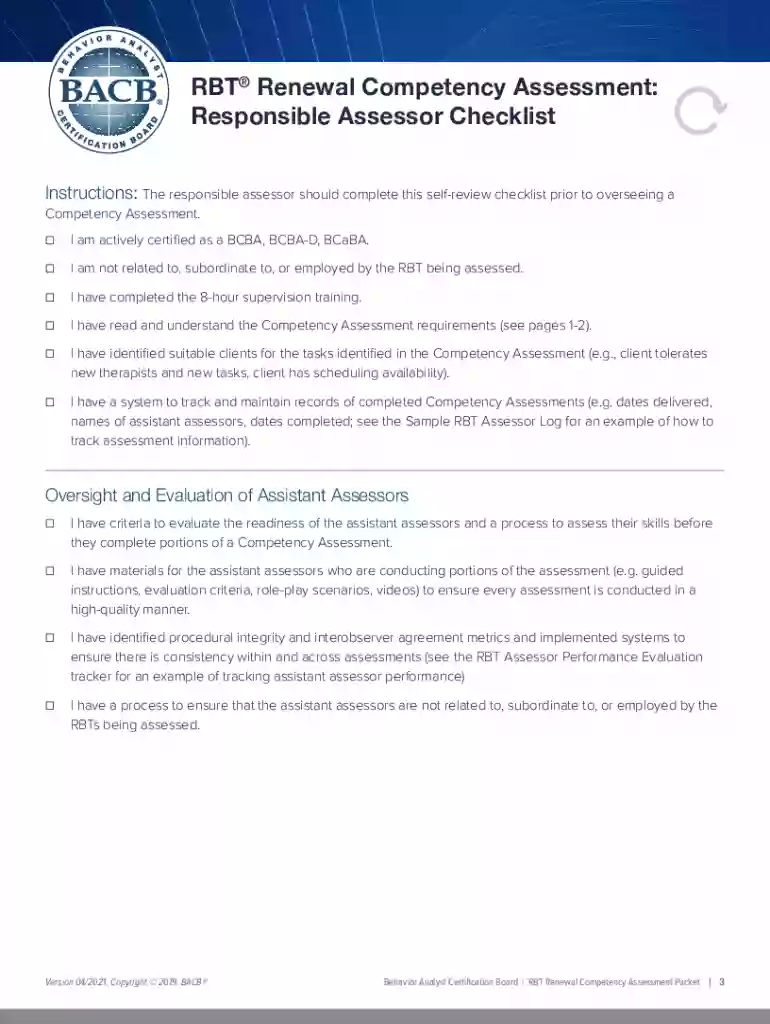
The RBT® Renewal Competency Assessment is a critical component for Registered Behavior Technicians (RBTs) as part of their certification renewal process. It is a structured evaluation designed to ensure that RBTs maintain proficiency in essential skills required for their role. The assessment involves various evaluation types, including client interactions, role-plays, and interviews, all conducted under the supervision of a certificant from the Behavior Analyst Certification Board (BACB).
Key Elements of the RBT Renewal Competency Assessment
Understanding the key elements of this assessment is crucial for successful completion. The assessment includes:
- Qualified Assessors: Only BACB certificants can conduct this assessment, ensuring that evaluation standards are met.
- Assessment Structure: The evaluation covers essential skills and competencies through client interactions and role-playing scenarios.
- Documentation: All procedures and results must be documented and maintained for at least seven years.
Steps to Complete the RBT Renewal Competency Assessment
Completing the assessment involves several steps:
- Schedule with an Assessor: Arrange an evaluation session with a qualified BACB certificant.
- Prepare Required Documents: Gather all necessary documentation, including proof of previous certification and work experience.
- Participate in Assessment: Engage in various evaluation activities, such as client interactions and role-plays, to demonstrate proficiency.
- Review and Sign: After completion, review the results with the assessor and sign off on the documentation.
- Submit for Certification Renewal: Submit the assessment results along with the renewal application to the BACB.
How to Obtain the RBT Renewal Competency Assessment Form
To acquire the form for the RBT Renewal Competency Assessment:
- Download Online: Forms can be accessed and filled online through platforms like DocHub, which allow for easy filling, printing, and sharing.
- Request from BACB: Contacting the BACB directly or through their website can provide the most current version of the assessment form.
Legal Use of the RBT Renewal Competency Assessment
It’s essential to adhere to legal requirements when using this assessment:
- Confidentiality: Maintain strict confidentiality of client interactions and other sensitive data.
- Proper Documentation: Ensure that all documents are completed accurately and stored responsibly for seven years to comply with regulatory standards.
Form Submission Methods
Submitting the RBT Renewal Competency Assessment can be done in several ways:
- Online Submission: Fill out and submit forms digitally through secure platforms like DocHub.
- Mail: Printed forms can be mailed to the BACB, ensuring all necessary documentation is included.
- In-Person: Direct submission to BACB offices when feasible, though not commonly practiced.
Software Compatibility
Utilizing software platforms can simplify the filling process for the RBT Renewal Competency Assessment:
- DocHub: Supports editing, annotating, and signing the assessment form online.
- Google Workspace Integration: Import and export documents directly from Google Drive for streamlined workflow.
- Compatibility: Software that supports PDF, DOC, PPT, and other formats ensures flexibility in form management.