



01. Edit your form online
Type text, add images, blackout confidential details, add comments, highlights and more.

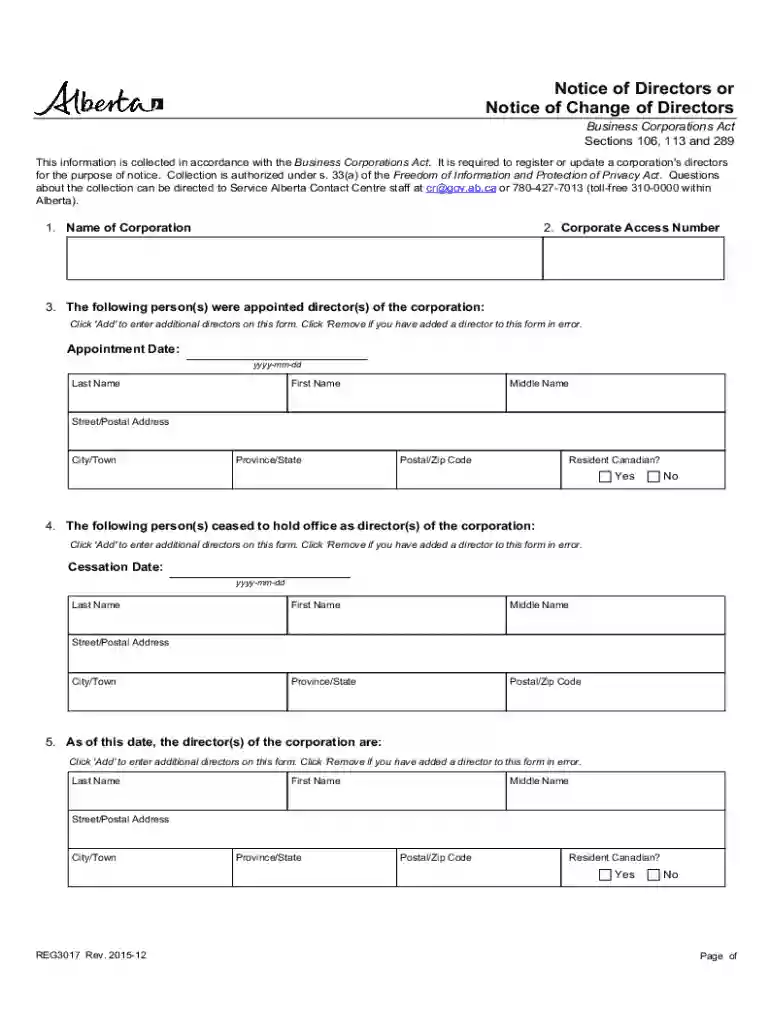
Type text, add images, blackout confidential details, add comments, highlights and more.

Draw your signature, type it, upload its image, or use your mobile device as a signature pad.

Send it via email, link, or fax. You can also download it, export it or print it out.
Understanding what a form online means provides crucial insight into its purpose and utility. Forms online are digital counterparts to traditional paper forms, designed for submission via the internet. They encompass a wide variety of uses, from legal documents to tax forms and more, streamlining processes that typically require paper submissions.
The flexibility of forms online means they can be accessed and modified easily, offering a more versatile approach compared to their physical formats. This dynamic nature allows for real-time updates and changes, making them ideal for industries that require frequent documentation changes like healthcare or finance. By shifting to forms online, users experience increased convenience, access to various features like fillable fields, and enhanced data accuracy.
Navigating the process of using a form online can be simplified with a step-by-step approach:
Access the Platform: Begin by visiting the website hosting the form. Platforms like DocHub allow users to access forms directly through a desktop or mobile web browser.
Select the Form: Choose the specific form you need. This can typically be searched by name or number, depending on its purpose.
Fill in the Information: Utilize the platform's annotation tools to add text, images, or signatures. These tools enable precise input, ensuring the form is completed accurately.
Review for Accuracy: Before submission, double-check all entered information. Platforms usually offer a preview option to view your completed form as it will appear once submitted.
Submit the Form: Once satisfied with the accuracy of the information, submit the form online. Most platforms provide confirmation once the form has been successfully submitted.
Online forms can often be saved and returned to later, offering the flexibility to complete them at your own pace.
Completing the form online involves several key steps, ensuring all crucial information is correctly captured:
Open the Form: Load the form via a compatible platform such as DocHub, either by importing it from a cloud storage service or starting from a blank template.
Input Data: Enter necessary details into predefined fields, ensuring all required fields are populated. The form may include compulsory sections that need completion to proceed.
Add Annotations: Utilize annotation tools for additional information, comments, or specific instructions related to the form’s purpose.
Attach Required Documents: If the form necessitates additional documentation, use the platform’s upload feature to attach these files securely.
Insert Digital Signatures: For forms requiring authentication, use an electronic signature. You can create one through options like drawing, typing, or uploading.
Submit or Save: Once all elements are in place, save your progress or submit the form directly. Alternatively, save a copy for your records.
Ensuring each step is followed meticulously can prevent errors and guarantee compliance with submission standards.
Forms online serve multiple sectors and are utilized by a diverse range of users:
The vast applicability of forms online has expanded their use across various industries, catering to the needs of both individuals and organizations.
Understanding the essential elements of forms online helps users effectively utilize their features:
These elements collectively enhance the user experience, ensuring forms are not only easy to complete but also reliable in capturing accurate data.
Real-world applications highlight the versatility of online forms:
Each scenario showcases how online forms cater to varied needs, offering both efficiency and effectiveness.
While forms online offer broad application, state-specific rules may apply:
Familiarity with state-specific regulations ensures forms online are used effectively without legal discrepancies.
Forms online may need integration with specific software for enhanced functionality:
These compatibilities streamline workflows, ensuring that forms online are universally accessible and functional across different technology platforms.
We've got more versions of the Notice of Change of Directors form. Select the right Notice of Change of Directors version from the list and start editing it straight away!
At DocHub, your data security is our priority. We follow HIPAA, SOC2, GDPR, and other standards, so you can work on your documents with confidence.
Notice of Change of Director or Senior Executive Officer | Electronic Code of Federal Regulations (e-CFR) Prior notice requirements. 238.74 Filing and
NOTICE OF CHANGE OF GOVERNING PERSON. (OFFICERS, DIRECTORS, PRINCIPALS,. MEMBERS / MANAGERS). State Form 50655 (R10 / 01-26). INSTRUCTIONS: 1. Use 8 x 11Read more


