
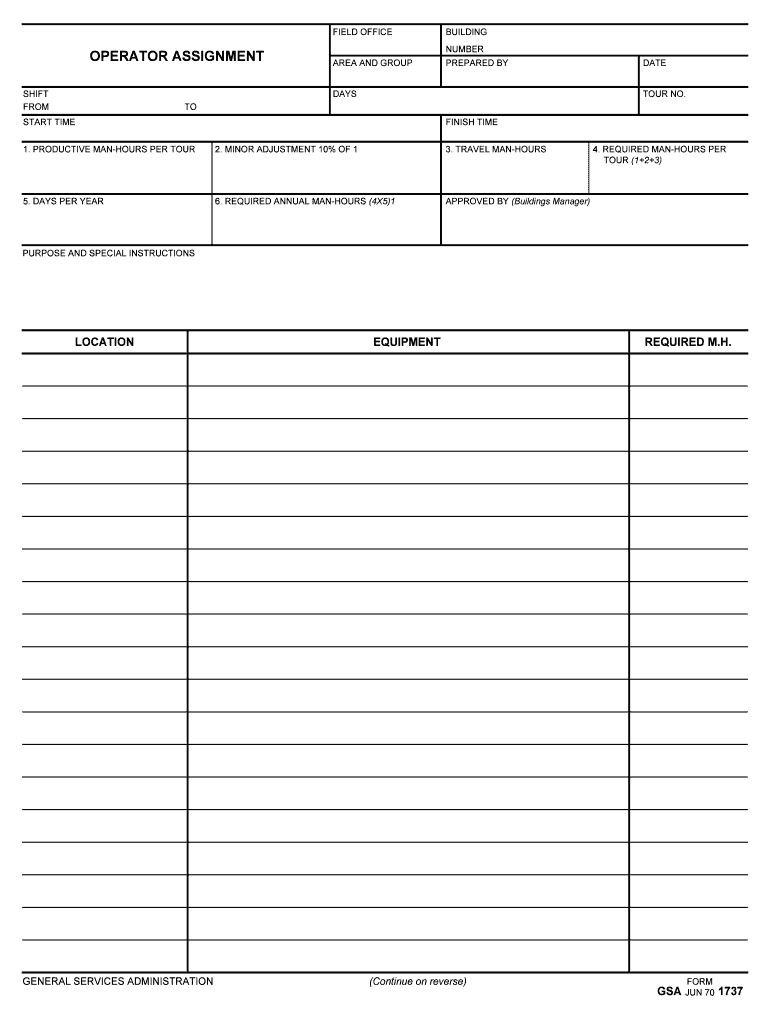







Definition and Meaning of AREA AND GROUP
The "Area and Group" form typically involves the classification and assignment of operational zones and teams within an organization or project setting. This categorization is essential for managing resources efficiently, delineating responsibilities, and ensuring smooth coordination among various units. By clearly defining areas and groups, organizations can effectively allocate manpower, adhere to schedules, and fulfill operational requirements. The specifics of this form can vary depending on its intended use, such as administrative functions or project management.
How to Use the AREA AND GROUP Form
Using the "Area and Group" form involves several steps to ensure accurate and comprehensive documentation. Primarily, it serves as a tool for assigning specific regions or sections to distinct groups or teams within an organization. Users must identify the relevant parameters, such as shift timings, building designations, and group functions. Inputting accurate data is crucial, as it helps streamline operations and allocates resources where needed. The form is frequently revised to adapt to changing requirements or restructuring within the organization.
Steps to Complete the AREA AND GROUP Form
- Gather Required Information: Ensure you have all necessary details, including group assignments, shift timings, and area specifications.
- Identify Groups and Areas: Clearly define each group’s responsibilities and the area they will cover. This may include geographical regions or departmental units within a company.
- Input Data Accurately: Use precise and complete information for each field to ensure correctness. Pay attention to specific instructions related to each allocation.
- Review and Verify: Double-check all entries to avoid errors or omissions that could impact operations.
- Submit for Approval: Once completed, submit the form to the designated authority for final approval. This often involves the Buildings Manager or another supervisory role.
- Archive or Distribute Copies: Ensure copies are appropriately stored for future reference and distributed as needed to all relevant parties.
Who Typically Uses the AREA AND GROUP Form
This form is generally used by organizations that need to organize their operations across different locations and teams. Common users include operational managers, project coordinators, and administrative personnel. In larger institutions, such as government agencies like the General Services Administration, these forms are crucial for maintaining order and efficiency. Additionally, corporations managing multiple sites rely on such documentation to coordinate logistics and team activities seamlessly.


Key Elements of the AREA AND GROUP Form
- Operator Assignment Details: Information regarding the specific roles assigned to each group or team.
- Shift Timings: Detailed schedules indicating when groups are expected to perform their duties.
- Area Specifications: Geographic or departmental boundaries where each group will operate.
- Resource Allocation: Outline of the resources allocated to each group based on area requirements.
- Approval Sections: Designated fields for manager approval, ensuring organizational oversight and accountability.
Legal Use of the AREA AND GROUP Form
The use of the "Area and Group" form must comply with organizational policies and legal regulations. Such compliance ensures proper documentation, protects against disputes regarding resource allocation or team responsibilities, and adheres to labor laws. Managers using this form must ensure that all assignments meet legal standards for employee work hours, zoning laws, and operational protocols. In legal contexts, this form can serve as evidence of procedural compliance and resource management.
Examples of Using the AREA AND GROUP Form
In a corporate setting, the "Area and Group" form might be used to delineate which teams are responsible for particular regions of a sales territory. For a government agency, this form could specify maintenance groups assigned to different areas within a facility. In both cases, clear assignment helps optimize the use of manpower and resources, facilitating more efficient operations and reducing the potential for confusion or overlap in duties.
Software Compatibility for Managing AREA AND GROUP Forms
Efficient management of "Area and Group" forms can often be enhanced by software solutions. Tools like spreadsheets can be used for simple data entry, whereas more complex operations might require specialized software like project management systems. Platforms such as DocHub support importing and editing forms seamlessly, offering annotation tools and collaboration features to ensure all relevant parties can access and update information in real time. The choice of software should align with the organization's specific needs and the complexity of the form’s data.




