01. Edit your form online
Type text, add images, blackout confidential details, add comments, highlights and more.

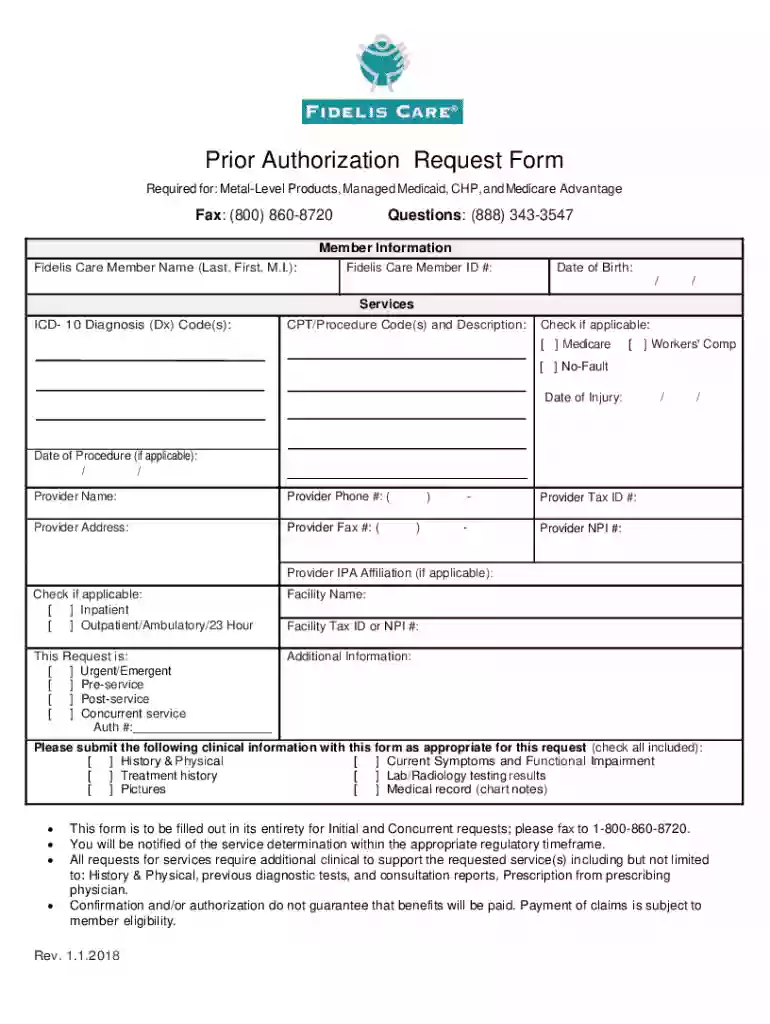
Type text, add images, blackout confidential details, add comments, highlights and more.

Draw your signature, type it, upload its image, or use your mobile device as a signature pad.

Send it via email, link, or fax. You can also download it, export it or print it out.
The term "form online" refers to the digital versions of documents that are used for various applications, registrations, filings, or information gathering while being accessible through the internet. These forms serve the purpose of collecting necessary data from users, which might relate to personal, financial, legal, or business information. Unlike paper forms, online forms offer the advantage of being easily editable, submitable from anywhere with internet access, and often include interactive features that guide users through the completion process.
When utilizing forms online, there are a few essential steps to follow to ensure correct usage:
Access the Form: Typically, forms are accessible via specific websites, such as a government portal or a business's website like DocHub. Simply navigate to the site using a web browser.
Read Instructions: Review the form instructions carefully for any specific submission guidelines or requirements.
Fill Out Required Fields: Use the digital fields to input your information. Oftentimes, the form will highlight mandatory fields or include validations to prevent submission errors.
Use Interactive Tools: If the platform offers tools such as dropdown menus, checkboxes, or digital signature fields, use them to complete the form accurately.
Review and Edit: Before submission, take the time to review the information you’ve entered for accuracy and completeness.
Submit Form: Once all required data is accurately filled in and reviewed, submit the form online, following prompted instructions.
Forms online can be obtained through a variety of channels, depending on their purpose:
Completing the form online requires adherence to these straightforward steps:
Locate the Form: Start by ensuring you have found the correct version of the form needed for your specific task.
Gather Necessary Information: Before beginning, have all required information and supporting documents at hand.
Enter Personal Details: Begin filling out personal or business information as required by the form.
Attach Supporting Documents: If the form requires attachments, be sure files are appropriately titled and formatted.
Provide Signatures: Use provided fields to sign forms digitally if necessary. Platforms like DocHub allow drawing, typing, or uploading a signature.
Confirmation of Submission: After submission, check for confirmation notice that the form was successfully received. Store this confirmation for your records.
Opting to form online presents numerous advantages over traditional paper forms:
Key elements distinguish online forms from their paper counterparts:
Forms submitted online, especially those involving legal documentation or financial transactions, often comply with regional or federal laws:
Understanding the legal context ensures compliance and upholds the legitimacy of the documents processed digitally.
Effective examples of using forms online include:
Utilizing these examples can offer insights into how versatile and valuable online forms are for various life sectors and professional domains.
We've got more versions of the Prior Authorization Request Form form. Select the right Prior Authorization Request Form version from the list and start editing it straight away!
At DocHub, your data security is our priority. We follow HIPAA, SOC2, GDPR, and other standards, so you can work on your documents with confidence.