Type text, add images, blackout confidential details, add comments, highlights and more.
02. Sign it in a few clicks
Draw your signature, type it, upload its image, or use your mobile device as a signature pad.
03. Share your form with others
Send ca number application via email, link, or fax. You can also download it, export it or print it out.
How to use or fill out CA number application form with our platform
Ease of Setup
DocHub User Ratings on G2
Ease of Use
DocHub User Ratings on G2
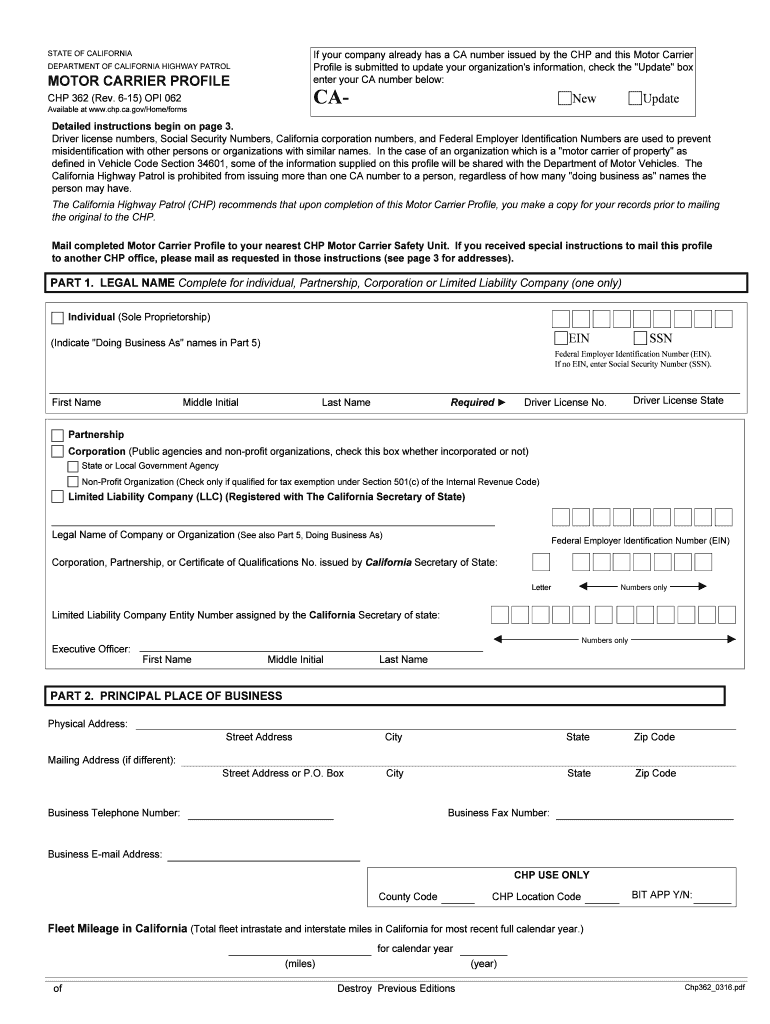
Click ‘Get Form’ to open the CA number application form in the editor.
In Part 1, select your legal name type (Individual, Partnership, Corporation, or LLC) and fill in the required fields such as your name, EIN or SSN, and driver license information.
Proceed to Part 2 to enter your principal place of business. Provide the physical address and mailing address if different. Ensure you include a valid business telephone number.
In Part 3, list emergency contacts who can be reached by CHP in case of an emergency involving your vehicles. Include their names and both day and night telephone numbers.
For Part 4, check all applicable types of operation that apply to your business. This helps CHP understand your operational needs better.
Complete Parts 5 through 7 by entering any Doing Business As (DBA) names and operating authorities as required. Make sure all information is accurate for processing.
Start filling out your CA number application form online for free today!
Fill out ca number application form online It's free
ca.gov/ for faster service). ❖ Complete application form DL 44 (An original DL 44 form must be submitted). ❖ Give a thumb print. ❖ Have your picture taken.Read more
A valid driver license number and issuing state are required. The application will not be processed without one. A valid California identification card numberRead more
Cookie consent notice
This site uses cookies to enhance site navigation and personalize your experience.
By using this site you agree to our use of cookies as described in our Privacy Notice.
You can modify your selections by visiting our Cookie and Advertising Notice.